

Writers have always known that speaking is faster than typing. Now AI-powered dictation makes it practical to write entire novels, screenplays, and articles by voice.
This guide covers tools that actually work for creative and professional writing—not the clunky speech recognition of the past.
The Tools
WisprFlow for Writing and Drafting
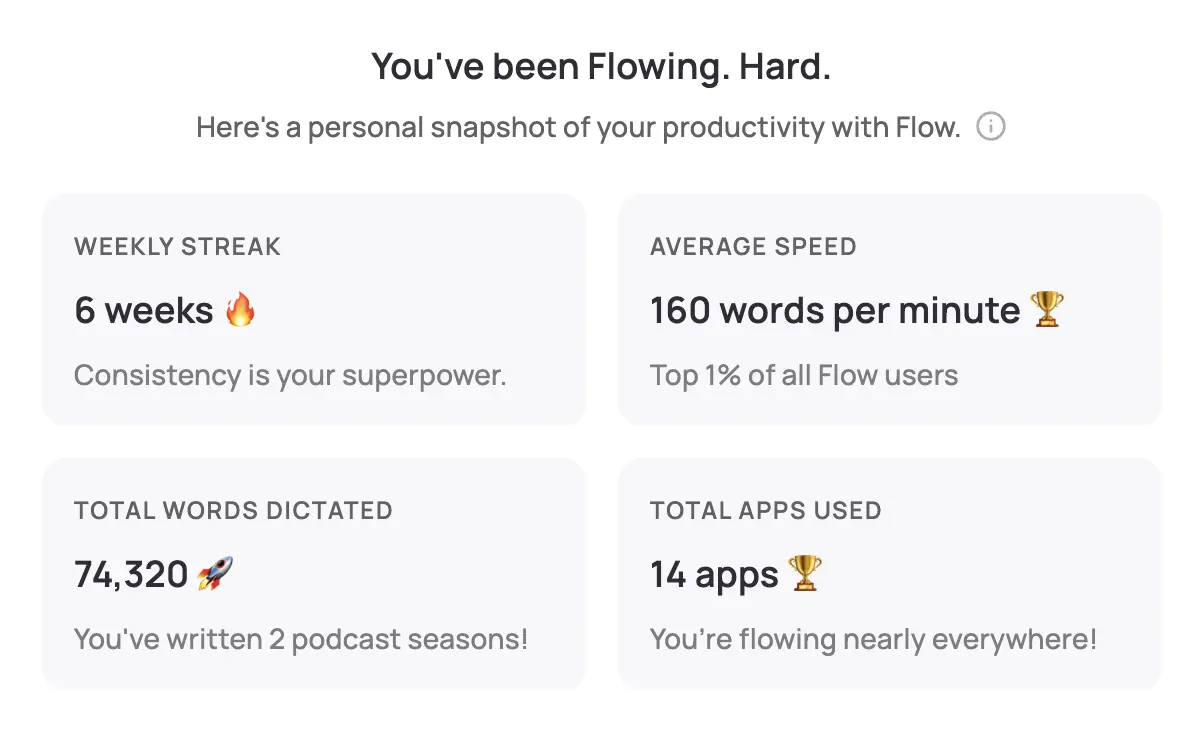
WisprFlow is voice-to-text that works everywhere on your Mac. Press a hotkey, speak your prose, and polished text appears in Scrivener, Google Docs, Word—anywhere.
Why Writers Love WisprFlow
Bypass the blank page: Speaking is different from typing. Many writers find that dictating unlocks a more natural flow. The words come easier when you're not staring at a cursor.
Write at 170+ WPM: Most writers type 40-60 WPM. WisprFlow enables 150-180 WPM dictation. That's a 3x improvement on raw output.
AI cleans up your speech: Filler words like "um" and "uh" disappear. Grammar is corrected. You get clean prose, not a transcript.
Writing Use Cases
- First drafts: Dictate your rough draft, then edit on screen. Separating creation from editing improves both.
- Dialogue: Speak your characters' lines naturally. Dialogue often sounds more authentic when spoken aloud.
- Blog posts and articles: A 1,500-word article takes 10 minutes to dictate vs. 30+ minutes typing.
- Email and correspondence: Author newsletters, reader responses, and pitch letters in seconds.
The Hemingway Method, Modernized
Hemingway famously wrote standing up to keep his prose tight. Voice writing has a similar effect—you can't ramble when you're speaking with intention.
Granola for Research Interviews and Brainstorming

Granola captures conversations and creates organized notes—perfect for research interviews, writing group discussions, and brainstorming sessions.
For Non-Fiction and Journalism
Source interviews: Record research calls without making sources uncomfortable. No bot joins the call—Granola runs invisibly.
Expert consultations: Capture technical details from subject matter experts. Never miss a critical quote.
Writing group feedback: Record critique sessions to review later. Focus on listening, not scribbling.
For Fiction Writers
Character voice development: Record yourself speaking as different characters. Review to find their unique patterns.
Plot brainstorming: Talk through your story with a writing partner. Granola captures the breakthrough moments.
Beta reader calls: Get feedback sessions transcribed automatically.
Workflow for Writers
Morning Writing Session
- Open your manuscript in Scrivener/Word/Docs
- Activate WisprFlow (hotkey)
- Dictate your scene or chapter
- Review and light edit
Research Phase
- Schedule source interviews
- Let Granola capture the conversation
- Review transcript for quotes and facts
- Dictate your findings into notes
Output Comparison
| Method | 2,000 Word Chapter | Weekly Output Potential |
|---|---|---|
| Typing (50 WPM) | 40 minutes | 15,000 words |
| Dictation (170 WPM) | 12 minutes | 50,000+ words |
Many authors report completing first drafts 3x faster with voice.
Getting Started
- For writing and drafting: Try WisprFlow - 2 minutes to install
- For interviews and research: Try Granola - captures calls automatically
WisprFlow has a free trial, and Granola gives new users three months free. Test them across real writing sessions and interviews.
FAQ
Does dictation work for fiction?
Yes. Many novelists find spoken dialogue sounds more natural. The key is separating dictation (creation) from editing (refinement).
What about writer's block?
Speaking often bypasses the internal editor that causes blocks. When you type, you self-censor. When you speak, the words flow.
Can I dictate in coffee shops?
WisprFlow's noise cancellation handles moderate background noise. For quieter environments, accuracy improves.
Do I need to learn commands?
No special commands. Just speak naturally. WisprFlow figures out punctuation from context.
The best writing tool is the one that gets out of your way. Voice lets you think on paper without the friction of typing.
How each tool turns speech into text
The useful difference is where the text appears and how much work remains afterward.
Traditional typing stays precise and familiar for short edits.
WisprFlow dictates into any app with AI formatting, and it is free to try.

Discussion
Giscus