Since early February I've run a personal AI assistant on a small Linux box in my home office — Tailscale overlay so I can reach it from anywhere. Most of the time it works great.
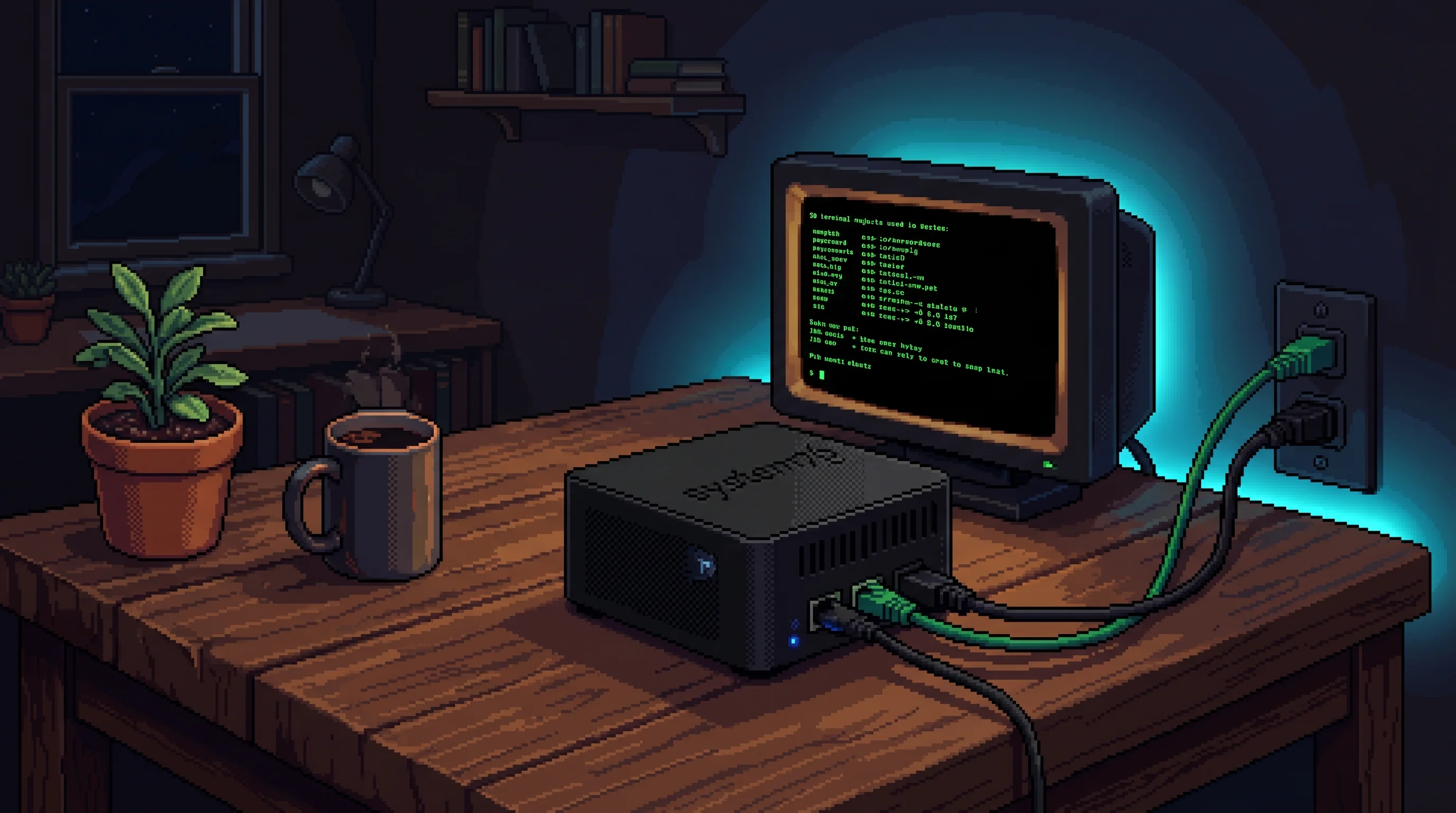
Twice in the past few months it went offline while I was out of the country. I haven't fully debugged why — could be power, could be a hardware fault, doesn't matter. What matters is that those outages proved two things: first, that I'd come to genuinely depend on having an always-on AI assistant. And second, that I needed it running on infrastructure that could survive a destroyed instance, a power failure, or me being 5,000 miles away with no physical access. Time to fix that.
The constraints
Six requirements, written before touching any code:
- Always on. If I'm sleeping, travelling, or staring into the middle distance, the bot is running.
- Cattle for compute, pet for memory. The instance is disposable. Memory, skills, and conversation history survive instance replacement.
- Private by default. No public ingress. Tailnet-only. Auth is implicit, not a constant friction.
- Stateful. The assistant accumulates context, memories, and capabilities over time.
- Managed entirely via IaC. No console clicks. Any future Claude session with AWS creds can
tofu init && tofu planand manage the deployment. - Reuse what already works. I already have a Discord gateway, a battle-tested SOUL.md, 25+ skills, API integrations for Teller, Gmail, Linear, Anthropic, OpenAI. Port, don't rebuild.
Number 6 turned out to be the most interesting constraint. This could have been a green-field build. Instead it was a selective port: take everything from OpenClaw that had proven out, drop it onto new bones designed for reliability.
Choosing primitives
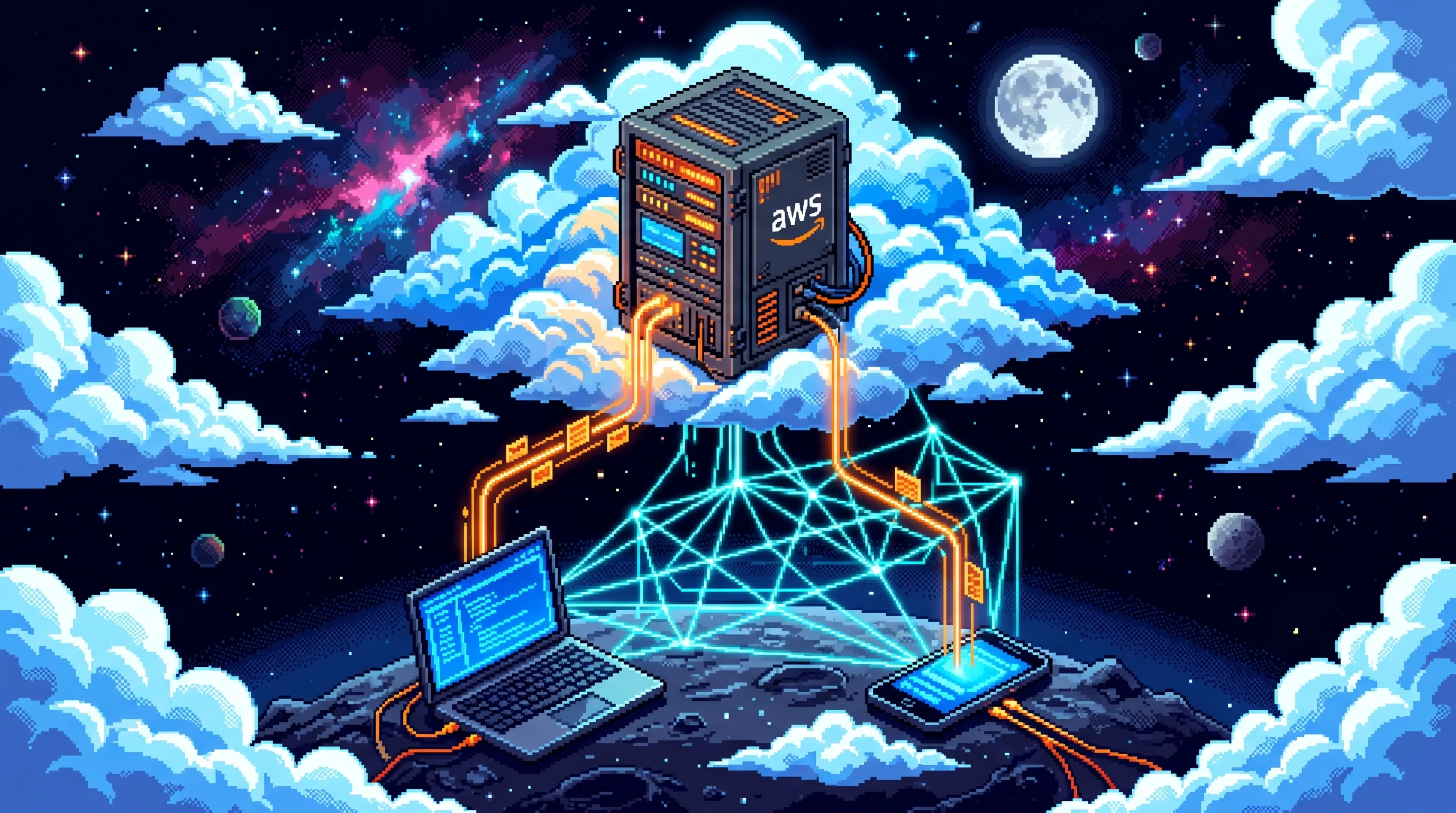
Before writing any code, I spent about an hour in an adversarial architecture conversation with Claude, pushing back on options until the final choices felt solid.
Rejected: RunPod and Modal (GPU-first platforms for a CPU-only daemon). Cloudflare Workers (Python Workers use Pyodide, no persistent filesystem). Fly.io (volume-loss incidents eroded trust). DigitalOcean and Hetzner were viable, but I'm already deep in AWS with an account ready to go.
With AWS as the foundation: OpenTofu for IaC with encrypted state in S3 and native locking — no DynamoDB lock table needed. A separate EBS data volume mounted at the assistant's home directory, delete_on_termination=false and prevent_destroy=true, so the root volume stays ephemeral while everything important persists. SSM Parameter Store for secrets — a dozen-plus SecureString params and growing, rotatable with a single aws ssm put-parameter --overwrite, no redeploy. SSM Session Manager for break-glass access with zero inbound public ports. Tailscale for everyday access — MagicDNS, ACL-governed SSH, WireGuard end-to-end. Discord as the UI.
OpenRouter was a deliberate choice for the model backend. One API key gives you access to every major model — Claude, GPT-4, Gemini, Llama, Mistral, whatever drops next week. For a personal assistant that I want to keep running indefinitely, I didn't want to be locked into one provider's auth and billing. OpenRouter lets me swap models with a config change and fall back if one provider has an outage. The one dependency that makes every other model decision reversible.
The whole thing runs on about $96/month on-demand pricing, or roughly $72/month with a reserved instance — calibrated for a t4g.xlarge with 16 GB of RAM, which turned out necessary for the Next.js builds and Playwright sessions the assistant runs.
Choosing the agent
The agent framework mattered as much as the infrastructure. I spent time reading through several options — LangChain, CrewAI, various "agent-as-a-service" platforms — but landed on Hermes Agent from Nous Research.
What drew me in was the feature surface. Hermes ships with persistent memory across sessions, a skills system for teaching it reusable workflows, a full terminal backend, browser automation, file management, cron scheduling, sub-agent delegation, and platform gateways for Discord, Telegram, Slack, and more. It also has a SOUL.md file — a personality contract that persists on disk and survives instance replacement — and a USER.md for storing context about the human it's working with.
I read through the docs, looked at what was on the menu, and then tailored it to my specific needs. The skills system is where most of the customization lives — I ported 25+ skills from my previous setup covering everything from bank account monitoring to blog post publishing to flight search. The webhook system gave me event-driven activation. The approval system (which I later disabled) showed that security was designed in, not bolted on.
The key insight at every decision point was that OpenClaw had already solved most of these problems. Personality contract? Port SOUL.md wholesale. User profile? Port USER.md — months of accumulated context in one scp. Teller bank integration? Port the mTLS certs and access tokens. Skills? Copy the directory. Every integration I'd refined over the past few months came along for the ride, and I got the compounding value of all that iteration without rebuilding any of it.
The persistent session
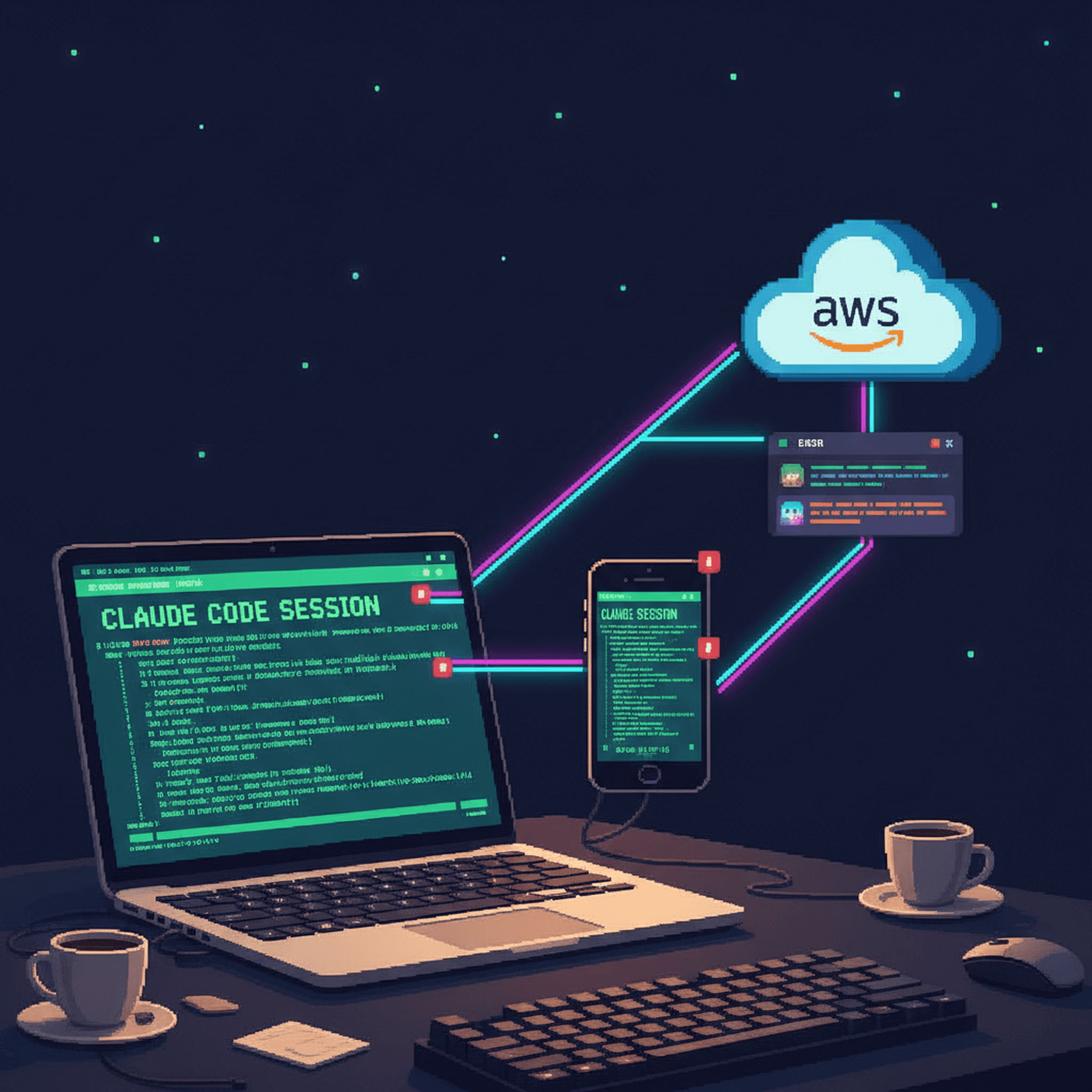
The entire build ran out of a single Claude Code terminal session on my MacBook that stayed open for the full day. One session, accumulating every scrap of context as it went: architecture decisions, OpenTofu state, debugging history, SSM parameter names, cloud-init iterations, the lot. Nothing got re-explained between turns. By hour six, Claude had internalized the entire deployment topology and could reason about interactions between cloud-init, Tailscale, and the hermes installer without me spelling out the dependencies.
Claude Code has remote control — I can monitor and interact with the session from my phone via the Claude Code mobile interface. Between meetings, at a red light, on a walk with the dog, I'd pull up the session, see where things stood, send "approved" or "try the xlarge instead", and go back to whatever I was doing. The AI operator kept working. This is the actual workflow pattern that makes "built in a day while doing other things" honest rather than hyperbolic. The session was running tofu apply, polling cloud-init status via SSM, diagnosing failures, committing fixes — all autonomously. I checked in periodically to provide credentials, make judgment calls ("just upsize the instance"), and approve destructive operations. The rest was handled.
By the end of the day, the session had produced six Claude Code skills that encode the operational playbook for future sessions: /tell-hermes (pipe context to hermes via webhook), /hermes-status (health dashboard), /hermes-deploy (safer tofu apply), /hermes-skill-port (port OpenClaw skills), /hermes-debug (triage bundle), /hermes-memory-query (search hermes's memories). Any future Claude Code session opened in the repo picks these up immediately — the operational knowledge persists even if I never touch the project again for months.
The mental model that emerged is a three-actor system. Claude Code is the infrastructure brain: AWS, IaC, debugging, git, skill authoring. Hermes is the user-facing agent: Discord, bank APIs, content management, persistent memory. I'm the director, often mobile, steering both from my phone. Each actor operates in its domain without needing to understand the internals of the others. Claude Code has never spoken to a Discord user. Hermes has never run tofu plan. I don't have to hold the full cloud-init template in my head. The separation of concerns is what makes the pattern reproducible — swap any actor for something better and the others don't notice.
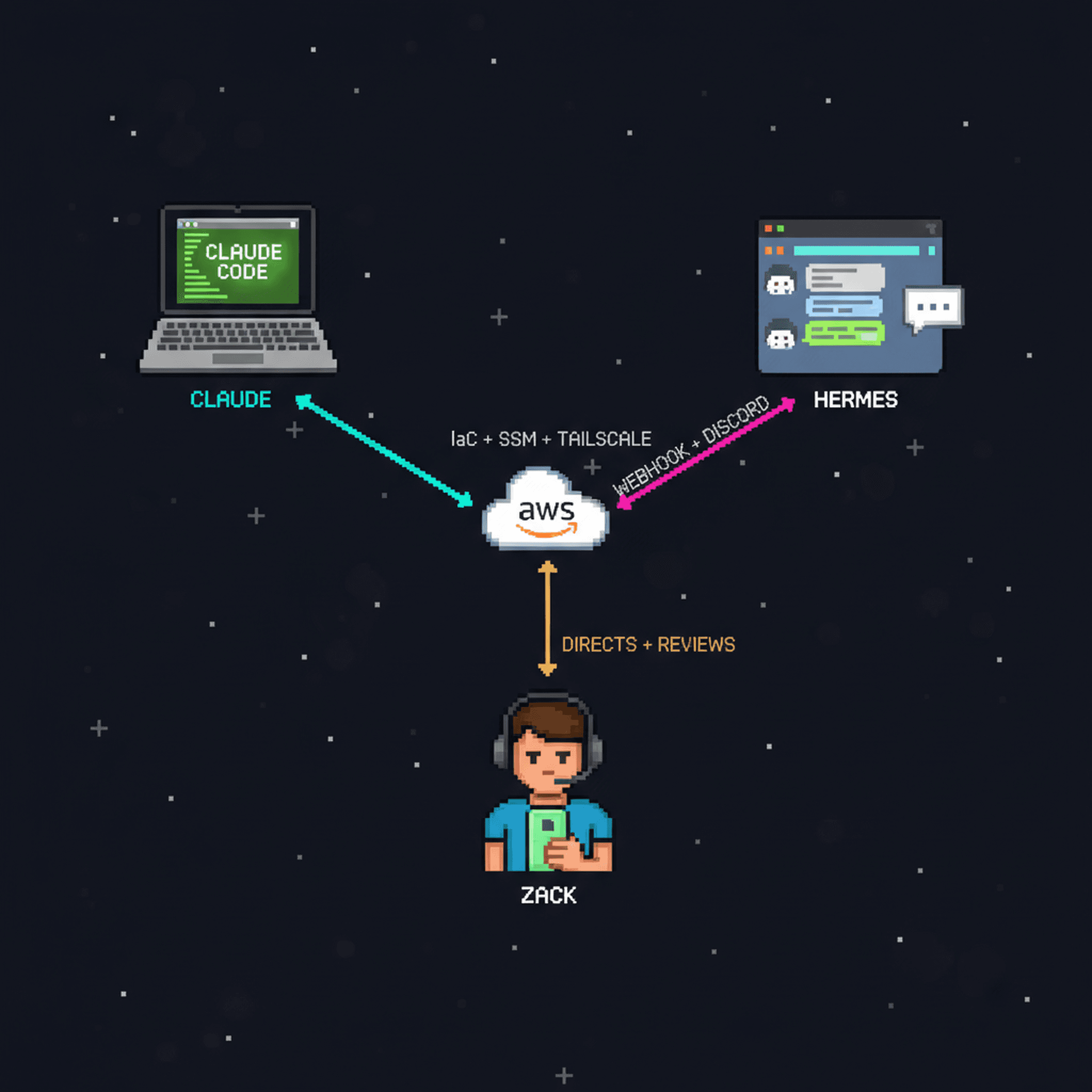
The architecture
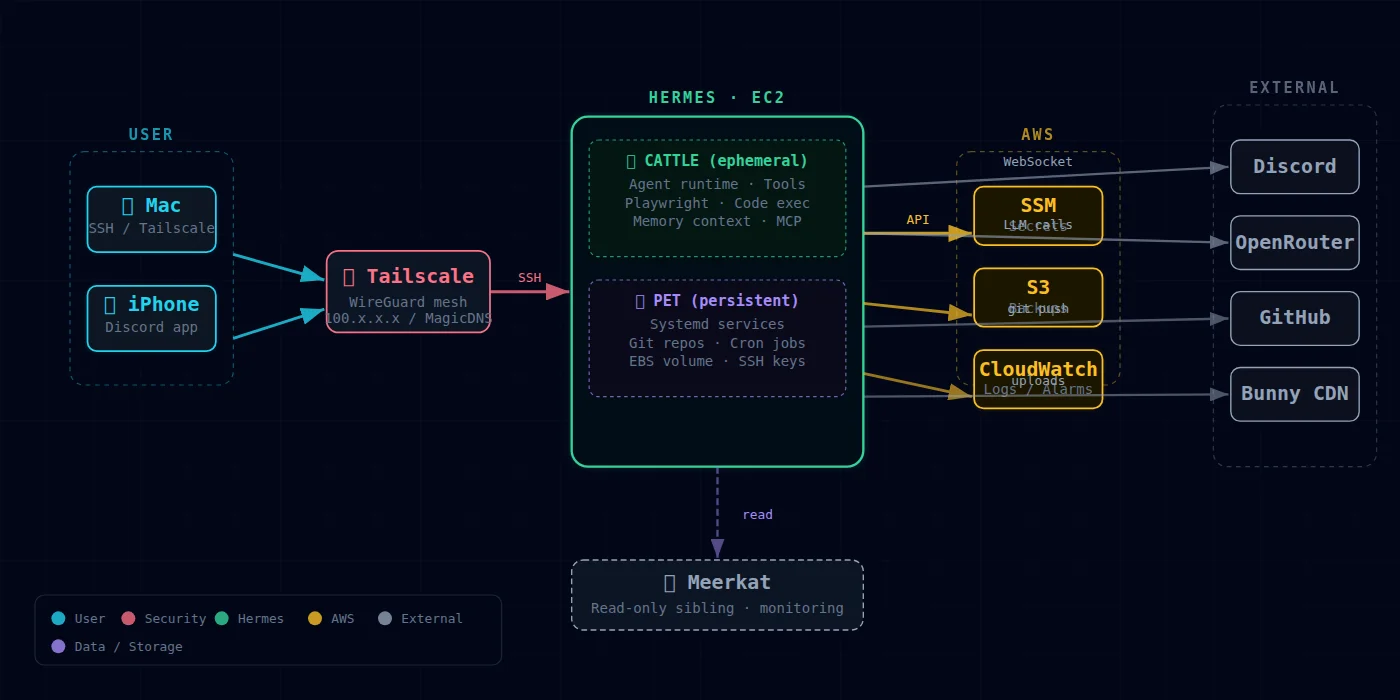
The cattle/pet split is the load-bearing idea. In DevOps, "cattle" are servers you can destroy and replace without thinking about it — they're interchangeable. "Pets" are servers with identity and state you care about — you nurse them back to health when they get sick. The trick here is splitting one system into both: the EC2 instance is cattle — cloud-init bootstrapped, replaceable in under two minutes. The EBS data volume is the pet — prevent_destroy=true, daily DLM snapshots at 04:00 UTC with 7-day retention. SOUL.md, USER.md, memories, skills, conversation history, and even the Tailscale node identity all live on the pet volume. Twelve-plus instance replacements so far. The volume never moved.
The cloud-init saga
Specs and plans came first — a ~200-line architecture doc and a 25-task implementation plan, both committed to the repo before any tofu apply. I kept coming back to it throughout the day between WorkOS work and meetings, running on pretty little sleep. Claude executed tasks while I was in calls, and I'd check results when I came back.
Debugging cloud-init consumed most of the implementation time. AWS itself was frictionless. The fights were all about bootstrapping a modern Python app non-interactively:
- Ubuntu 24.04 dropped the
awsclipackage. Canonical now points you at the v2 installer. Broke the entire cloud-init cascade. - The hermes installer prompts for sudo to install "optional" dependencies. No TTY in
runcmd→ hang → timeout. Fix: pre-install everything via cloud-initpackages:list. - The installer launches an interactive setup wizard that writes directly to
/dev/tty. Fix: tolerate a non-zero exit and verify success by checking whether the binary exists, not the exit code. - I broke
curl | bashby putting</dev/nullon the wrong side of the pipe.bashread its script from/dev/null, exited clean,curlgot SIGPIPE. Diagnosing this took 20 minutes. hermes gateway install --systemrefused to run as root. "Refusing to install the gateway system service as root; pass--run-as-userto override." Cool flag. Wish I'd known about it.- My idempotent YAML-append heredoc broke the outer cloud-init YAML parse. I had a
runcmdstep that appended config to a YAML file using a heredoc, something like:
runcmd:
  - |
    cat >> /home/hermes/.hermes/config.yaml << 'EOF'
    approvals:
      mode: "off"
    EOF
The nested YAML inside the heredoc confused the cloud-init YAML parser, which tried to parse the entire runcmd block as YAML before executing it. Fix: base64-encode the payload and decode it at runtime.
Each fix was a single commit. Each instance replacement took ~90 seconds. Because we'd chosen the right primitives — OpenTofu and AWS — the workflow was a proven loop: change the config, tofu apply, watch the instance rebuild, see if it comes up clean. If not, fix, commit, repeat.
Tailscale surgery
Getting Tailscale right required two rounds of debugging that aren't obvious from the docs.
ACL accept vs check: The default Tailscale ACL posture uses check for SSH, which prompts for interactive authentication. On a headless EC2 instance with no browser, that means SSH hangs forever. Switching to accept in the ACL rules for the hermes node unlocked headless SSH and let me (and Claude on my Mac) reach the instance without ceremony.
Persistent node identity: Every time the instance rebuilt, Tailscale registered a new node — hermes-1, hermes-2, hermes-3, each claiming to be the same machine. The fix was symlinking /var/lib/tailscale to the persistent EBS data volume. Now the Tailscale state directory survives instance replacement, the node identity stays stable, and stale ghost nodes stop piling up in my tailnet.
The Meerkat reconnection
With Tailscale stable on both machines, a nice thing fell out: Hermes on EC2 can now SSH directly into the Meerkat at home. The two assistants sit on the same tailnet. Hermes can read OpenClaw's skill directory, pull fresh memories, even run commands on my home machine when needed. The migration was a promotion. The Meerkat went from "the whole brain" to "a node in the mesh."
Self-healing memory
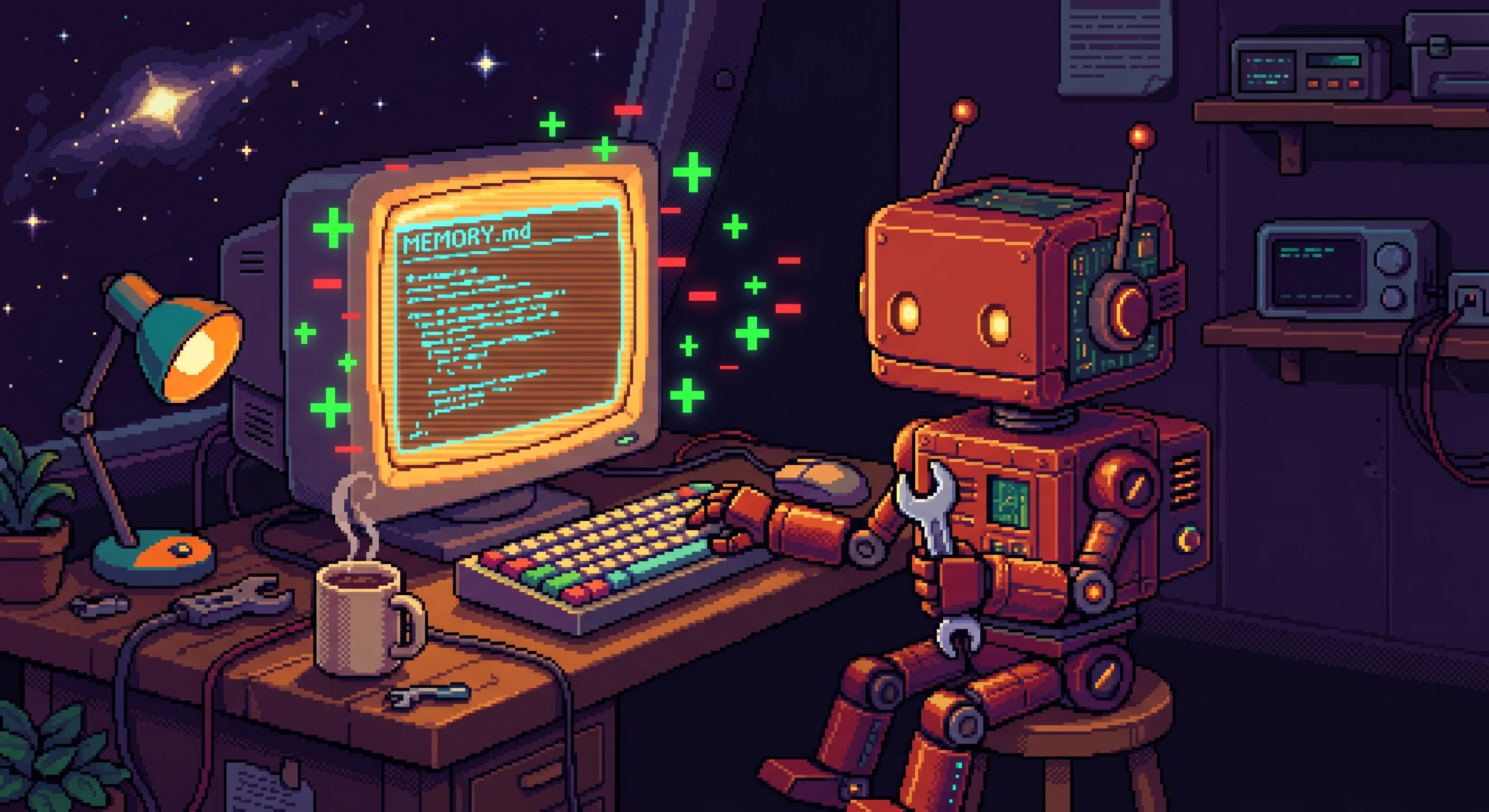
One moment caught me off guard. During the migration, Hermes noticed a stale entry in its own MEMORY.md — a reference to hardware that no longer applied — and corrected it before I or Claude could intervene. The memory system is designed for the agent to maintain, and it took that literally. I had the patch open in another terminal ready to send, and the diff was already committed.
Claude Code skills
By the end of the day, I'd written six Claude Code skills on my Mac that target Hermes as a remote resource:
tell-hermes— send a message to the assistant via the webhook bridgehermes-status— check health, uptime, and recent activityhermes-deploy— trigger a freshtofu applycyclehermes-skill-port— port a skill from OpenClaw to Hermeshermes-debug— tail logs and diagnose issues remotelyhermes-memory-query— search the assistant's persistent memory
These are Claude Code's equivalent of shell aliases — reusable procedures that encode the "how" so future sessions only need to specify the "what."
The webhook bridge
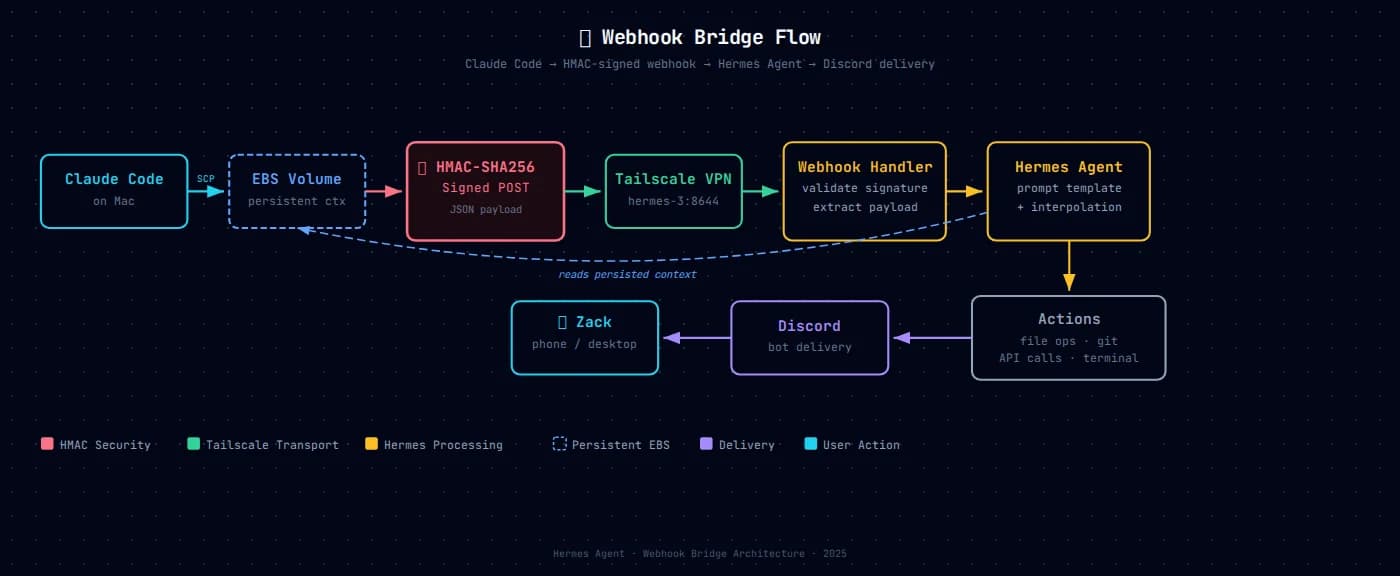
Once the assistant was alive on Discord with its ported persona, I realized I had a silent-files problem. My Claude Code sessions on my Mac could write context files to the assistant's filesystem via SSM — but the assistant didn't know they were there until it explicitly checked.
Digging through the CLI turned up hermes webhook — an event-driven activation mechanism. Subscribe a route with a prompt template, POST signed JSON to it over Tailscale, and the assistant activates with the payload interpolated into the prompt.
The webhook subscription uses a --prompt template with {body} interpolation:
hermes webhook subscribe claude-context \
  --secret "$WEBHOOK_SECRET" \
  --prompt "Incoming from Claude (terminal session, topic: {topic}):\n\n{body}"
When a payload arrives, Hermes replaces {body} with the POST content and {topic} with the topic field from the JSON — then activates with the fully rendered prompt. HMAC-SHA256 signed, Tailscale-only, no public endpoint.
That became the second load-bearing primitive. A shell script now archives context to the assistant's filesystem (persistent storage) and hits the webhook (immediate activation). The full loop: Claude on Mac → SSM + Tailscale → assistant on EC2 → Discord → my phone. Same pattern generalizes to GitHub webhooks, Twilio, cron, whatever.
Interactive chat
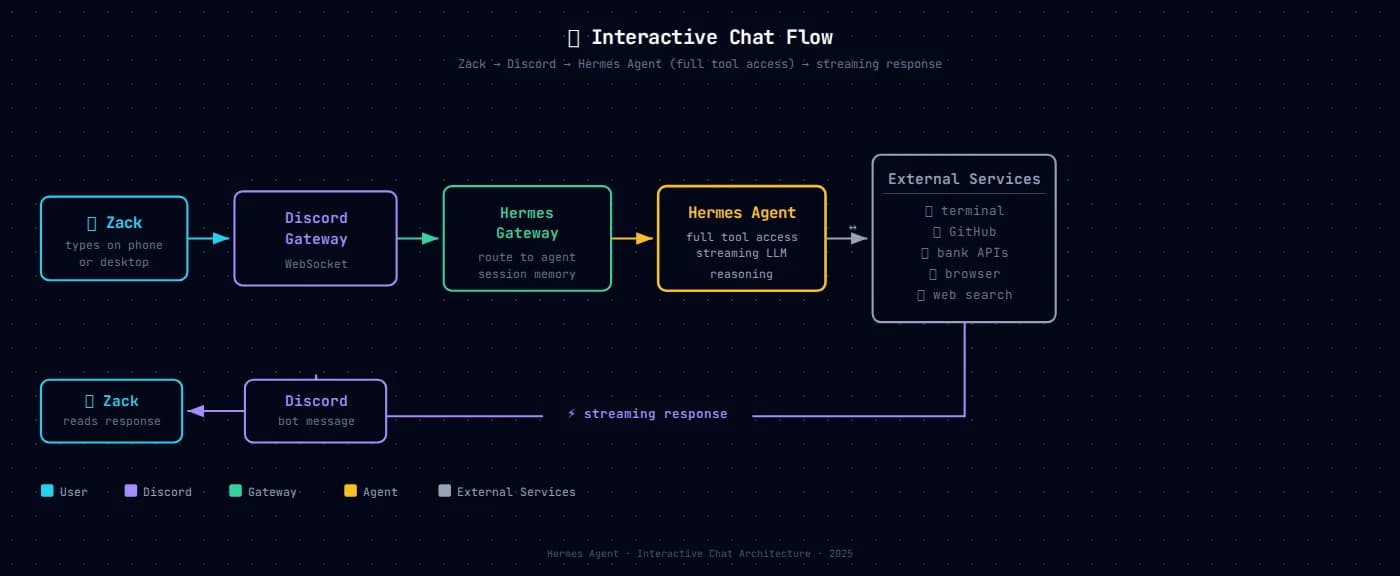
The other mode is straightforward. I type in Discord, the message hits the bot gateway over WebSocket, routes to the agent with full session memory, and the agent has access to everything — terminal, GitHub, bank APIs, browser, web search, files. Responses stream back to Discord in real time. The agent maintains conversation context across turns within a session, and persistent memory across sessions via the data volume.
Autonomy after a threat model conversation

The assistant ships with a dangerous-command approval gate — every sudo, every curl | bash, every tar extract. Designed for public-facing bots that might get prompt-injected.
After a day of manually approving every tool invocation on an isolated VM with zero public ports, I had the assistant walk through what the gate was actually defending against. Zero inbound public ports. Discord allowlisted to my user ID only. DLM snapshots bound the blast radius. All tokens rotatable in seconds via SSM. Tailnet is just me and my devices.
The approval gate would matter again if I shared the bot with untrusted users or exposed a public webhook. For now: approvals.mode: "off" in config, committed to cloud-init so it self-heals on instance replacement.
hermes claw migrate
A fun footnote: partway through the day, Nous shipped hermes claw migrate — a built-in command for porting OpenClaw installations to Hermes. I'd already done the migration manually by that point, but it was nice to see the path I'd just bushwhacked getting paved behind me.
What the architecture looks like now
An EC2 t4g.xlarge (16 GB RAM — we bumped the instance size three times as the workload grew) that can be destroyed and recreated in under two minutes from IaC. A persistent EBS data volume with daily snapshots. A dozen-plus secrets in SSM. Tailscale for access, Discord for UI, OpenRouter for models. No public ports, no SSH keys, every session audited.
The 12-factor methodology — where apps store config in the environment, treat backing services as attached resources, and keep strict separation between build and run stages — maps cleanly onto this setup. Secrets live in SSM (environment), the EBS volume is an attached resource, and cloud-init is the build stage that produces an identical runtime every time.
The operational invariant I care most about: any Claude session, on any machine, with AWS credentials, can tofu init && tofu plan and manage the whole thing. Laptop loss is an inconvenience, not a disaster.
Why this fit in one day
A year ago this build would have been a week of focused engineering. Today it fit in the margins of a normal workday, done mostly while something else had my attention.
The primitives are mature and well-understood, so none of the individual pieces required learning anything new. What changed is the loop between "describe what I want" and "observe the result on real infrastructure." I can manage AWS the way I previously managed a git repo: say what I want, watch it happen, check in when it matters.
The spec-then-plan-then-execute pattern helped. Having the architecture written down in a document that Claude and I both re-read kept things coherent through 30+ commits. The plan with exact commands meant I could be genuinely async — "execute task 11" without re-explaining context.
But the biggest accelerant was the selective port. I didn't build an AI assistant in a day. I built the infrastructure for an AI assistant in a day, then moved in the personality, context, skills, and integrations I'd been refining since February. The distinction matters. The hard part of a useful AI assistant is the accumulated context and earned trust, and that traveled in a single scp.
Hermes is online. He's survived twelve-plus instance replacements. He can check my bank accounts, manage my GitHub, and run on infrastructure that — unlike the Meerkat in my home office — does not care whether my HackRF One is misbehaving.
The Meerkat is still there, hosting OpenClaw. They're siblings now. No single point of failure.

Discussion
Giscus