

Tax season means 60-hour weeks, and most of that extra time is documentation. Client meeting notes, tax memo narratives, engagement letters, advisory summaries -- the typing never stops. Voice AI tools let you dictate at 3x your typing speed and capture client conversations automatically.
The Tools
WisprFlow for Tax Documentation and Client Communication

WisprFlow is system-level voice-to-text for Mac. Dictate directly into your practice management software, tax prep tools, email, or any application.
Accountant and CPA Use Cases
Tax memo narratives: Dictate the reasoning behind tax positions. "Client is claiming a home office deduction under the simplified method. Dedicated office space of 200 square feet used exclusively for the consulting business. Qualifies for the 5 dollar per square foot deduction up to 1,500 dollars."
Client advisory summaries: After analyzing a client's situation, speak your recommendations. "Based on the projected income increase, recommend maximizing 401k contributions at 23,000 dollars and funding a backdoor Roth IRA. Also recommend estimated tax payment adjustment for Q3 and Q4 to avoid underpayment penalty."
Engagement letters and proposals: Dictate engagement terms at 150+ WPM instead of typing each one from scratch. Customize templates by voice in seconds.
Audit workpaper documentation: Speak through your findings. "Tested accounts receivable aging for the period ending December 31. Selected 15 items totaling 425,000 dollars. Confirmed 13 items with no exceptions. Two items require follow-up -- invoice 4521 and invoice 4587 had payment date discrepancies."
Busy Season Productivity
During tax season, the difference between 50 WPM typing and 150+ WPM dictation is the difference between leaving at 8 PM and leaving at 6 PM. Multiply that across every file, every day, for three months.
For a detailed review, see WisprFlow Review: 179 WPM Voice-Driven Development.
Granola for Client Meetings and Advisory Calls
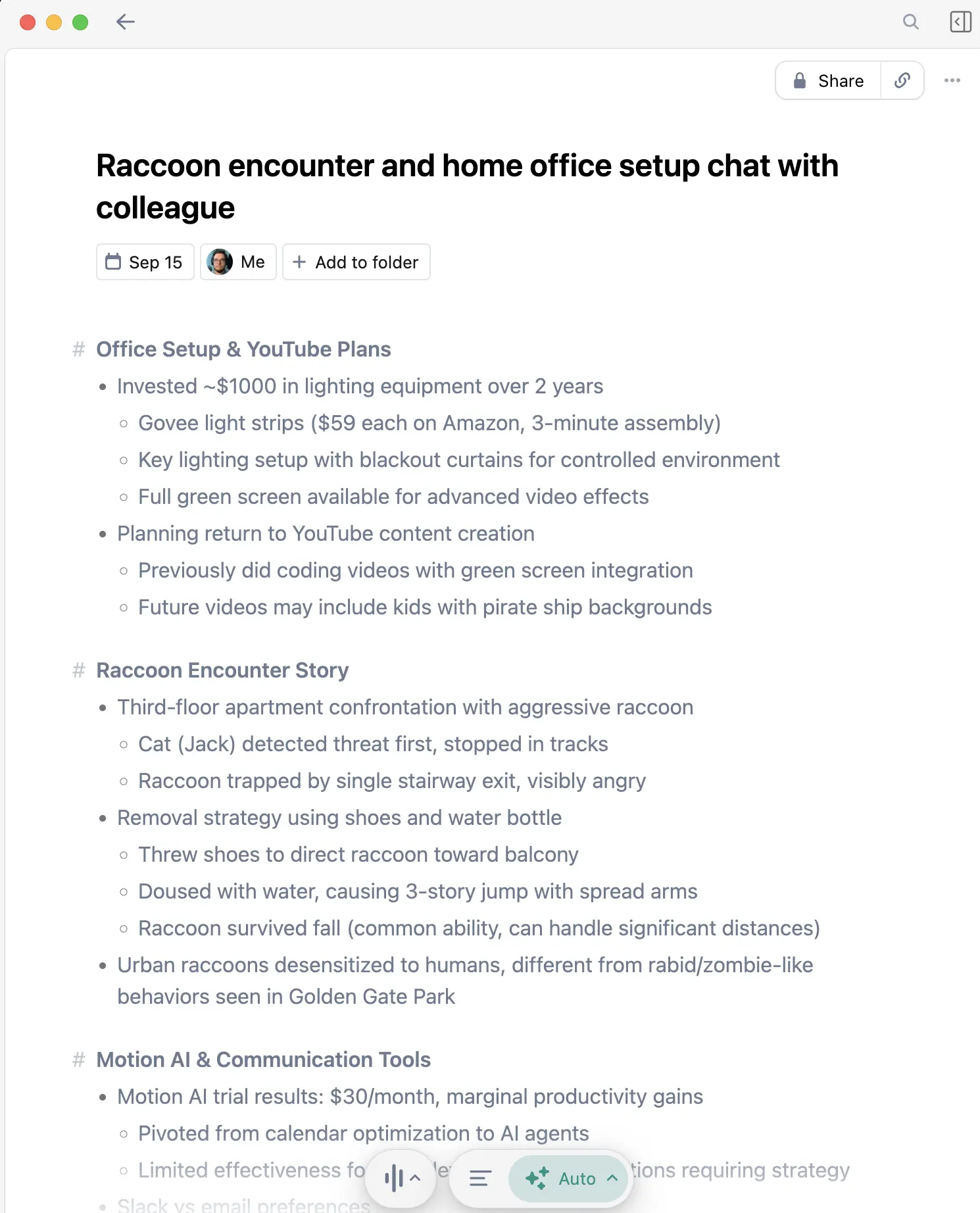
Granola captures client conversations and produces organized summaries with action items. Stop scribbling on yellow pads during tax planning meetings.
Perfect for Accounting Professionals
Tax planning meetings: Clients share income changes, real estate transactions, stock sales, and retirement plans. Granola captures every number and detail so you can focus on advising.
Year-end planning calls: Complex conversations about estimated payments, Roth conversions, and charitable giving strategies produce clear action items.
Audit client meetings: Discussions about processes, controls, and documentation requirements are captured completely.
Phone calls with clients: The iOS app captures phone conversations. When a client calls about a K-1 they just received or a question about estimated payments, you have the complete record.
For a comparison with alternatives, see Granola vs Otter.ai.
Daily Workflow Example
Morning: File Preparation
- Review client files for the day's appointments
- Dictate preparation notes and open questions using WisprFlow
- Speak through engagement letters for new clients
Client Meetings
- Granola captures tax planning discussions automatically
- Advisory meetings recorded with every number and recommendation
- Dictate follow-up action items between meetings
Afternoon: Documentation and Review
- Review Granola transcripts for specific figures discussed
- Dictate tax memo narratives and workpaper notes
- Speak through client status update emails
Time Savings
| Task | Without Voice AI | With Voice AI | Weekly Savings |
|---|---|---|---|
| Client meeting notes | 4 hrs | 0 hrs (auto) | 4 hrs |
| Tax memo narratives | 3 hrs | 1 hr | 2 hrs |
| Client emails | 2 hrs | 0.75 hrs | 1.25 hrs |
| Engagement letters | 1.5 hrs | 0.5 hrs | 1 hr |
| Total | 10.5 hrs | 2.25 hrs | 8.25 hrs |
During busy season, that is the difference between sustainable hours and burnout.
Related Guides
- AI Voice Tools for Financial Advisors - Financial services voice tools
- AI Voice Tools for Consultants - Advisory and consulting workflows
- Voice AI for Small Business Owners - General business productivity
- Top 4 AI Voice Tools for 2025 - Complete voice tool roundup
Getting Started
- For tax documentation and emails: Try WisprFlow - Works with any tax or practice management software
- For client meeting capture: Try Granola - Never miss a number from a client conversation
WisprFlow offers a free trial, and new Granola users get three months free. Test both before tax season ramps up.
Frequently Asked Questions
Does WisprFlow work with tax software like Lacerte, ProSeries, or UltraTax?
Yes. WisprFlow works at the operating system level. Any text field in any application is supported. Tax prep software, practice management, and workpaper tools all work.
Can Granola handle meetings where clients share sensitive financial data?
Granola processes audio locally and is designed for professional use. Review their privacy policy for your firm's specific compliance requirements and engagement standards.
Will clients know the meeting is being recorded?
Granola runs invisibly with no bot or notification. Check your state and professional ethics requirements regarding recording consent.
How accurate is transcription for financial numbers and tax terminology?
Both tools handle numbers and specialized terminology well. Dollar amounts, percentages, IRS form numbers, and accounting terms like Section 199A, QBI, and MACRS are transcribed accurately.
Is this useful outside of tax season?
Absolutely. Advisory meetings, audit fieldwork, bookkeeping client calls, and business valuation discussions happen year-round. The time savings apply to every client interaction, not just tax preparation.
Tax season is demanding enough without spending hours typing notes. Dictate your documentation and capture every client conversation automatically.
How each tool turns speech into text
The useful difference is where the text appears and how much work remains afterward.
Traditional typing stays precise and familiar for short edits.
WisprFlow dictates into any app with AI formatting, and it is free to try.

Discussion
Giscus