
The Mac dictation app landscape has exploded. Apple's built-in option is still free but limited, and a new wave of AI-powered alternatives has emerged. After testing the major options, here's how they stack up for professional use.
The Contenders
Apple Dictation — Free, built into macOS. Basic transcription with limited accuracy.
WisprFlow — AI-powered voice typing with cleanup, works in any app. My daily driver.
Superwhisper — Local Whisper model, privacy-focused, one-time purchase.
VoiceInk — Open-source option, runs local Whisper models, free if you build from source.
How I Tested
I used each app for a full work week across my actual workflow: Slack messages, email composition, code documentation, blog writing, and meeting notes. I measured accuracy, speed, and how much time I spent correcting errors.
WisprFlow — The Professional Choice
Speed: 184 WPM (top 1% of all users) Accuracy: 95%+ for general text, 90%+ for technical content Works in: Every app with a text field Killer feature: AI cleanup — filler words removed, punctuation added, sentences structured
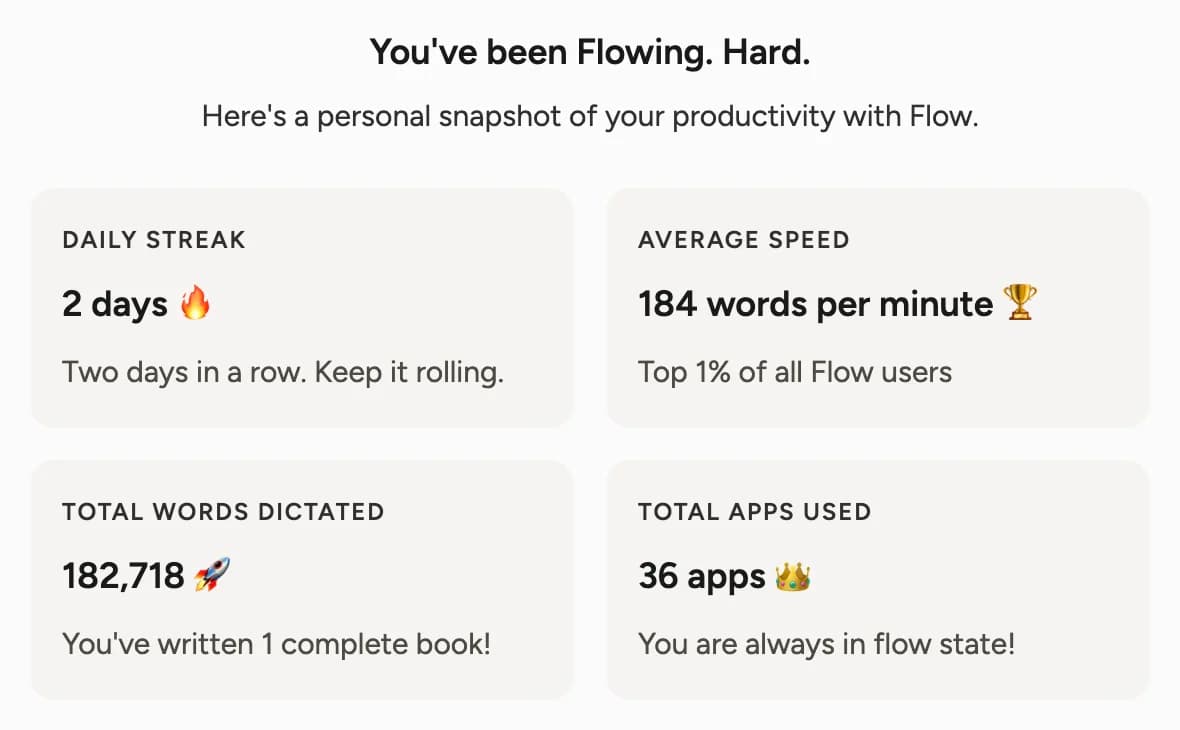
WisprFlow is what I use every day. The AI post-processing is the key differentiator — what comes out reads like carefully typed text, not raw transcription. Technical terms, code references, and proper nouns all handled well.
The downside: it's a subscription, and it sends audio to the cloud for processing. If local processing is a hard requirement, look at the alternatives below.
Superwhisper — Best for Privacy
Speed: ~120-140 WPM (limited by local model speed) Accuracy: 85-90% with large Whisper model Works in: Any app via system integration Killer feature: Fully local processing, nothing leaves your machine
Good option if you're handling sensitive data (legal, medical, classified). Accuracy is solid but noticeably below WisprFlow's AI-powered approach. No post-processing cleanup — you get raw transcription.
VoiceInk — Best Free Option
Speed: ~120-140 WPM Accuracy: 85-90% (depends on which Whisper model you run) Works in: System-level, like the others Killer feature: Free if you build from Xcode, one-time purchase otherwise
Similar to Superwhisper in approach (local Whisper models) but open source. Great if you want to tinker. Not as polished UX-wise.
Apple Dictation — It's Free
Speed: ~100-120 WPM Accuracy: 75-85% Works in: Most apps (inconsistent) Killer feature: Already on your Mac, zero setup
Fine for quick texts and short notes. Falls apart for professional, all-day use. No cleanup, aggressive timeouts, spotty accuracy with technical language. The floor, not the ceiling.
The Verdict
If you dictate professionally — emails, documentation, messages, code comments — WisprFlow is the clear winner. The AI cleanup alone saves 10-15 minutes per day in error correction.
If privacy is paramount, Superwhisper is excellent. If you want free and open source, VoiceInk works. And if you just need to send the occasional text message by voice, Apple's built-in dictation is fine.
But for anyone whose job involves writing — which is most knowledge workers — WisprFlow has fundamentally changed what's possible with voice input on Mac.
How each tool turns speech into text
The useful difference is where the text appears and how much work remains afterward.
Mac Dictation works well for short, literal dictation in a focused text field.
WisprFlow dictates into any app with AI formatting, and it is free to try.

Discussion
Giscus