People keep asking me: "Is Claude Code on the phone the same as Claude Code in the terminal? Are they connected?"
The short answer: they can be, via a feature called Remote Control. But by default, they're two separate things. Let me break down exactly how this works.
Two Different Claude Code Experiences
There are actually three ways to use Claude Code, and understanding the differences matters:
-
Claude Code in your terminal — the full CLI. Runs locally, has access to your filesystem, MCP servers, tools, project config. This is the powerhouse.
-
Claude Code on the web (claude.ai/code) — runs on Anthropic's cloud infrastructure. No access to your local machine. Good for quick tasks or when you're away from your dev setup.
-
Claude Code on your phone (iOS/Android app) — can connect to EITHER cloud environments OR your local machine via Remote Control.
The phone app is the bridge. It can talk to both.
Remote Control: Your Phone as a Window Into Your Terminal
Remote Control is the feature that actually connects your phone to your running terminal session. Here's what happens:
- On your laptop, run
claude remote-control(or type/rcinside an existing session) - Your terminal displays a session URL and a QR code
- Scan the QR code with your phone, or open claude.ai/code and find the session
- You're now looking at — and can interact with — the exact same session
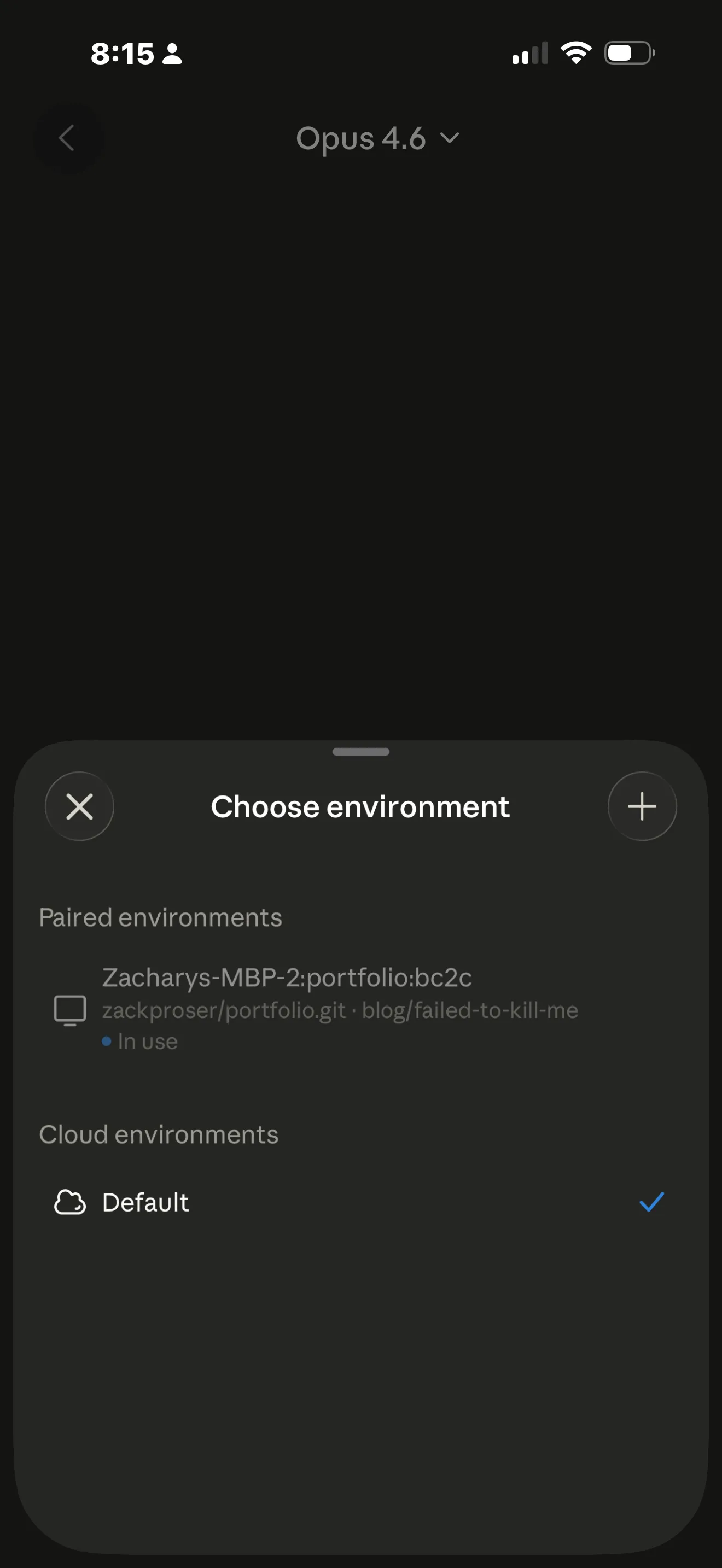
The key thing: everything still runs locally on your machine. Your phone is just a remote viewport. Claude still has access to your filesystem, your MCP servers, your project config. Nothing moves to the cloud.
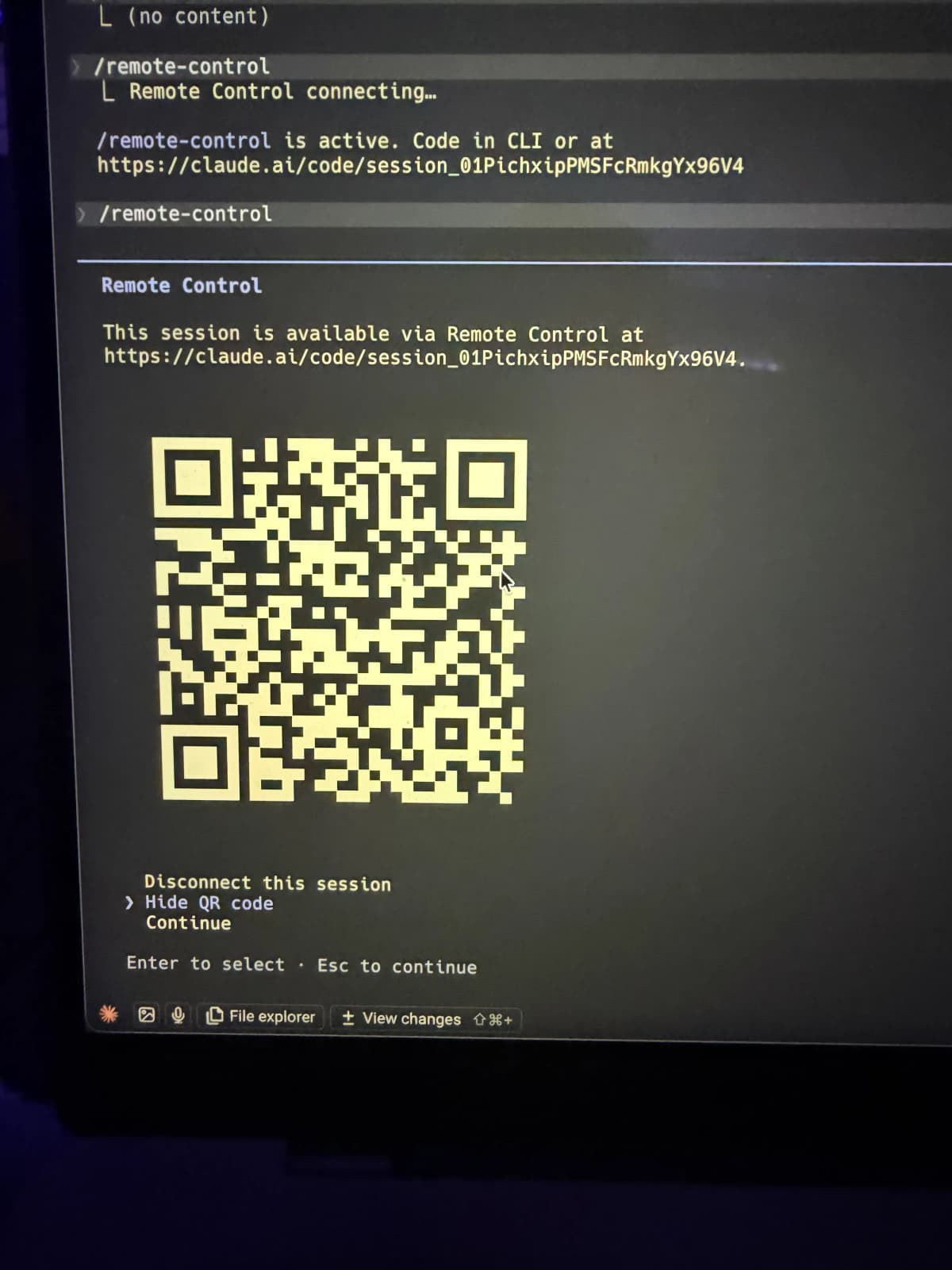
The Claude app on your phone shows your paired environments. You can see your machine name, the repo, and even the branch you're on. When it says "In use" with a blue dot, that's a live local session you can connect to.
What You Can Do From Your Phone
Once connected via Remote Control, you can:
- Send messages to your Claude Code session from your phone, terminal, or both — the conversation stays in sync
- Review diffs Claude is proposing
- Approve or reject tool use and file changes
- Start a task at your desk, continue it from the couch — or from a trail, if that's your thing
The session survives interruptions. If your laptop sleeps or your network drops, it reconnects automatically when things come back online.
How to Set It Up
Requirements:
- Claude Pro, Max, Team, or Enterprise subscription
- Claude Code CLI installed on your machine
- Claude iOS or Android app (or any browser for claude.ai/code)
Quick start:
cd your-project
claude remote-control
That's it. Scan the QR code with your phone and you're connected.
To name your session (useful if you run multiple):
claude remote-control "My Project"
From inside an existing session:
/rc
To enable Remote Control for ALL sessions automatically, run /config inside Claude Code and toggle "Enable Remote Control for all sessions."
Remote Control vs Claude Code on the Web
This is where people get confused. Both use the same claude.ai/code interface, but they're fundamentally different:
| Remote Control | Claude Code on the Web | |
|---|---|---|
| Where it runs | Your local machine | Anthropic's cloud |
| Filesystem access | Your local files | Cloud sandbox |
| MCP servers | Your local MCP servers | None |
| Project config | Your local CLAUDE.md, settings | Fresh environment |
| Use case | Continue local work remotely | Quick tasks, no local setup needed |
Use Remote Control when you're mid-project and want to keep going from another device.
Use Claude Code on the web when you want a fresh cloud environment or don't need local file access.
What About /teleport?
There's another related feature called /teleport that people sometimes confuse with Remote Control. Teleport does something different: it transfers a conversation from a regular claude.ai chat session INTO a Claude Code terminal session.
So if you're chatting with Claude on the web about some code and think "I wish I could just run this" — /teleport moves that conversation context into your local Claude Code environment where Claude can actually execute commands and edit files.
Different tool, different purpose. Remote Control is about controlling a local session from your phone. Teleport is about moving a web conversation to your terminal.
Security
All traffic goes through Anthropic's API over TLS. Your machine never opens inbound ports — it's outbound HTTPS polling only. The connection uses multiple short-lived credentials that expire independently. It's the same transport security as any other Claude Code session.
The QR code encodes a session-specific URL that expires when you kill the session. Once the session is dead, the QR code is useless.
My Setup
I tested this with my MacBook running Claude Code in the terminal, connected to my iPhone via the Claude iOS app. The pairing was instant — scan the QR code, and I was looking at my live session with full access to my portfolio repo.
The experience on the phone is surprisingly usable for review and direction. I wouldn't write complex prompts on the phone keyboard, but for checking progress, approving changes, and quick follow-ups while away from the desk, it works well.
For someone who does a lot of "untethered development" — shipping code from trails and coffee shops — this is a meaningful addition. Start a big refactor at my desk, check on it from my phone while walking the dog.
Bottom Line
- Phone app ≠ terminal by default — they're separate experiences
- Remote Control bridges them —
claude remote-controlor/rcconnects your phone to your local session - Everything stays local — your phone is just a window, not a separate environment
- It actually works well — I've tested it and the pairing is instant and reliable

Discussion
Giscus