

Bankruptcy law is document-intensive. Between petitions, schedules, means test calculations, adversary proceedings, and client correspondence, the average bankruptcy attorney spends a staggering amount of time converting spoken information into written documents. Client consultations yield pages of financial details. Court hearings require prompt follow-up documentation. Creditor negotiations need memorialization.
The bottleneck isn't legal analysis—it's getting words into documents. Voice AI tools can meaningfully accelerate that process while letting you focus on the legal substance rather than the mechanics of typing.
This guide covers practical voice tools for bankruptcy practice, with specific attention to attorney-client privilege and data security concerns.
Granola clinical boundary
Do not use Granola to capture patient or therapy sessions; this guide does not recommend Granola for clinical capture. Granola documents HIPAA support for Enterprise customers with HIPAA enabled and a signed Business Associate Agreement (BAA). Its security FAQs limit current BAA coverage to desktop and laptop apps. Free, Personal, and Business accounts must not store or process protected health information (PHI). Consent alone does not change these account restrictions. An Enterprise deployment needs separate organizational review; the ordinary referral evaluation here remains limited to approved non-clinical meetings with no PHI. Its security FAQs, transcription documentation, and security overview describe cloud transcription and AI processing, not local-only operation. Consider only an explicitly approved non-clinical meeting with no PHI.
The Tools
WisprFlow for Legal Dictation
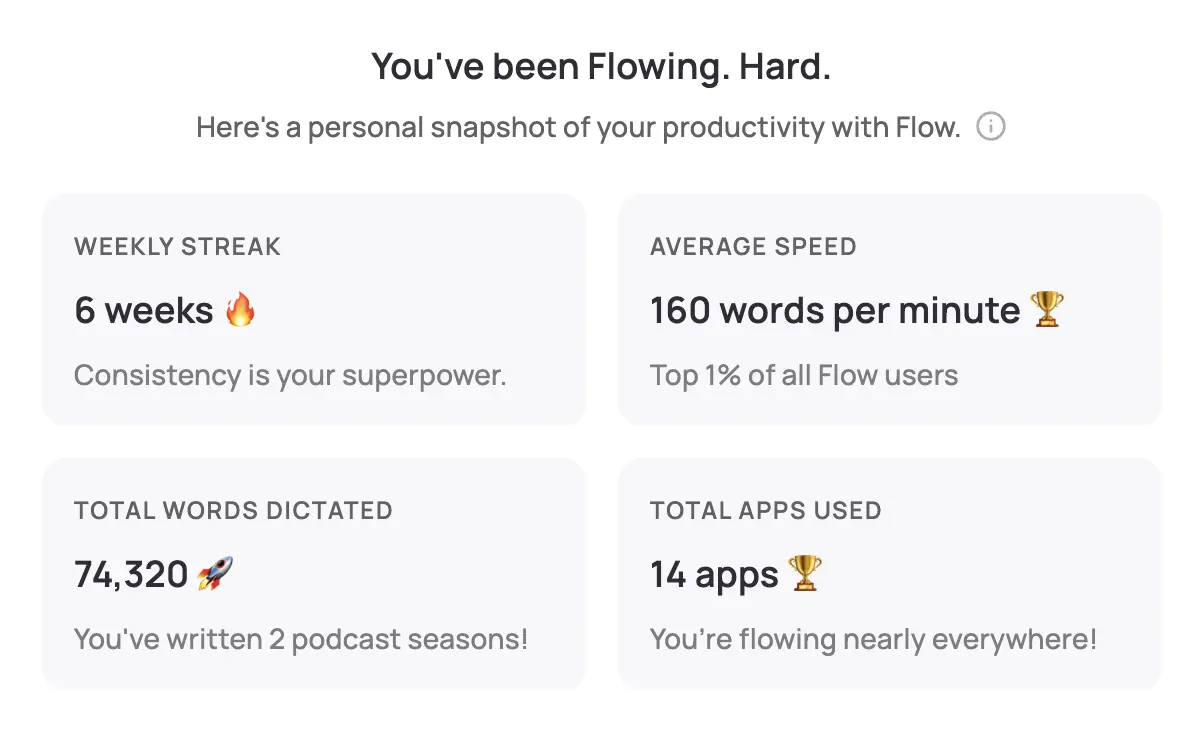
WisprFlow is a system-wide voice-to-text application. Speak naturally, and polished text appears wherever your cursor is—Best Case, NextChapter, your document management system, Microsoft Word, or your email client.
Why Bankruptcy Attorneys Choose WisprFlow
Works with any legal software: WisprFlow operates at the OS level. No integration, no plugin, no IT involvement. If you can type there, you can dictate there. This matters for bankruptcy practitioners who work across multiple platforms—petition preparation software, case management systems, document review tools, and court filing systems.
Learns legal terminology: The personal dictionary rapidly adapts to bankruptcy-specific vocabulary. After brief initial training, it accurately recognizes terms like "341 meeting," "adversary proceeding," "automatic stay," "preference action," "reaffirmation agreement," and statutory references like "11 U.S.C. § 523(a)(2)."
Dictation speed: Most attorneys type 40-60 WPM. WisprFlow enables 150-180 WPM dictation. For a profession built on written communication, that's transformative.
Natural language to polished text: WisprFlow doesn't just transcribe—it cleans up filler words and produces professional prose. You can think out loud and get clean paragraphs.
Bankruptcy Practice Use Cases
- Client intake notes: During or immediately after initial consultations, dictate the client's financial situation, debts, assets, income sources, and goals. "Client reports approximately $87,000 in unsecured credit card debt across six accounts, mortgage of $215,000 on primary residence, current on payments. Household income approximately $4,200 monthly gross."
- Petition and schedule narratives: Dictate explanatory statements for Schedule I, Schedule J, and the Statement of Financial Affairs. The narrative portions are where voice dictation saves the most time.
- Means test documentation: Dictate your analysis of above-median-income cases, special circumstances arguments, and expense justifications.
- Motion drafting: Dictate first drafts of motions for relief from stay, motions to avoid liens, objections to claims, and other routine filings. Speak through the legal argument, then edit the transcript.
- Client correspondence: Draft engagement letters, status updates, and pre-filing checklists. "Dear Ms. Rodriguez, following our consultation on February 15th, I've completed a preliminary analysis of your financial situation. Based on the information provided, you appear to qualify for Chapter 7 relief..."
- Post-hearing notes: After 341 meetings or court appearances, dictate a summary of what occurred, trustee questions, issues raised, and follow-up items while the details are fresh.
- Creditor negotiation memos: Memorialize phone calls with creditor attorneys. "Spoke with Johnson at Smith & Associates regarding the Jones preference claim. They proposed settlement at 60 cents on the dollar. I countered at 35 cents citing the ordinary course of business defense..."
I've written a detailed WisprFlow review covering setup, accuracy, and real-world performance.
Granola for Client Meetings and 341 Preparation

Granola captures conversations and creates structured notes. For bankruptcy attorneys, it excels at turning lengthy client discussions into organized, actionable documentation.
Applications in Bankruptcy Practice
Do not capture health histories, patient information, or PHI with Granola. Use an approved system for sensitive records.
Virtual 341 meeting preparation: Walk your client through likely trustee questions via video call. Granola documents the entire prep session, including the client's responses—so you can identify weak spots and refine their answers before the actual hearing.
Creditor committee meetings: In Chapter 11 cases, committee meetings generate complex discussions about plan terms, asset valuations, and creditor priorities. Full documentation matters.
Partner and associate case reviews: When discussing case strategy with colleagues, Granola captures the reasoning behind decisions. Valuable for complex cases that span months or years.
Expert consultations: Calls with forensic accountants, appraisers, or financial advisors about asset valuations are documented automatically.
For a detailed comparison, see my Granola vs Otter.ai review.
Privacy and Privilege Considerations
Attorney-Client Privilege and Voice AI
This is the critical issue for any attorney considering voice tools. Privilege can be waived through disclosure to third parties, and sending client information through a cloud-based AI tool could theoretically create waiver arguments.
Key considerations:
- Review data handling policies carefully: Understand whether the tool stores, processes, or retains your dictated text. Does the vendor have access to the content? Is it used for model training?
- Local processing is preferable: WisprFlow's local processing model means client information doesn't necessarily leave your device—a significant advantage for privilege protection.
- Obtain client consent: Consider adding voice AI tools to your engagement letter disclosures. Transparency with clients protects both you and the privilege.
- Evaluate under your state's ethics rules: State bar ethics opinions on AI in legal practice are evolving rapidly. Check your jurisdiction's guidance. Do not capture health histories, patient information, or PHI with Granola. Use an approved system for sensitive records.
Practical Security Measures
- Use WisprFlow for self-dictation (your own thoughts and analysis) where privilege concerns are minimal
- Be cautious with Granola for client conversations — cloud processing of attorney-client communications warrants extra scrutiny
- Encrypt devices running voice tools
- Don't dictate in shared or public spaces — opposing counsel in the next conference room is a real risk
- Audit and delete any stored transcripts regularly
Workflow Integration for Bankruptcy Attorneys
Client Intake
- During the consultation, focus on the client and take minimal handwritten notes
- Use Granola for virtual consultations to capture the full discussion
- Immediately after the meeting, dictate a structured intake summary via WisprFlow
- Include: debts, assets, income, expenses, prior filings, preferences, and red flags
Petition Preparation
- Dictate narrative portions of schedules and statements
- Voice-draft the means test analysis and any special circumstances arguments
- Dictate engagement letters and document request lists
Court Appearances and 341 Meetings
- Dictate post-hearing notes immediately
- Capture trustee questions and your client's responses
- Document any issues raised and follow-up deadlines
Ongoing Case Management
- Dictate file memos after creditor calls
- Voice-draft motions and objections
- Capture case strategy notes after team discussions
Time Savings
| Task | Traditional | With Voice AI | Savings |
|---|---|---|---|
| Client intake memo | 20 min | 6 min | 14 min |
| Schedule narratives | 15 min | 5 min | 10 min |
| Motion first draft | 25 min | 8 min | 17 min |
| Post-hearing notes | 10 min | 3 min | 7 min |
| Client letter | 8 min | 3 min | 5 min |
For a solo or small-firm bankruptcy practitioner handling 15-20 active cases, these savings translate to hours per week—time that can go toward client development, case strategy, or simply leaving the office at a reasonable hour.
Tips for Getting Started
Building Your Bankruptcy Dictionary
In your first week with WisprFlow:
- Dictate common Bankruptcy Code sections (§ 341, § 362, § 523, § 727) and correct any formatting errors
- Practice with debtor/creditor names from current cases
- Train it on local court names, judge names, and trustee names
- Add common legal phrases: "motion for relief from the automatic stay," "objection to claim," "reaffirmation agreement"
- Practice dictating dollar amounts and dates—critical for accuracy in bankruptcy filings
Dictation Style Tips
- Think in paragraphs: Pause, organize your thought, then dictate a complete paragraph. This produces better output than stream-of-consciousness dictation.
- State formatting when needed: "New paragraph," "bullet point," or "comma" to get the structure you want
- Dictate the substance, format later: Get the legal content down fast, then clean up formatting in your word processor. Perfectionism during dictation slows you down.
Related Resources
- Voice AI for Small Business Owners - General productivity techniques
- How to Record Meetings in 2026 - Meeting capture options
- Best Voice-to-Text for Developers - Technical deep dive
- Top 4 AI Voice Tools for 2025 - Complete voice tool roundup
Getting Started
- For legal dictation and drafting: Try WisprFlow - Install in minutes, dictate your next motion
- For client meetings and consultations: Try Granola - Never miss a detail from a client intake again
WisprFlow offers a free trial; Granola gives new users a full three months free to evaluate before committing.
Frequently Asked Questions
Will voice dictation work with Best Case or NextChapter?
Yes. WisprFlow operates at the operating system level, so it works with any software that accepts text input—including Best Case, NextChapter, and any web-based filing system. No integration or IT support needed.
What about attorney-client privilege?
WisprFlow's local processing model is the safest option for privileged content, since your dictation doesn't necessarily travel to external servers. For Granola or any cloud-based tool used during client conversations, evaluate the vendor's security practices, consider adding AI tool disclosures to your engagement letters, and check your state bar's ethics guidance on AI.
Can I dictate statutory citations accurately?
After initial dictionary training, yes. WisprFlow learns to recognize patterns like "11 U.S.C. Section 523(a)(2)" or "Bankruptcy Rule 3007." You'll need to correct it a few times initially, but it adapts quickly.
Is this cost-effective for a solo practitioner?
Extremely. If voice dictation saves you even 30 minutes per day, that's 10+ billable hours per month. At typical bankruptcy attorney rates, the ROI is significant compared to the modest subscription costs of these tools. It's also substantially cheaper than hiring a legal secretary for dictation.
What about court reporters and official transcripts?
Voice AI tools are for your own documentation—case notes, drafts, memos, and correspondence. They don't replace official court reporting. Think of them as replacing the legal secretary you used to dictate to, not the court reporter.
Bankruptcy practice is about helping people through financial crisis. The less time you spend typing, the more time you have for the legal work and client relationships that actually matter.
How each tool turns speech into text
The useful difference is where the text appears and how much work remains afterward.
Traditional typing stays precise and familiar for short edits.
WisprFlow dictates into any app with AI formatting, and it is free to try.

Discussion
Giscus