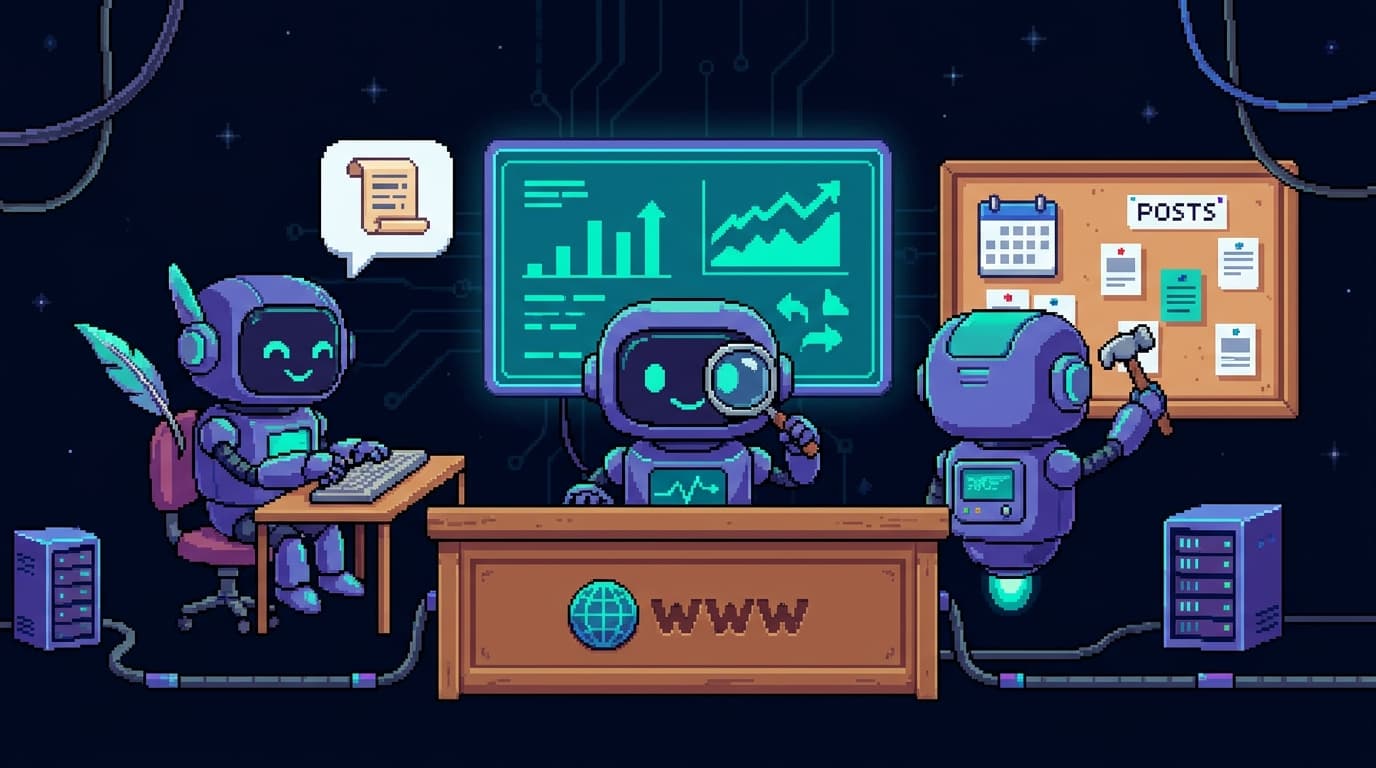
I gave my website three employees: a content bot, an ops bot, and a growth bot. Each one is its own repo, deployed to Vercel on eve, and they all live in a single Slack channel called #website-menagerie.
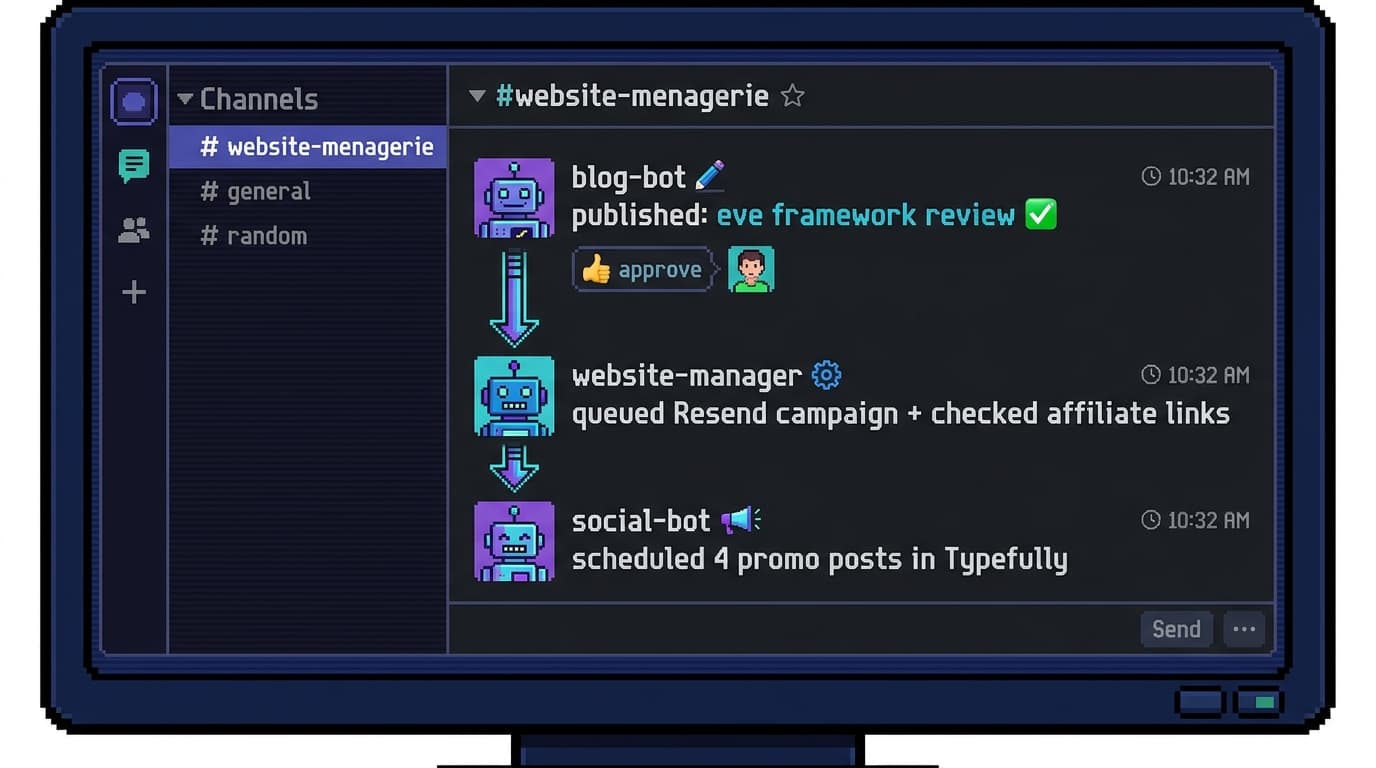
That's the whole thing in one screenshot. Blog bot publishes a post, website-manager picks up the signal and queues a campaign, social bot stages the promo, and I approve from my phone. This is a review of the framework underneath that channel: what eve is, how I built and shipped each bot, and why Slack turned out to be the only interface I wanted.
One bot per repo
The first decision was the most important one, and it has nothing to do with eve specifically: one agent, one repo, one responsibility. I split two agents across one phone for the same reason, and it's the same reason you don't put your billing service and your auth service in one process.
Each bot is a container for a single job. Blog bot owns content. Website-manager owns ops: analytics, deploy health, affiliate-link integrity, SEO repair PRs, email drafts. Social bot owns distribution. They don't share a codebase, a deployment, or a secret store. Website-manager holds the Plausible and Resend keys; it has no reason to ever see my Typefully token, and it doesn't. If I want to change how the growth bot picks what to promote, I open one repo, and the blast radius is one repo.
That separation is what makes the system legible. I can read any one bot top to bottom in a sitting and know everything it can do, because everything it can do is in that directory.
Build with Claude and Codex, ship with the eve CLI
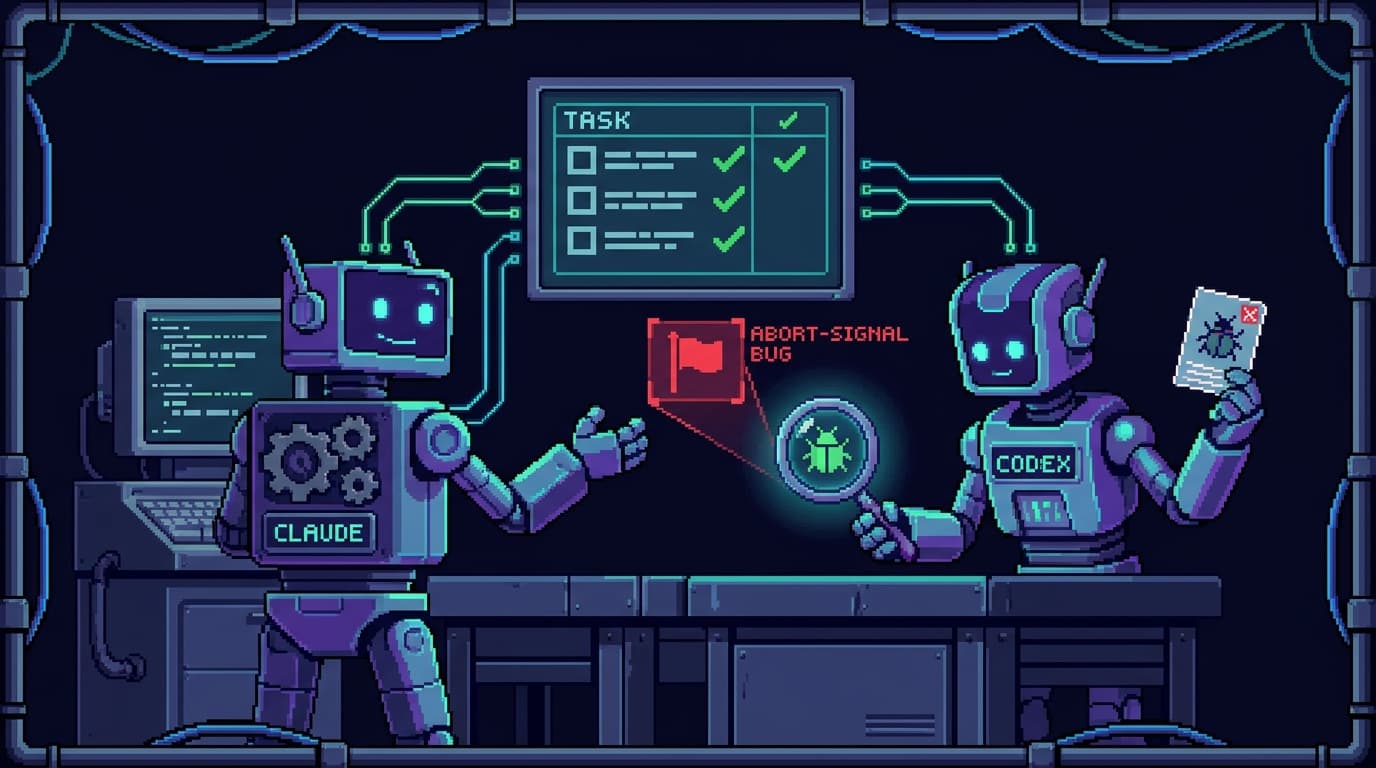
I built the bots with a two-model workflow: Claude orchestrating and writing to my spec, Codex as an adversarial reviewer and parallel builder. Codex built one of the bots outright and caught bugs the primary missed. The one that sticks with me was an abort-signal that could orphan a publish, leaving a half-finished operation with nothing to clean up after it. A second model catches the class of bug the author is blind to, because the author is reasoning from the same wrong assumption that produced the bug. It's the same instinct as my mechanic-agent pattern: a second perspective on the same system, by design.
What made that workflow fast was that eve gives the models almost nothing to get wrong. Scaffolding a new bot is one command:
npx eve@latest init website-manager
That creates the project, installs dependencies, initializes Git, and drops you into the dev TUI. The shape it scaffolds is the whole mental model, an agent/ directory the framework discovers by convention:
website-manager/
└── agent/
    ├── instructions.md     # the always-on system prompt
    ├── agent.ts            # model + runtime config (optional)
    ├── tools/              # one typed tool per file
    ├── skills/             # procedures loaded on demand
    ├── channels/           # Slack, HTTP, etc.
    └── schedules/          # cron jobs as files
The default model routes through Vercel's AI Gateway, so on Vercel you authenticate with OIDC and never touch a provider key. I pinned mine to a direct Anthropic model instead, which is a few lines:
// agent/agent.ts
import { defineAgent } from 'eve'
import { anthropic } from '@ai-sdk/anthropic'

export default defineAgent({
  model: anthropic('claude-opus-4-8'),
})
A tool is one TypeScript file in agent/tools/. The filename becomes the tool name the model sees. No registry, no registration call:
// agent/tools/check_affiliate_links.ts
import { defineTool } from 'eve'
import { z } from 'zod'

export default defineTool({
  description: 'Verify every affiliate/commission link still resolves (HTTP 200).',
  inputSchema: z.object({ urls: z.array(z.string().url()) }),
  async execute({ urls }) {
    const results = await Promise.all(
      urls.map(async (url) => {
        const res = await fetch(url, { method: 'HEAD', redirect: 'follow' })
        return { url, ok: res.ok, status: res.status }
      }),
    )
    return { broken: results.filter((r) => !r.ok), checked: results.length }
  },
})
I ran it locally in headless mode while iterating, which is the mode you want when a coding agent is driving instead of a human at the TUI:
npx eve dev --no-ui
Because an eve agent is an ordinary Vercel project, shipping it is the command you already know:
vercel deploy
The same code that ran on my machine runs in production. No separate build target, no agent-specific deploy pipeline. Three repos, three vercel deploys, three live bots.
Then Slack Connect, and it just works
Once a bot is deployed, you give it a face. I add the Slack channel from inside the project:
npx eve channels add slack
Then I wire Slack through Vercel Connect with the CLI. This is the part I'd brace for in any other stack, and with eve it was two commands:
# create the managed Slack connector
vercel connect create slack --name website-manager --triggers

# point its event trigger at the route eve actually serves
vercel connect attach slack/website-manager --triggers \
  --trigger-path /eve/v1/slack
That --trigger-path /eve/v1/slack is load-bearing, and it's the one place this bit me. Connect registers its webhook trigger at a default path, but eve serves Slack events at /eve/v1/slack. Miss the flag and Connect cheerfully forwards verified Slack events to a path your deployment doesn't listen on. No 404 you'll see, no failed-delivery banner. Silence. If your bot goes quiet and nothing throws, check the trigger path before you debug anything you wrote.
Past that, Slack Connect is the best Slack-to-agent experience I've had. You attach the connector, eve gets a managed Slack app, and verified events flow to your deployment. After years of hand-wiring Slack into bots with webhook bridges and signature verification I maintained myself, having it be a connector I attach instead of a service I babysit is the single biggest reason I'd reach for eve again.
Why Slack is the whole point
Here's the part that turned a tooling experiment into something I use every day.
I gave a talk at AI Engineering London called Untethered Productivity. The thesis: AI coding agents scale infinitely, but your nervous system doesn't, so the win isn't doing more at your desk. It's getting unhooked from the desk while the work still moves. Slack is what makes that real for these bots.
Every bot deploys to web chat, HTTP, cron, and Slack from the same codebase, so Slack isn't a special integration I had to earn. It's one of the channels eve hands you. And it's the one that lives on my phone. An idea hits while I'm walking the kids to the park: I open Slack, drop a line in #website-menagerie, and blog bot starts a draft. Website-manager flags a dead affiliate link during a traffic spike and I approve the repair PR from a coffee shop. The growth bot asks whether to push a post that's converting and I thumbs-up it from bed.
The bots run durable sessions, so a task I kick off from my phone survives a deploy, a cold start, or me closing the app and forgetting about it for an hour. The work parks and resumes. That combination, a real interface I already carry plus durability underneath so nothing drops, is the untethering. The desk becomes optional. The next idea doesn't have to wait until I'm back at a keyboard.
The real game: organizing complexity
Strip away the AI and this is the oldest job in programming: organizing complexity so it works for you instead of against you.
A bot is a container for one responsibility, and inside that container the responsibility decomposes the way good software always has:
- Skills are the procedures: the markdown playbooks the model loads only when a job is relevant. Website-manager's "weekly SEO audit" is a skill, not a paragraph crammed into a system prompt that's always burning context.
- Tools are the typed actions: one file each, the verbs the bot is allowed to perform. Checking links, opening a PR, drafting a campaign.
- Secrets are scoped to the job. The ops bot's keys live with the ops bot. Nothing leaks across the boundary because there's no shared boundary to leak across.
That's separation of concerns, encapsulation, and least privilege: the same principles I'd apply to any service. What's new is that the unit of organization is now an agent, and the thing I'm encapsulating is judgment, not just code.
Here's why eve matters to that game specifically. The failure mode of building agents the hard way is glue-code sprawl. Every bot you stand up reinvents the same connector code: the Slack webhook bridge, the cron runner, the durable-session store, the secret plumbing, the deploy wiring. That glue is where reliability goes to die. It's bespoke, under-tested, and it rots a little more with every bot you add. I'd lived it. My previous setup was homebrewed against a pile of low-level primitives, and I spent more time keeping the plumbing alive than teaching the bots anything new.
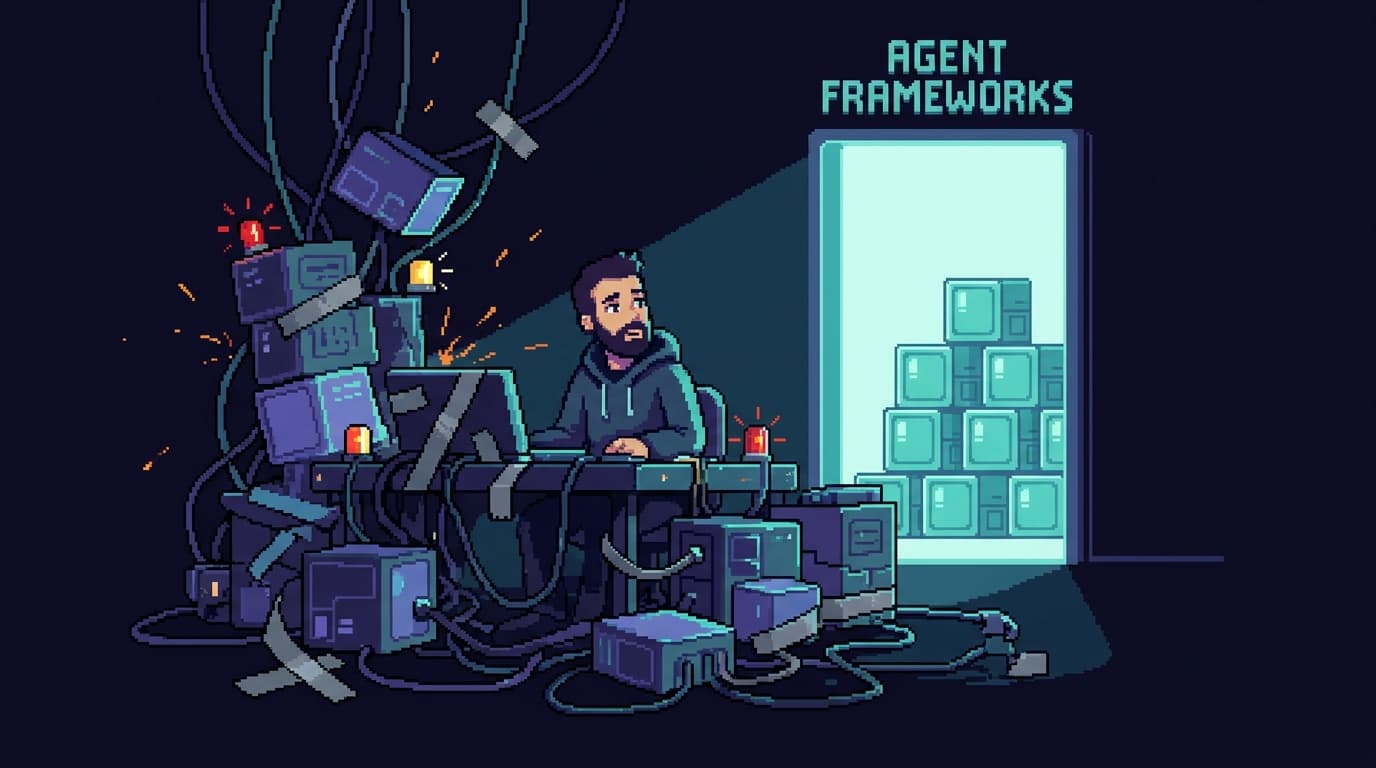
eve absorbs all of that into the framework. The plumbing it absorbs (durable execution, sandboxes, channels, connectors, cron, approvals) is its problem, not mine. So my three repos contain only what's actually different between the bots: their instructions, their tools, their skills, their secrets. The connector code isn't duplicated three times and degrading in three different ways, because I didn't write it. That's the difference between a system that gets more brittle as it grows and one that stays legible. The framework holds the complexity that's the same everywhere so I can spend my attention on the complexity that's mine.

How the three talk to each other
A team of bots needs handoffs. eve gives you a primitive for it: one agent POSTs another agent's authenticated endpoint, the target dispatches it into its own durable session. That's the whole thing.
import { eveChannel } from 'eve'

// blog bot, right after a post merges:
await eveChannel.send({
  to: 'website-manager',
  type: 'post.published',
  payload: { slug: 'reviewing-vercels-eve-agent-framework' },
})
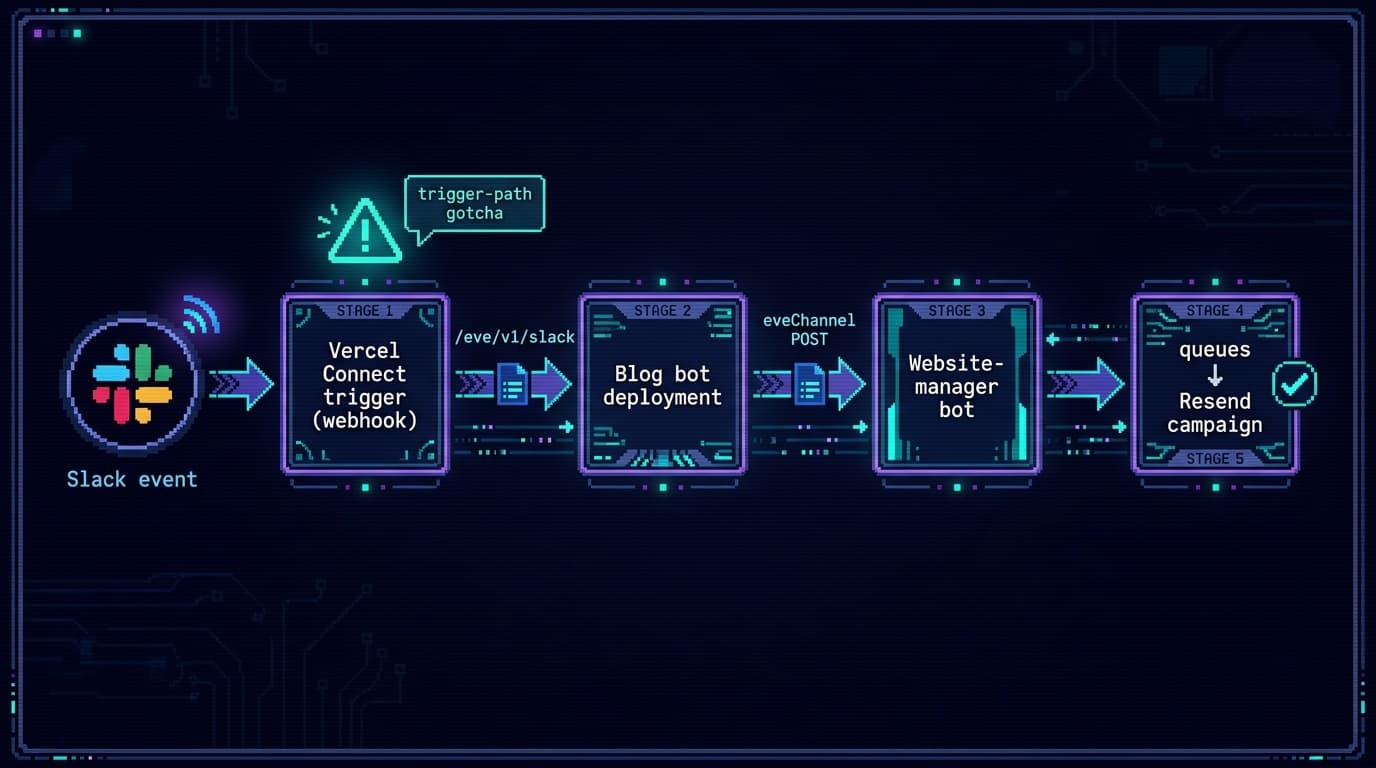
Blog bot publishes and fires a POST, then goes back to sleep. Website-manager wakes, queues the campaign, POSTs the social bot. Social bot stages the promo and parks until I approve. One authenticated POST per handoff. No shared database, no queue to babysit, no bridge to patch at midnight. The Slack channel mirrors the whole relay so I can watch it happen: machines hand off over HTTP, I watch and approve over Slack.
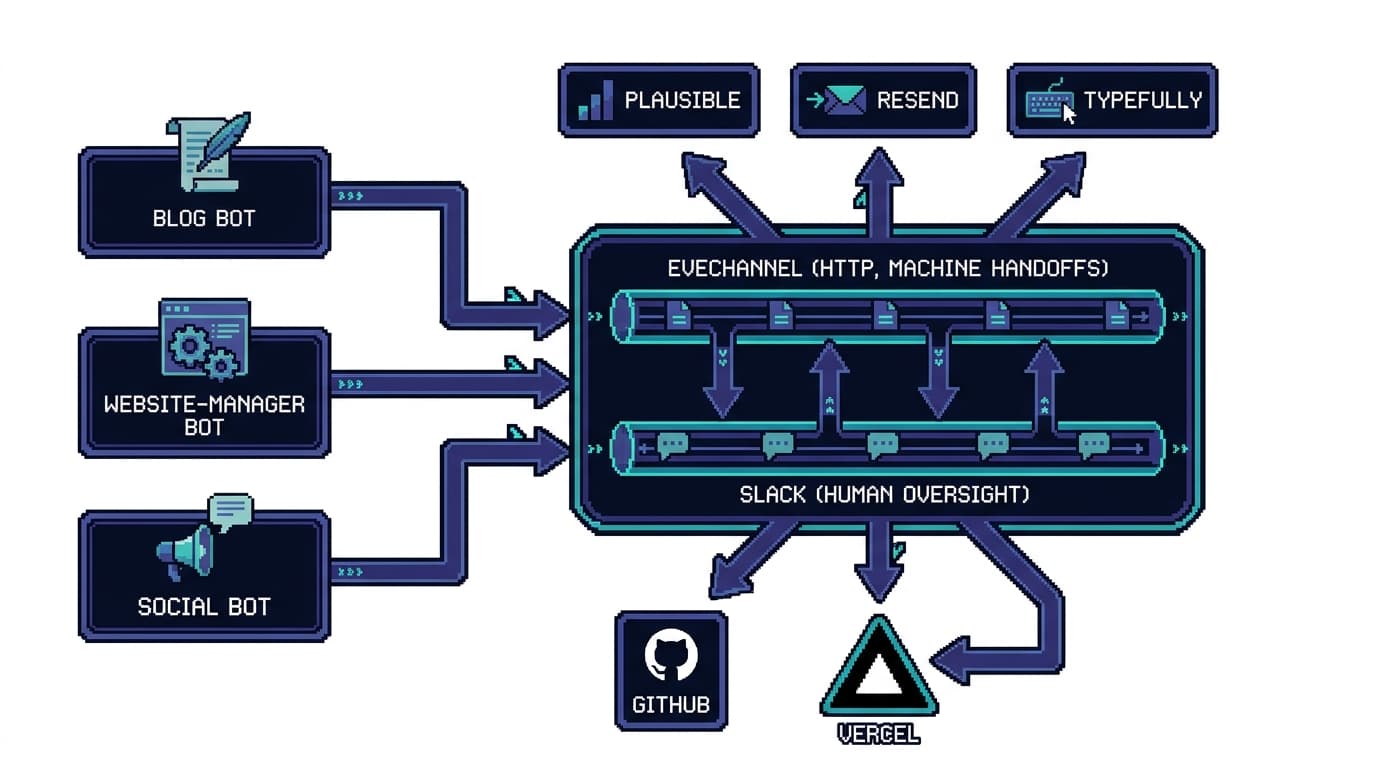
The human-in-the-loop boundary is a one-liner. Any tool that does something public or irreversible declares needsApproval, and eve parks the session until I respond in Slack:
export default defineTool({
  description: 'Send a Resend email campaign to the newsletter list.',
  needsApproval: true, // eve parks until a human approves, in Slack
  inputSchema: z.object({ campaignId: z.string(), subject: z.string() }),
  async execute({ campaignId }) {
    return sendResendCampaign(campaignId)
  },
})
Agents move freely on anything reversible. Anything public or permanent (sending a campaign, merging a PR, publishing a post) parks for me. That single rule is what makes the team safe to leave running.
The honest friction
eve's conventions are excellent. The sharp edges are almost all in the beta churn and the Vercel Connect setup, and you should budget real time for them.
- The trigger-path gotcha (above) is the big one: silent non-delivery if you skip
--trigger-path /eve/v1/slack. - Beta dependency drift. A clean install floated CANARY
@ai-sdkbuilds that broke a tool-loop with a type-validation error mid-run, and a too-new@vercel/connectshipped a verifier that 401'd events. Pin your versions and commit the lockfile; eve is in public beta and the API will move under you. - Vercel Deployment Protection 401s the Slack webhook by default. You have to let it through.
- Hobby-plan crons cap at daily. Sub-daily schedules need Pro.
- Duplicate Slack apps. Connect spins up an app per connector, so a few attempts leave you with a stack of identically-named Slack apps and no obvious App ID to tell them apart.
What cracked most of it: read eve's own docs first (once it's installed they're bundled at node_modules/eve/docs), then diff a working connector against a broken one side by side. When the failure is silent, a diff beats a debugger.
Verdict: who eve is for
eve is for someone who wants real agents on Vercel without hand-building the substrate, and who wants human-in-the-loop and durability baked in instead of bolted on. If you already live in the Vercel and AI SDK world, the conventions will feel like home and you'll have a deployed agent the same day.
What it nails:
- Conventions over config. A bot is an
agent/directory: instructions, tools, skills, channels, schedules. The filename is the wiring. - It kills glue-code sprawl. The connector code you'd otherwise reinvent per bot is the framework's job, so your repos hold only what's actually different.
- Slack Connect just works. Best Slack-to-agent experience I've had, full stop, and it's what makes the untethered workflow real.
- Durable and human-in-the-loop are first-class. Sessions survive deploys and cold starts;
needsApprovalis one line. - Vercel-native deploy.
vercel deployships the same code you ran locally.
The edges to budget for: beta version churn, the Vercel Connect trigger-path setup, and thin observability when delivery fails silently.
Would I run my business on it? It's running right now, while I write this. The menagerie is still chattering in Slack, handing work back and forth without me. I'll check the numbers in two weeks. That, not any feature list, is the only review that counts.

Discussion
Giscus