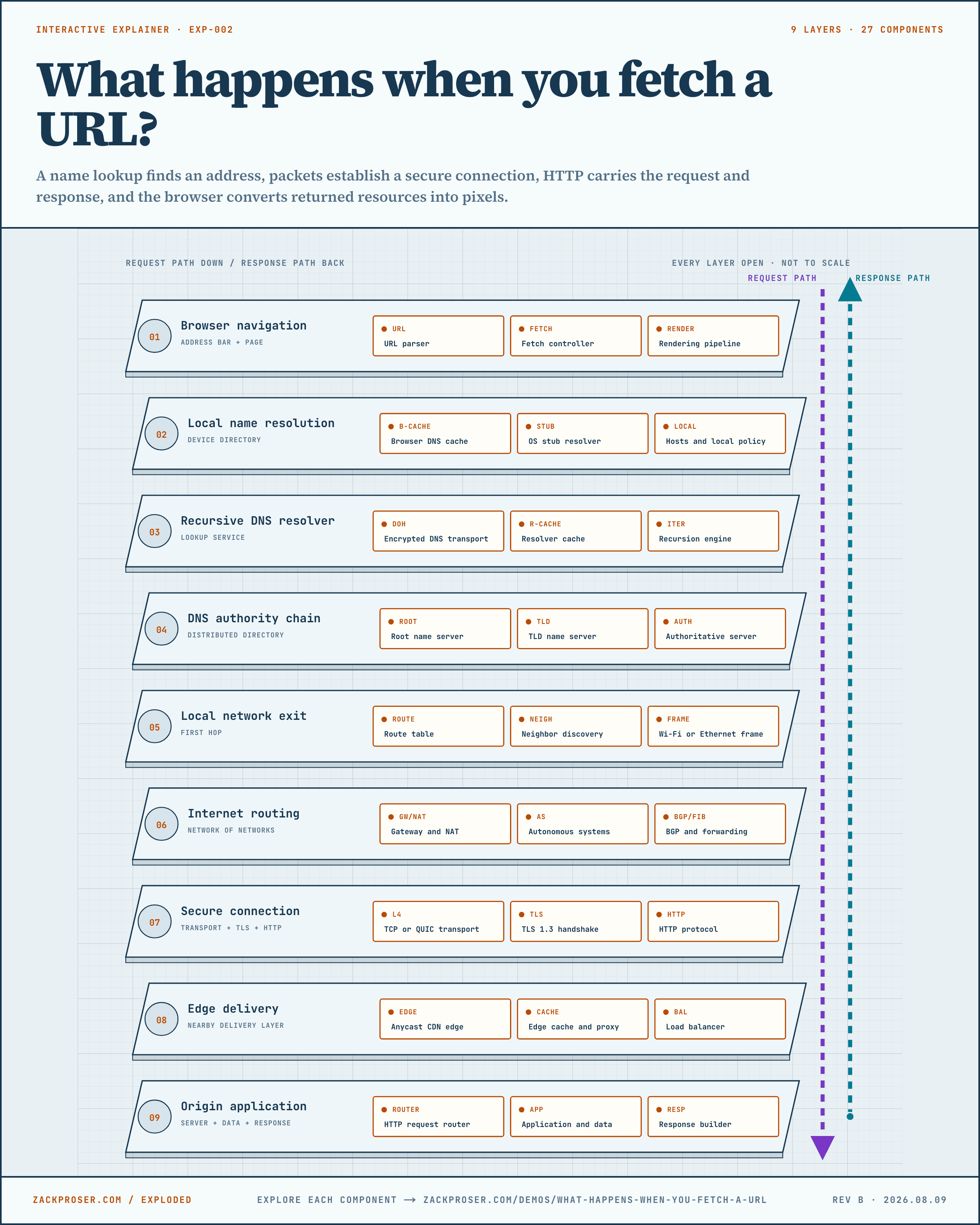
The browser interprets the URL, coordinates the request, and turns returned resources into a visible page.
A navigation begins as structured input rather than raw text. Browser fetch rules connect URL parsing, cache and service-worker decisions, network protocols, content parsing, and rendering.
- VISIBLE RESULT
- navigation → pixels
- 01address text
- 02scheme + host
- 03path + query
- 04URL record
URL parser
Reading the animation: The diagram separates one address into labeled fields before sending the host and path onward.
Splits the address into the fields every later step needs.
One address becomes six usable fields
https://zackproser.com:443/demos/fetch?layer=browser&part=url-parser#diagram- Scheme
- https
- Host
- zackproser.com
- Port
- 443
- Path
- /demos/fetch
- Query
- layer=browser&part=url-parser
- Fragment
- diagram
The parser turns text such as https://example.com/docs?q=dns into a structured URL with a scheme, host, port, path, query, and fragment. It also normalizes syntax and rejects invalid forms according to browser URL rules.
In engineering terms: A standards-defined state machine parses and serializes URL records.
FOLLOW THIS EXAMPLE
- 01
Read and normalize the address text.
- 02
Identify the scheme and network host.
- 03
Record the path, query, fragment, and port.
- 04
Pass the URL record into browser fetch logic.
Measurements, controls, and tradeoff
- Useful evidence
- Change the scheme, host, or port and a different connection or security policy may apply.
- Controls
- Applications can construct URLs with the URL API so encoding and relative paths follow browser rules.
- Tradeoff
- Helpful normalization accepts many human inputs, while strict origin rules preserve security boundaries.
- OUTPUT
- structured URL
Definitions and sources
TERMS IN THIS VIEW
- URL
- A Uniform Resource Locator: a structured address that tells software which resource to request and how to reach it.
- Scheme
- The first part of a URL, such as https, that names the protocol rules used for the request.
- Origin
- The combination of scheme, host, and port that browsers use as a security boundary.
SOURCES + CONTINUE READING
Why it matters: This layer owns both ends of the experience: it starts the request and produces the pixels the user judges.
Definitions for this layer
TERMS IN THIS VIEW
- URL
- A Uniform Resource Locator: a structured address that tells software which resource to request and how to reach it.
- Fetch
- The browser process that turns a resource request into a response, using caches, service workers, redirects, network connections, and security checks.
- HTML
- HyperText Markup Language: the document format browsers parse to construct a web page.
- DOM
- The Document Object Model: the browser’s in-memory tree representation of an HTML document.