

Looking for the best voice-to-text app for your Mac? I've tested them all. Here's what actually works in 2026.
Quick Answer
WisprFlow is the best voice-to-text app for Mac in 2026. It works system-wide, cleans up your speech with AI, and handles 170+ words per minute.
The Contenders
1. WisprFlow (Best Overall)
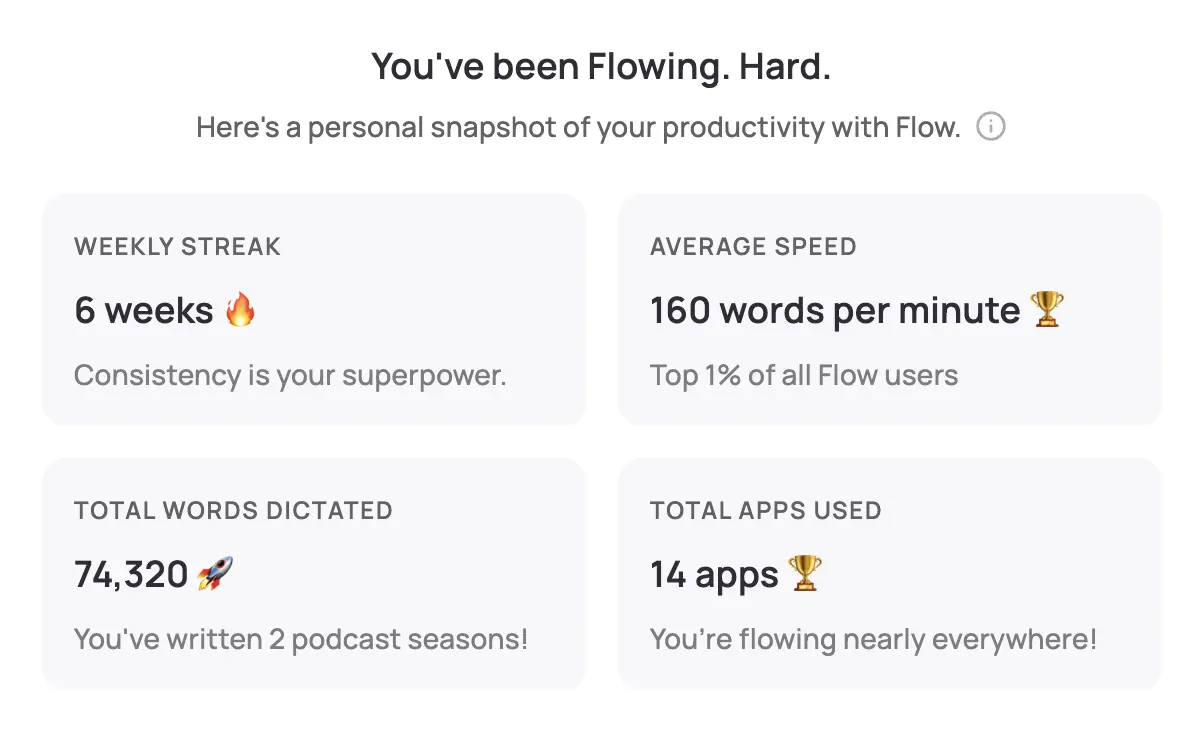
Pros:
- Works in ANY app (not just Apple apps)
- AI cleans up filler words, fixes grammar
- 170+ WPM actual speed
- Learns your vocabulary
- Modern, fast, actively developed
Cons:
- Subscription pricing
- Mac only (for now)
Best for: Anyone who wants voice-to-text that actually works everywhere
2. macOS Built-in Dictation
Pros:
- Free, built into your Mac
- Works offline (Enhanced Dictation)
- No additional software
Cons:
- Only works in Apple apps reliably
- Doesn't clean up speech (you get "um" and "uh")
- Slower, less accurate
- Feels dated
Best for: Casual use in Apple apps only
3. Dragon NaturallySpeaking
Pros:
- Industry standard for decades
- Very accurate once trained
- Professional features
Cons:
- Expensive ($300-700)
- Mac version discontinued (now Nuance cloud)
- Clunky, dated interface
- Steep learning curve
Best for: Legacy users who already own it
4. Whisper-based Apps
Pros:
- Open source model
- Can run locally
- Free options available
Cons:
- Requires technical setup
- Not real-time (processes after speaking)
- No system-wide integration
- DIY solution
Best for: Developers who want to tinker
Comparison Table
| Feature | WisprFlow | macOS Dictation | Dragon |
|---|---|---|---|
| Works everywhere | Yes | No (Apple apps only) | Yes |
| Cleans up speech | Yes (AI) | No | Partially |
| Speed (WPM) | 170+ | 100-120 | 140-160 |
| Price | $10-20/mo | Free | $300-700 |
| Setup time | 2 min | 0 | 30+ min |
| Active development | Yes | Slow | Declining |
Why WisprFlow Wins
1. It Actually Works Everywhere
Click in any app—Chrome, Slack, VS Code, Word, anything—press the hotkey, and speak. Text appears. macOS dictation fails constantly in non-Apple apps.
2. AI Makes Your Speech Sound Written
When I say "So um basically what I'm thinking is that uh we should probably consider um the alternative approach", WisprFlow outputs: "We should consider the alternative approach."
That's not transcription. That's transformation.
3. Speed That Matters
I speak at about 170 WPM with WisprFlow. That's 3x my typing speed. Over a day of writing, that adds up to hours saved.
4. It Learns Your Vocabulary
Technical terms, names, jargon—WisprFlow learns what you use. After a week, it recognizes your specific vocabulary.
Getting Started
Try WisprFlow free - takes 2 minutes to install and start using.
FAQ
Is the built-in Mac dictation good enough?
For occasional use in Apple apps, maybe. For serious work, no. It doesn't clean up speech, fails in many apps, and feels dated.
What about Dragon?
Dragon was great in 2010. The Mac version was discontinued. The cloud version exists but isn't competitive with modern AI tools.
Does WisprFlow work offline?
It requires internet for the AI processing that makes it work so well. The tradeoff is worth it.
Can I use this for coding?
Yes, though voice is better for prose than code. I use WisprFlow for comments, documentation, and commit messages. See my developer setup guide.
The best voice-to-text app is the one you actually use. WisprFlow works everywhere, cleans up your speech, and gets out of your way.
How each tool turns speech into text
The useful difference is where the text appears and how much work remains afterward.
Traditional typing stays precise and familiar for short edits.
WisprFlow dictates into any app with AI formatting, and it is free to try.

Discussion
Giscus