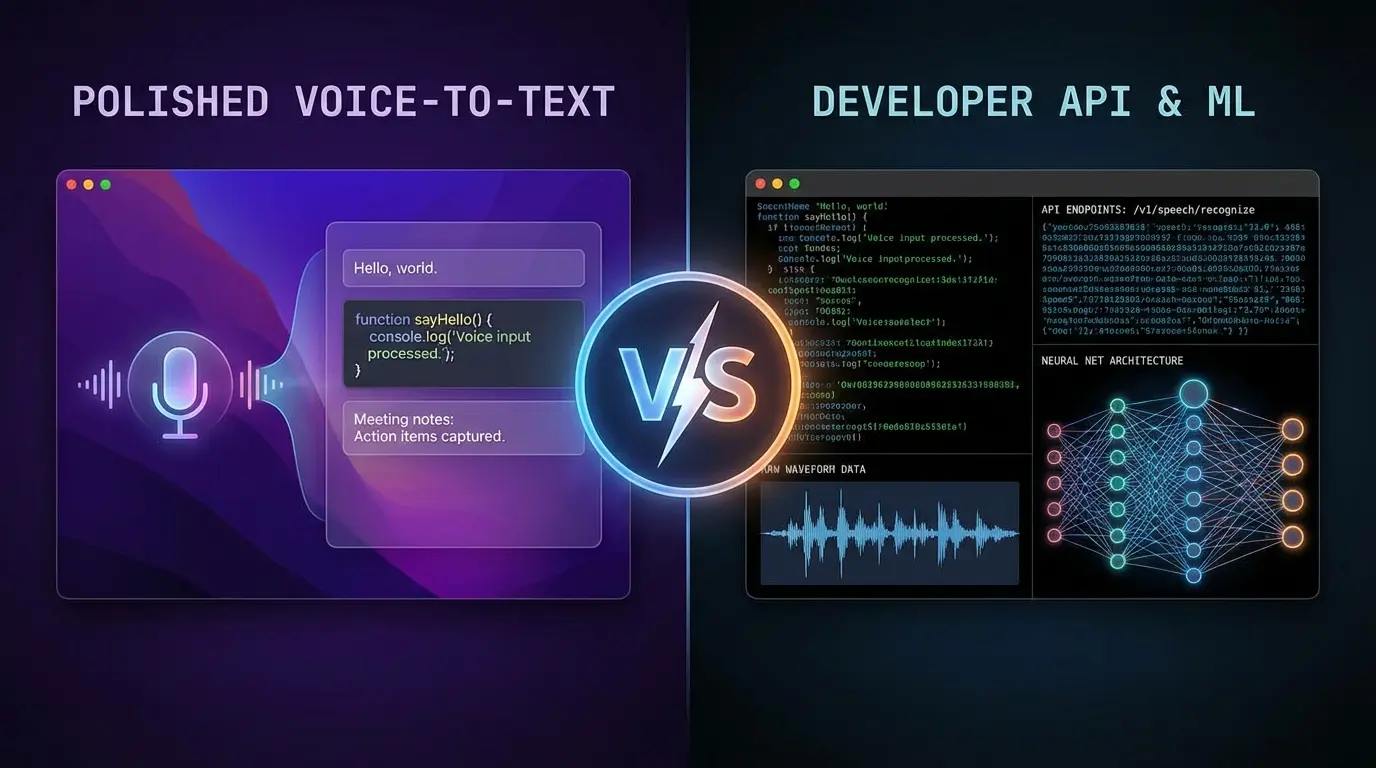
Choosing between WisprFlow and OpenAI's Whisper for voice-to-text comes down to one question: Do you want a polished product or a building block?
After using both extensively, here's my honest comparison.
Quick Verdict
| Feature | WisprFlow | Whisper |
|---|---|---|
| Best For | Daily productivity | Developers building apps |
| Setup Time | 2 minutes | Hours to days |
| System Integration | Native macOS | Requires custom integration |
| AI Enhancement | ✅ Built-in | ❌ Raw transcription only |
| Context Awareness | ✅ Formats for each app | ❌ No context awareness |
| Real-time Speed | ~179 WPM effective | Varies by implementation |
| Pricing | Subscription | Free (API costs for hosted) |
| My Pick for Daily Use | ✅ Winner |
What Is Each Tool?
WisprFlow
WisprFlow is a polished macOS application that provides system-wide voice-to-text. You press a hotkey, speak naturally, and WisprFlow inserts polished, formatted text wherever your cursor is focused—Cursor IDE, Chrome, Slack, anywhere.
The magic is in the AI enhancement: it removes filler words, fixes grammar, and formats output based on the context (code for IDEs, professional prose for email, casual for chat).
OpenAI Whisper
Whisper is OpenAI's open-source speech recognition model. It's incredibly accurate and supports 99 languages, but it's a model, not a product. You either:
- Use it via OpenAI's API (pay per audio minute)
- Self-host it (requires technical setup)
- Use a third-party app built on Whisper
Head-to-Head Comparison
Setup & Integration
WisprFlow: Download, install, configure hotkey. Done in 2 minutes. Works immediately in every app on your Mac.
Whisper: If using the API, you need to build an integration. If self-hosting, you need to set up the model, handle audio capture, and build your own interface. There's no "install and go" option.
Winner: WisprFlow - It's not even close for anyone who wants to use voice-to-text today, not build it.
Transcription Accuracy
Both are highly accurate for general speech. However:
WisprFlow: Learns your personal vocabulary (company names, technical terms, code libraries). Adapts to your speech patterns over time.
Whisper: Excellent out-of-the-box accuracy, especially for multiple languages. No personalization without fine-tuning.
Winner: Tie - Both are accurate enough for production use. WisprFlow edges ahead for technical vocabulary.
AI Enhancement
WisprFlow: Transforms messy spoken input into polished output:
- Removes "um," "uh," and filler words
- Adds proper punctuation
- Formats based on destination app
- Understands code context
Whisper: Pure transcription only. What you say is what you get, including every "um" and false start.
Winner: WisprFlow - The AI enhancement alone justifies the subscription for productivity use.
Developer Workflow Integration
WisprFlow: Native integration with:
- Cursor IDE / VS Code
- Chrome (Claude, ChatGPT, any web app)
- Slack, Discord
- Email clients
- Any text field on macOS
I can speak a code comment, a Slack message, and an AI prompt in the same session without switching modes.
Whisper: No native integrations. You build what you need or find third-party tools.
Winner: WisprFlow - For developers who want to use voice today, not build voice features.
Pricing
WisprFlow: Subscription model (~$10-20/month). Includes everything.
Whisper API: ~$0.006 per minute of audio. Cheap at scale, but you're paying for infrastructure too.
Whisper Self-Hosted: Free model, but you pay for compute (GPU for real-time) and development time.
Winner: Depends - Whisper is cheaper if you're building a product. WisprFlow is better value for personal productivity.
Privacy
WisprFlow: Audio processed in cloud. Good security practices, but not local.
Whisper Self-Hosted: Fully local processing. No data leaves your machine.
Whisper API: Processed by OpenAI.
Winner: Whisper (self-hosted) - If privacy is paramount, self-hosted Whisper wins.
When to Choose Each
Choose WisprFlow If:
- You want voice-to-text working today
- You're a developer who spends time writing code, docs, emails, and chat
- You value AI enhancement (no filler words, proper formatting)
- You're on macOS
- You want a product, not a project
 Try WisprFlow free →
Choose Whisper If:
- You're building a product that needs speech recognition
- You need multi-language support (99 languages)
- Privacy requires fully local processing
- You have the technical resources to build and maintain an integration
- You're on a platform WisprFlow doesn't support
My Recommendation
For daily developer productivity, WisprFlow is the clear winner. I went from 90 WPM typing to 179 WPM with voice. The AI enhancement means I speak naturally and get polished output. I don't have to think about formatting or clean up transcriptions.
For building voice features into products, Whisper is the right choice. It's a powerful, accurate model that you can integrate however you need.
They're not really competitors—they serve different purposes. WisprFlow is a product for users. Whisper is a tool for builders.
Frequently Asked Questions
Related Reading
- Full WisprFlow Review - Deep dive after months of daily use
- Top AI Voice Tools for 2025 - Complete voice productivity stack
- Voice-First Development Workflow - How I use voice with AI agents
How each tool turns speech into text
The useful difference is where the text appears and how much work remains afterward.
Traditional typing stays precise and familiar for short edits.
WisprFlow dictates into any app with AI formatting, and it is free to try.

Discussion
Giscus