
The old version of this comparison was too simple: Krisp removed noise, while Granola wrote meeting notes. Krisp is now a full bot-free meeting assistant with live transcription, recordings, summaries, action items, uploads, and integrations. Both products can keep a named bot out of the participant list.
The useful choice in 2026 is between two different centers of gravity. Granola is an AI notepad built around the editable document you produce after a meeting. Krisp begins with the audio path: noise cancellation, accent conversion, transcription, and optional recording before it turns the call into notes.
The short answer
Choose Granola when your own typed observations should help shape a private, editable meeting note and you do not need saved audio. Choose Krisp when noisy calls, accent clarity, live transcription, or replayable recordings are part of the same problem.
I use Granola because my normal output is a decision record or follow-up, not an audio library. I would start with Krisp for calls from noisy environments or for a team that needs to improve the audio while the conversation is happening.
Granola vs Krisp at a glance
| Question | Granola | Krisp |
|---|---|---|
| Product center | Editable meeting note | Real-time voice layer plus meeting record |
| Bot-free capture | Yes | Yes |
| Noise cancellation | No | Yes, for incoming and outgoing audio |
| Accent conversion | No | Yes, with supported configurations |
| Live transcript | Transcript panel in the app | Yes |
| Saved meeting audio | Granola says it does not save audio | Available with recording modes |
| Existing file upload | Not supported | Audio and video upload supported |
| Typed notes influence output | Yes | Not the central workflow |
| Best fit | Personal note, decisions, and follow-up | Noisy or international calls, live clarity, and recordings |
What Granola is optimizing for
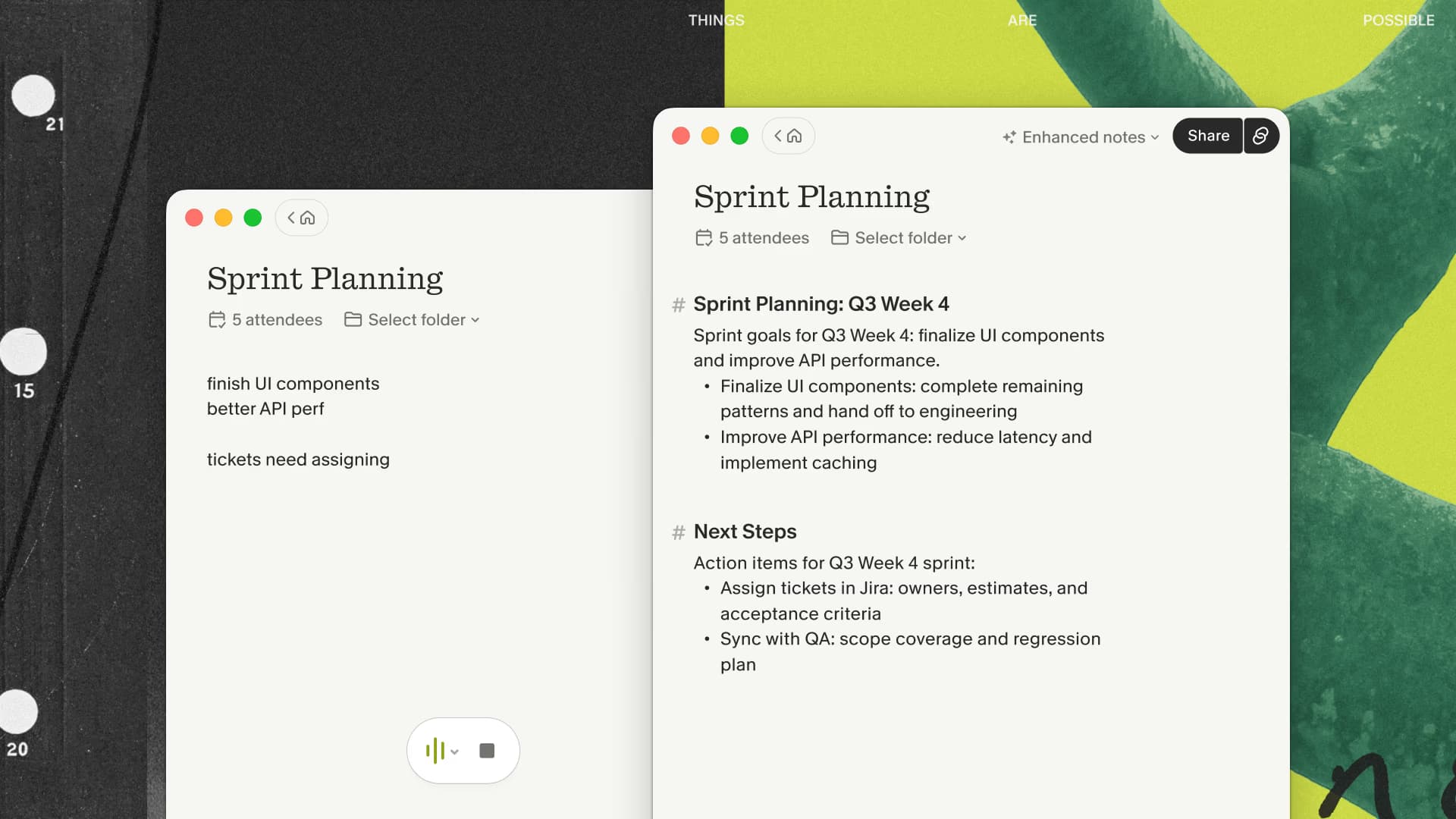
Granola opens a note from the calendar or from an unscheduled note. Its app captures microphone and system audio without joining the call, passes that stream to cloud transcription providers, and uses the transcript, calendar context, and anything I typed to create an enhanced note.
The typed cues are the feature I care about. During a call I can write “verify the contract date” or “this is the actual objection.” The rough note is not discarded when the AI runs; it helps steer the resulting document toward what mattered to me.
The tradeoff is equally clear. Granola says it does not retain the meeting audio, so I cannot replay a disputed sentence. It does not import an old recording, attend in my place, or improve the sound that other participants hear. Its desktop app is local, but transcription and note generation use cloud services.
This makes Granola a good fit when the note is the product and a poor fit when the original media is part of the record.
If that tradeoff matches your calls, test Granola's editable note on one ordinary meeting and time the cleanup before comparing feature lists.
What Krisp is optimizing for
Krisp sits in the audio path as a virtual microphone and speaker. In a conferencing app, the user selects Krisp for those devices. Its real-time layer can remove background noise and echo, reduce other voices, and provide supported accent-conversion features while the meeting is happening.
The meeting-assistant product adds bot-free transcription, notes, summaries, action items, and recording modes. Krisp's current product material also documents uploads and integrations. That is much broader than the “noise cancellation with basic notes” product it is sometimes compared as.
The advantage is consolidation. Someone working from a loud home office or taking calls across accents can address call clarity and meeting capture in one application. Saved recordings also make Krisp the stronger option when replay matters.
The cost of that breadth is that the product is solving more than my usual note workflow needs. If the audio is already clear and I only want a document to edit, Granola's narrower mental model is easier for me.
Bot-free does not mean the same workflow
Neither product needs to appear as a participant in a supported desktop call, but the similarity stops there.
Krisp becomes the microphone and speaker selected in the meeting application. That position lets it change the sound in real time and support a recording. Granola captures the microphone and system audio for transcription but does not act as the audio-cleanup layer and does not keep an audio file.
Those architectural differences affect setup and failure modes. Krisp users need to verify the selected audio devices and whether the intended recording preset is active. Granola users need to verify that the intended meeting note has started and that the correct input and system audio are available.
In both cases, a missing bot does not remove the need for disclosure, consent, company policy, or applicable law.
Which product handles bad audio better?
Krisp is the obvious first test. Noise cancellation happens during the call, which can help the people in the conversation as well as the transcript produced afterward. Accent conversion is another live communication feature Granola does not attempt to provide.
Granola transcribes the audio stream it receives. It cannot repair a poor call for the other participants. Background sound, crosstalk, an incorrect input, and notification audio can affect the transcript, so I verify names, numbers, and commitments before sharing a note.
If “people cannot hear me clearly” is the expensive problem, do not buy a note-first tool and hope the summary fixes it. Start with the audio path.
Which product produces the better working note?
For my workflow, Granola does. The editor, meeting templates, and relationship between my typed cues and the enhanced note make the result feel like a draft I was already writing. Folders, Spaces, and Chat then help organize or revisit those notes.
That is a first-person preference, not a benchmark claiming universal summary accuracy. A team should compare the products on the same ordinary meeting and score the amount of correction, the usefulness of the structure, and whether the final artifact reaches the system where work happens.
Krisp can absolutely produce summaries and action items. Its stronger reason to win is the combination of those outputs with clearer live audio and a replayable record.
If your audio is already clear and replay does not matter, compare Granola's finished note with Krisp's output on the same permitted call.
When using both can make sense
The products are not mutually exclusive. A person might use Krisp for real-time noise cancellation while relying on Granola for the note-first workflow. Before paying for both, verify that the audio routing is stable, that only the intended capture is active, and that company policy permits both services.
Two apps also mean two vendors, two sets of controls, and potentially two meeting artifacts. The combination is justified only when Krisp materially improves the live call and Granola materially improves the document afterward.
The same-call test
Use one permitted recurring meeting with realistic audio. For Krisp, test the noise layer, device setup, transcript, recording mode, and follow-up. For Granola, type two or three cues during the call, enhance the note, and turn it into the actual email or decision record you need.
Then ask three questions:
- Did the live conversation need Krisp's audio help?
- Did anyone need to replay the original audio?
- Which final note required less correction and less movement between tools?
Choose Krisp if the first two answers dominate. Choose Granola if the third answer is the work that matters and the original audio has no lasting value.
For more context, read the daily-use Granola review or compare the note workflow with a recording-centered product in Granola vs Otter.

Discussion
Giscus