
Granola listens through the device you are already using, transcribes the conversation, and combines that transcript with any rough notes you type. After the meeting, its AI turns both sources into structured notes you can edit, search, share, or reuse.
The defining difference is what does not happen: no “Granola Bot” joins the Zoom, Google Meet, or Teams participant list.
The five-step Granola workflow
1. Granola detects or starts a meeting
On desktop, calendar integration can surface a scheduled meeting. You can also start a note manually. On mobile, you can capture an in-person conversation through the phone.
Granola works across Mac, Windows, iPhone, and Android. The exact controls differ by platform, but the pipeline is the same.
2. It captures device and microphone audio
Instead of inviting a remote recording participant, Granola uses the audio available on your device. That keeps the participant list clean and avoids the awkward wait for a bot to be admitted.
Bot-free does not mean consent-free. You remain responsible for telling participants and following the recording laws and policies that apply. See my recording and consent guide before using any transcription tool for sensitive conversations.
3. You can type rough notes while listening
This is the part people miss when they describe Granola as a recorder. You can jot a name, decision, objection, or question in your own words during the call. Those notes tell the system what mattered to you.
I keep this layer intentionally sparse. The point is to stay in the conversation, not produce a live transcript by hand.
4. Granola enhances the notes from the transcript
After the meeting, Granola uses transcript context to expand the sparse notes into a structured document. Templates let you shape that document for a one-on-one, customer interview, hiring screen, project review, or another recurring meeting type.
You should still review names, numbers, commitments, and quotations. AI notes are a strong first draft, not an infallible record.
5. You turn the meeting into follow-up work
The result can be edited and shared. Granola Chat can answer questions against meeting context, and paid plans add longer history, more advanced AI, integrations, and team features. The current official plans are Basic at $0, Business at $14 per user monthly, and Enterprise starting at $35 per user monthly.
Check the official Granola pricing page before buying because plan details change.
What Granola stores—and what it does not
Granola says it transcribes device audio in real time and does not keep the audio recording after processing. Notes are private unless you choose to share them. Its official privacy material also describes model-training controls and enterprise security options.
That architecture is meaningfully different from a meeting bot that joins as a participant and stores a cloud recording. It does not remove your responsibility to evaluate company policy, client expectations, data residency, or legal consent requirements.
For regulated or highly sensitive work, start with the official security documentation and your organization’s policy rather than relying on any affiliate review.
What the output looks like
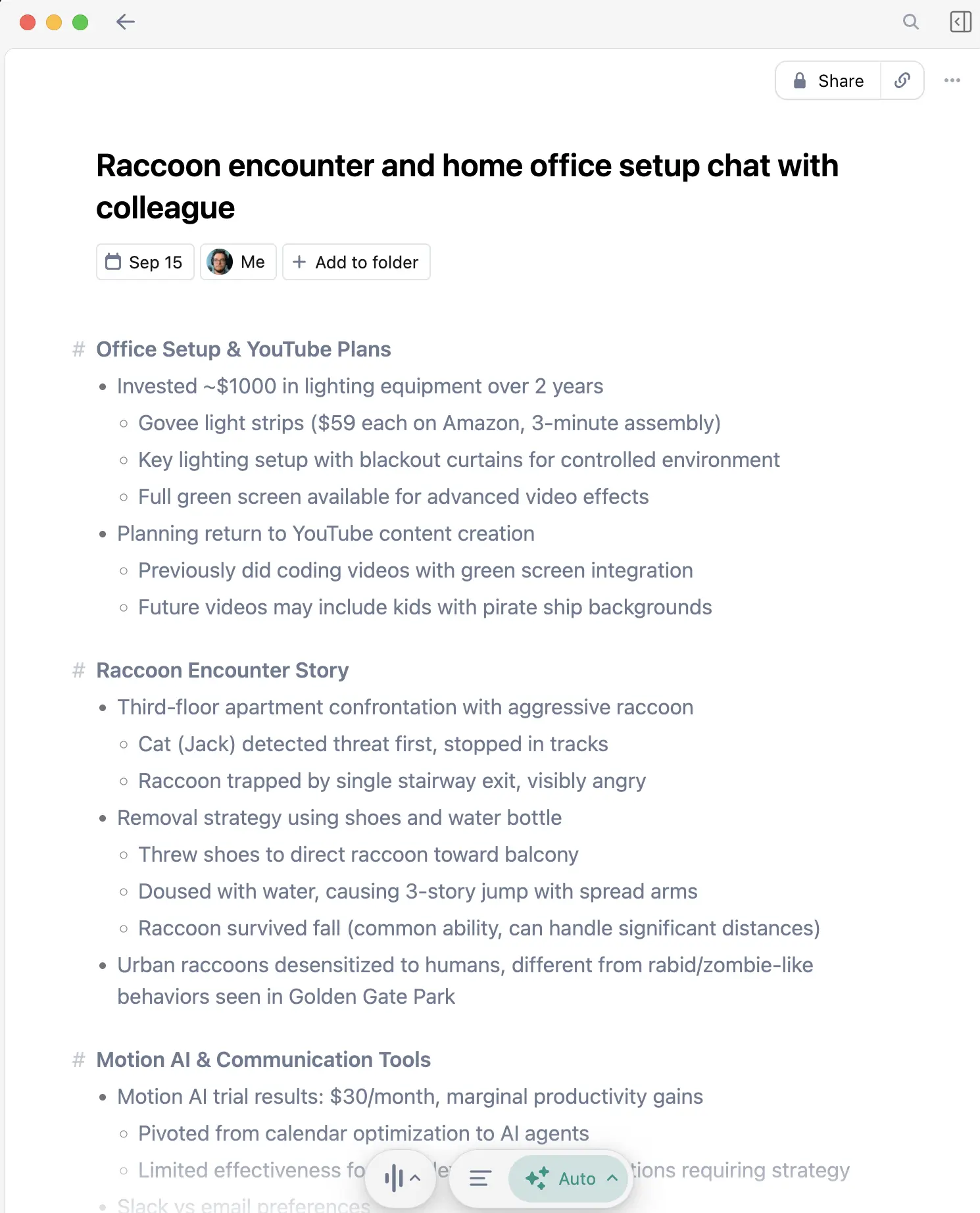
A useful Granola note usually contains:
- A concise meeting summary
- Decisions and open questions
- Action items with owners when they were clear
- Supporting detail from the transcript
- Your own rough notes, preserved as intent signals
The quality depends on room audio, overlapping speakers, specialized vocabulary, and how well the template fits the meeting. A quiet headset call is easier than six people around one distant conference-room microphone.
When Granola is the right choice
Granola fits when you want to remain present in calls, dislike visible meeting bots, and need useful notes after the conversation rather than live captions during it.
It is especially strong for customer discovery, interviews, project decisions, internal syncs, and client calls where a new bot participant changes the tone.
Choose something else when live captions are mandatory, your CRM must receive every call automatically, or organizational policy requires a different approved recorder. My Granola vs Otter comparison covers the bot and live-caption tradeoff directly.
Free versus paid
Granola’s Basic plan includes unlimited meetings, AI-enhanced notes, chat, templates, shared folders, and multiple languages, but limits accessible meeting history. Business adds full history, advanced AI features, integrations, billing, and broader team workflows. Enterprise adds formal security and administration controls.
That makes the free plan the honest place to begin. Test it on several real meeting shapes before deciding whether searchable history and integrations are worth paying for.
For a single overview of supported platforms, the offer, and which workflow to test first, see my Granola guide.
My practical setup
I use Granola for nearly every scheduled meeting. I keep the note template aligned to the meeting type, write only the facts I cannot afford to lose, and review the generated action items immediately after the call.
The practical benefit is reduced context loss between back-to-back meetings: the decision from 10:00 is still available after the 11:00 and 12:00 calls have pushed it out of working memory.
For the longer verdict, including failure modes and the reasons I kept the product, read my Granola AI review.
Affiliate disclosure: this page contains Granola referral links. I may earn a commission if you sign up, at no additional cost to you.
Discussion
Giscus