
Granola and Notion AI Meeting Notes can both capture microphone and system audio through their desktop apps without adding a meeting bot. The old comparison—Granola transcribes while Notion only improves notes you typed—is no longer true.
The useful decision is where the meeting should live afterward. Granola is a dedicated AI notepad with a meeting history, templates, folders, and chat across past conversations. Notion puts the transcript and summary on the same pages and in the same databases where a team already manages projects and documents.
The short answer
Choose Granola when you want a focused personal meeting notebook across several clients, companies, or meeting platforms. Choose Notion AI Meeting Notes when your team already treats Notion as the system of record and the transcript should land directly beside the work it changes.
I prefer Granola for my own meetings because I want to shape a private draft before I share the result. That is a workflow preference, not a claim that Notion lacks meeting capture.
Granola vs Notion AI Meeting Notes at a glance
| Question | Granola | Notion AI Meeting Notes |
|---|---|---|
| Primary home | Dedicated meeting-note app | Notion pages and databases |
| Desktop capture | Microphone and system audio | Microphone and system audio in the desktop app |
| Browser capture | View and edit existing notes in the web app | Microphone only, which can limit conferencing audio |
| Existing audio upload | Not supported | Supports common audio-file uploads |
| Typed notes influence the result | Yes | Yes |
| Reusable structure | Meeting templates | Custom summary instructions and database templates |
| Best fit | Personal meeting memory across contexts | Teams already organizing work in Notion |
What using Granola feels like
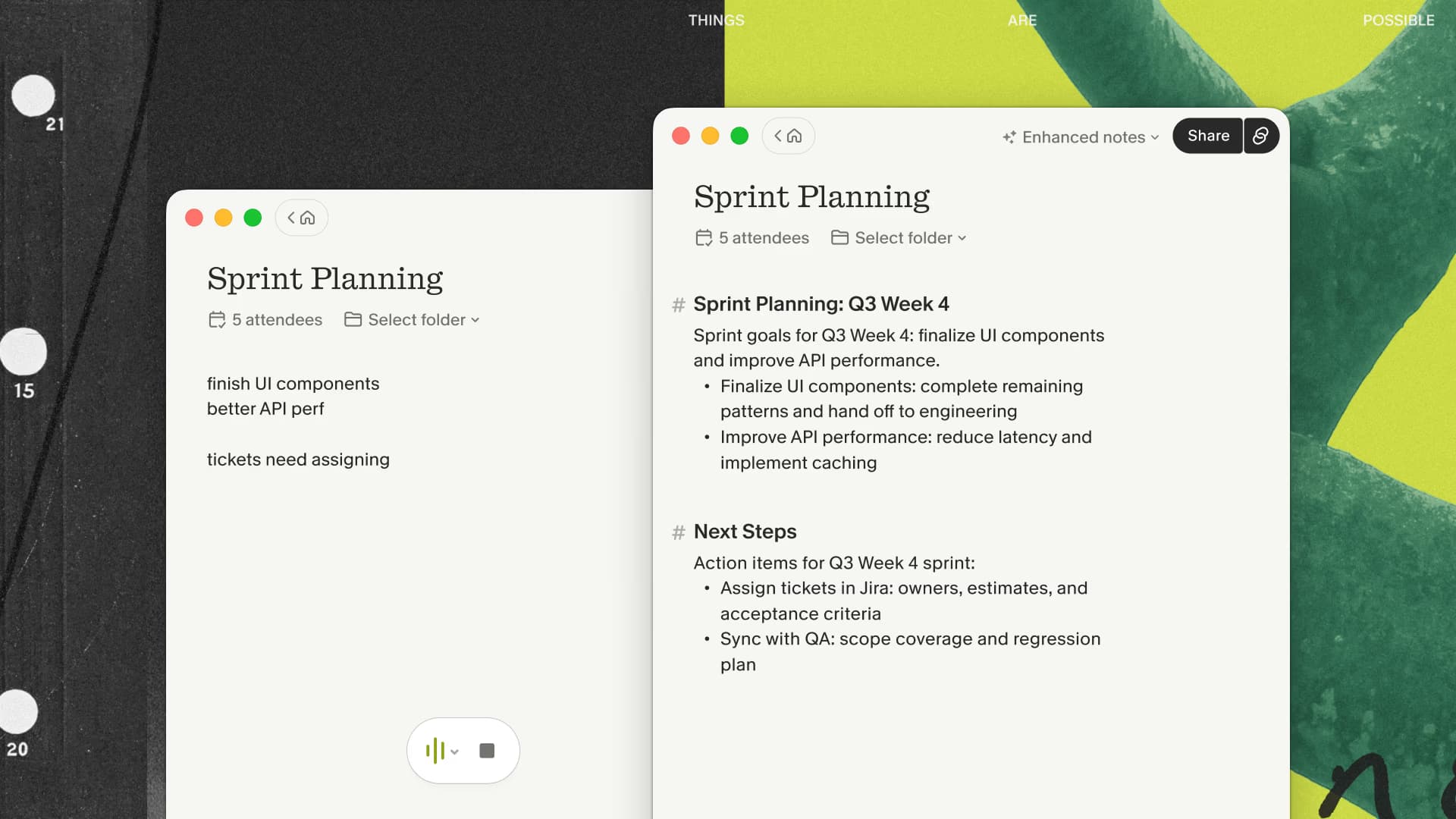
Granola opens a note from the calendar or from a new unscheduled note. The desktop app captures microphone and system audio without joining the call, sends the stream to cloud transcription providers, and uses the transcript, calendar context, and anything I typed to create an enhanced note.
That last part is why I keep using it. During a meeting I might type “verify the launch date” or “this is the actual objection.” Those fragments help steer the generated draft toward the details I cared about instead of sitting in a separate scratchpad.
The result begins private. I can edit it, change the template, remove material, add context that was never spoken, and then decide whether it belongs in a shared folder or another system.
Granola does not save the meeting audio for playback and does not import an old MP3. It also needs cloud services for transcription and note generation. Those are meaningful limits, not footnotes.
If those limits are acceptable and you want the dedicated notebook, test Granola on one recurring meeting and compare the edited result with the page you would keep in Notion.
What using Notion AI Meeting Notes feels like
In Notion's desktop app, a meeting-notes block can capture system audio and microphone input. An agenda or typed notes can inform the summary, transcript citations connect claims back to the conversation, and the final artifact is already a normal Notion page.
That proximity is Notion's strongest advantage. A project review can live beside its brief, tasks, decisions, and database records without an export step. Existing page permissions and workspace conventions determine who can see it.
The browser path is different from the desktop app because microphone-only capture can miss conferencing audio when headphones are in use. Notion also supports uploading existing audio, which matters for interviews or recordings captured elsewhere.
Notion is less appealing when the workspace is already cluttered or when meetings span many outside organizations. The flexibility that makes Notion powerful also creates more decisions about databases, permissions, and where each transcript belongs.
Organization is the real dividing line
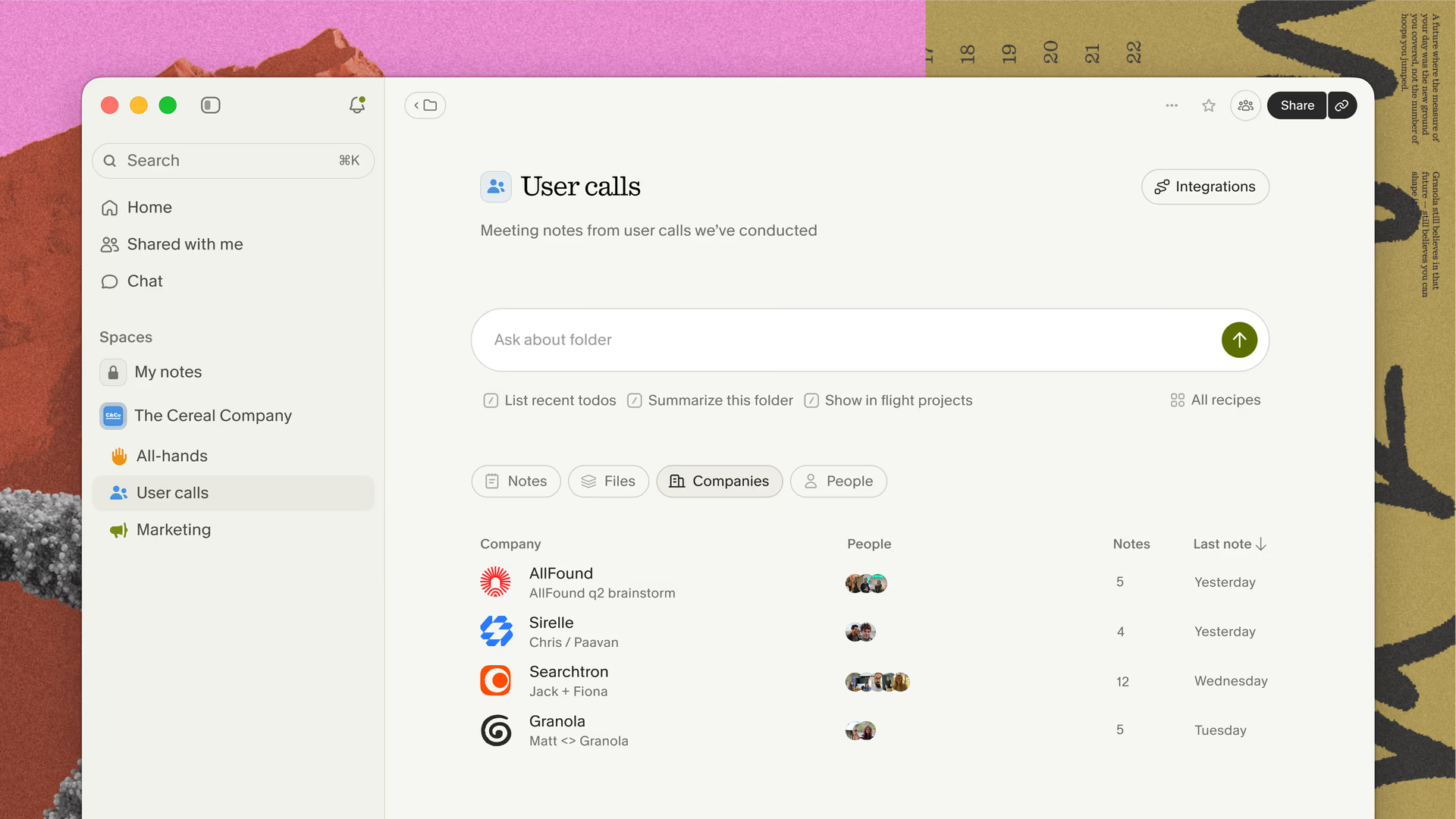
Granola gives meetings a purpose-built home. Folders can group notes by company or project, Spaces separate personal and shared context, and Chat can answer questions across selected meetings. That model works well when the recurring question is, “What has this customer said across the last four calls?”
Notion gives meetings the same organization model as every other page. That is better when the recurring question is, “How does this decision update the project plan we already maintain here?”
Neither hierarchy wins universally. Pick the one that reduces the handoff after the meeting.
If your meetings span clients or workspaces and Notion creates more filing decisions, try Granola's purpose-built meeting history before designing another database.
Consent, privacy, and cloud processing
Neither product is fully local. Granola sends audio to transcription providers and uses cloud AI providers to create enhanced notes. Notion also relies on subprocessors for real-time transcription and documented temporary processing paths.
A missing meeting bot does not make capture secret or exempt from policy. Tell participants what is active, follow the rules that apply to everyone on the call, and decide who can access the resulting transcript before adopting either tool across a team.
Granola begins with a personal note and lets the user decide what to share. Notion begins inside a workspace whose page and database permissions already matter. Teams should test those boundaries with ordinary material before using either product for regulated or unusually sensitive conversations.
Who should choose each product
Choose Granola when:
- you want a dedicated meeting history across several organizations;
- private rough notes and a reviewed personal draft matter;
- you prefer meeting templates and cross-meeting chat;
- you do not want another database design problem;
- an editable note matters more than saved audio.
Choose Notion AI Meeting Notes when:
- Notion already holds projects, decisions, and team knowledge;
- meeting notes should land directly in a database;
- audio-file upload matters;
- administrators prefer Notion's existing permissions and consent controls;
- a separate meeting repository would fragment the record.
The test I would run
Use the same recurring, permitted meeting for both products. Add the same short agenda and type the same two or three cues. Then compare the entire path, not just the summary: starting capture, correcting names and dates, finding one decision a week later, sharing the reviewed note, and turning an action item into work.
The better product is the one whose final note lands where you will actually use it. For me that remains Granola; for a disciplined Notion team, keeping everything in Notion may be the cleaner answer.

Discussion
Giscus