I use Granola for my own meetings, but the old “Granola has no bot and Otter requires one” comparison is obsolete. Otter now has a Mac and Windows desktop app that can capture supported meetings without sending its Notetaker bot into the call.
The useful choice in 2026 is about the artifact you want afterward. Granola is built around an editable working note. Otter is built around a conversation record that can include live transcription, saved audio, sharing, integrations, and an optional meeting participant.
The short answer
Choose Granola when you attend your own calls and want a focused note that blends your typed observations with the transcript.
Choose Otter when the transcript or recording needs to be shared, replayed, imported, connected to a CRM, or captured by a Notetaker when you cannot attend.
I kept Granola because my usual output is a decision record or follow-up, and I prefer shaping that note during the meeting. Otter is the more capable choice for several team and recording workflows.
Reading on your phone? Save my referral link for your Mac or Windows computer.
Granola vs Otter at a glance
| Question | Granola | Otter.ai |
|---|---|---|
| Can it work without a bot? | Yes, on the desktop app and supported mobile workflow | Yes, through the Mac and Windows desktop app; browser and mobile can also record conversations |
| Can a bot attend for me? | No | Yes, with Otter Notetaker |
| Does it show a live transcript? | Yes, in the Granola transcript panel | Yes |
| What is the main artifact? | An editable note enhanced from transcript plus your typed notes | A saved conversation with transcript, summary, audio, and collaboration tools |
| Does it save meeting audio? | Granola says no | Yes for recorded conversations |
| Can it import old recordings? | No | Yes |
| In-person capture | iPhone and Android apps | Otter supports browser, iOS, and Android recording |
| Team and CRM workflow | Sharing, workspaces, and integrations, with the note at the center | Broader transcript sharing and integrations, including Salesforce and HubSpot |
Three questions. One honest recommendation.
What changed in Otter
Otter Notetaker still exists. It can join Zoom, Google Meet, and Microsoft Teams, record the meeting, and produce a live transcript and summary. That is useful when you want automation, a visible participant, or coverage for a meeting you cannot attend.
Otter’s desktop app adds another path. On Mac and Windows, it can capture meeting audio without Notetaker joining. It can detect supported meetings, prompt you to start, work with headphones, and stop automatically. The app preserves the Otter features around live transcription, audio, summaries, and conversation sharing.
This removes the cleanest old argument for Granola. Botless capture is now available from both products.
Why I still prefer Granola
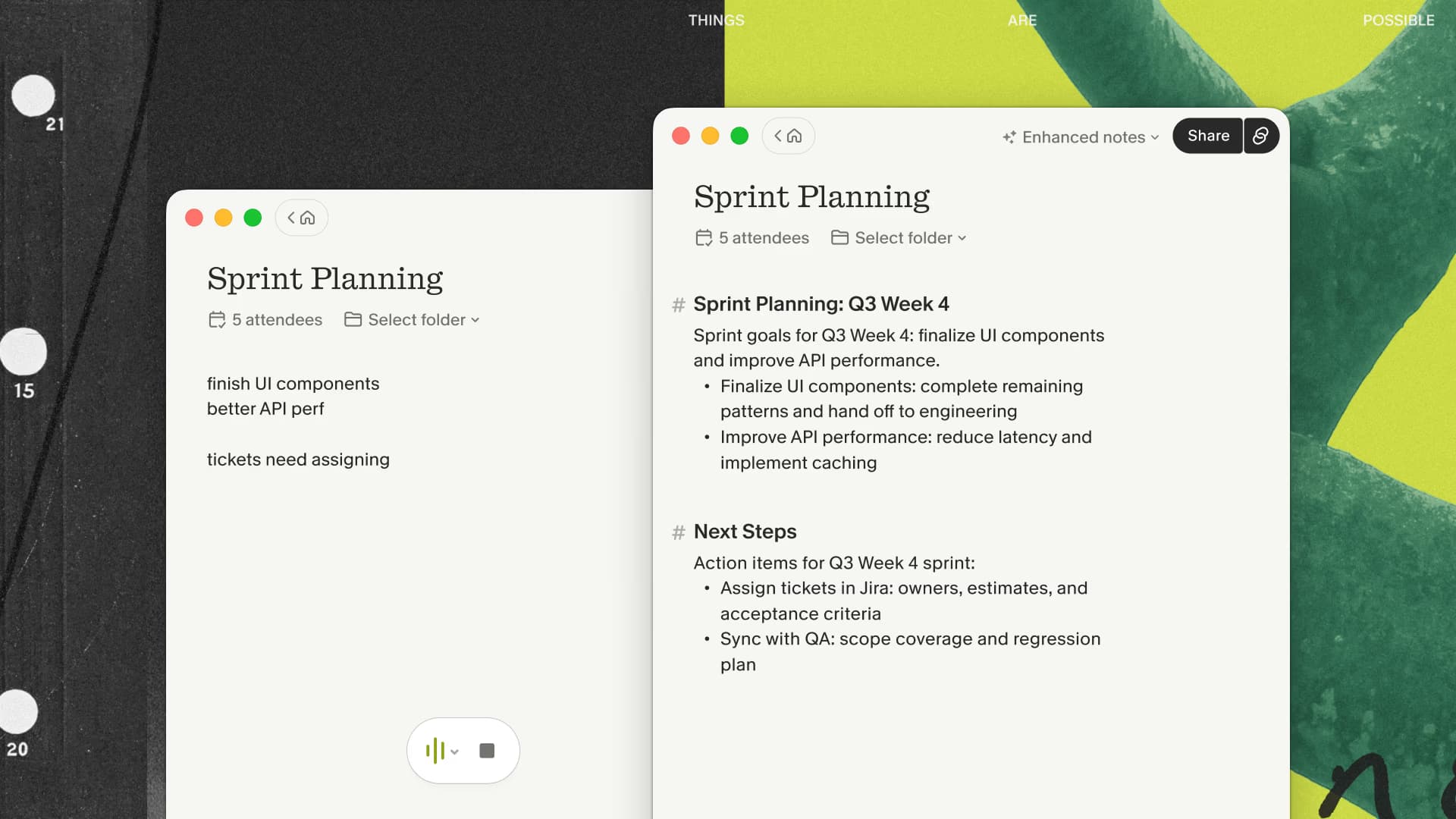
My notes affect the draft
During a call I might type “check the contract date” or “this is the actual objection.” Granola treats those fragments as context when it generates the enhanced note. The result begins closer to the document I need to send or file.
The interface encourages editing
Granola feels like a meeting notebook. I can choose a template, write alongside the transcript, and revise the generated draft. Otter feels more like a conversation system: record, transcribe, search, share, and automate what happens to the record.
Neither model is inherently better. I spend more time turning meetings into written decisions than replaying calls, so Granola matches the last mile of my work.
It does not retain audio
Granola’s documentation says the app passes microphone and system audio directly to a cloud transcription provider and does not record or save that audio. I normally want the transcript and edited note, so I appreciate having one less media archive.
The tradeoff is straightforward: I cannot replay a disputed phrase or import an existing recording. Otter is the better fit when the original audio matters.
Where Otter is stronger
A transcript people can use together
Otter supports live transcription, sharing, comments, channels, and a searchable collection of conversations. That is more useful than a personal note when several people need to work from the same record.
Multiple capture modes
The desktop app can record without a bot. The Notetaker can join supported meetings. The browser and mobile apps can record in-person conversations, and existing files can be imported. Granola covers live meetings you attend; Otter covers a wider set of recording jobs.
Recordings and integrations
Otter keeps audio with recorded conversations and can connect meeting data to tools such as Salesforce and HubSpot. Sales teams that need a repeatable system around call records should evaluate those features before choosing a note-first app.
How capture actually works
Granola runs on your computer and uses microphone plus system audio. It only begins transcribing after you open or start a note, except when an upcoming note is already open and reaches its scheduled start time. Audio is passed to a cloud transcription provider, and cloud AI services help produce the enhanced note.
Otter’s exact path depends on the mode. Notetaker joins as a participant. The desktop app captures meeting audio without the bot. Browser and mobile recording use the available device microphone, and the resulting conversation is saved to the Otter account.
Both products can operate without a visible bot. Tell the people in the meeting before either app transcribes them.
Which one should you choose?
Granola is the better fit when:
- You attend the meetings yourself.
- You want your typed notes to guide the generated result.
- Your main output is a concise, editable note.
- You do not need audio playback or file imports.
- You want a small meeting workflow rather than a shared recording system.
Otter is the better fit when:
- You need saved audio, imported recordings, or a replayable conversation.
- Several teammates need the live transcript or shared record.
- You want Notetaker to join a meeting you cannot attend.
- CRM sync or conversation-level collaboration matters.
My recommendation
I continue to use Granola because I am present for the meetings and care most about the quality of the note I produce afterward. New users get their first three months free through my Granola link, so there is enough time to test that preference on a real calendar.
Try both products on the same kind of meeting. Compare the reviewed artifact ten minutes later: the note you would actually send, the transcript you would share, and the amount of cleanup each requires. That test is more useful than counting features.

Discussion
Giscus