
Microsoft Teams and Google Meet now offer capable native meeting notes. Granola earns its place when you need one personal note-taking workflow across both platforms—and across Zoom, Slack calls, or any other desktop audio.
If every important meeting happens in one managed suite, the built-in option may be the better choice. It keeps capture, permissions, retention, and sharing closer to the system your organization already governs.
Quick decision table
| Need | Best starting point |
|---|---|
| One workflow across Teams, Meet, Zoom, and other call apps | Granola |
| Teams-native transcript, recording, Recap, and tenant controls | Microsoft Teams |
| Notes generated into Google Docs and linked from Calendar | Google Meet |
| Private raw notes that influence the generated summary | Granola |
| Host/admin-controlled participant access and suite retention | Built-in platform |
| In-person capture from a phone | Granola, or the platform's supported mobile workflow |
What Teams provides
Teams Recap can collect the recording, transcript, shared files, notes, agenda, AI summary, and follow-up tasks after an eligible meeting. Copilot can answer questions during meetings, and Microsoft offers modes that do not retain a transcript after the call. Post-meeting Copilot and detailed Recap behavior depend on transcription, recording, licenses, tenant policy, and sensitivity settings.
This is far beyond a raw text transcript. Teams is compelling when the organization wants meeting artifacts governed through Microsoft 365 and accessed from the existing meeting chat and calendar.
What Google Meet provides
Google Meet's "Take notes for me" uses Gemini to create organized notes in Google Docs. It can provide a "Summary so far" to late joiners and send the organizer a recap link after the meeting. Availability depends on an eligible Google Workspace or Google AI plan, supported language, host controls, and administrator settings.
The output lands where many Google Workspace teams already collaborate. Admins can also require explicit participant consent for recording, transcription, and AI notes.
What Granola adds
Granola runs beside the meeting platform. Its desktop app captures microphone and system audio, sends audio to cloud transcription providers, and creates an enhanced note from the transcript, calendar event, and the notes you typed.
That independence is the main benefit. The same habit works when a day contains a Teams call, a customer Zoom, a Google Meet interview, and an unscheduled Slack conversation. Templates and folders remain consistent even when the meeting host changes platforms.
The tradeoff is another cloud service. Granola has its own subprocessors, US storage, retention settings, sharing model, and integrations. A company that has already approved Microsoft or Google still needs to review Granola separately.
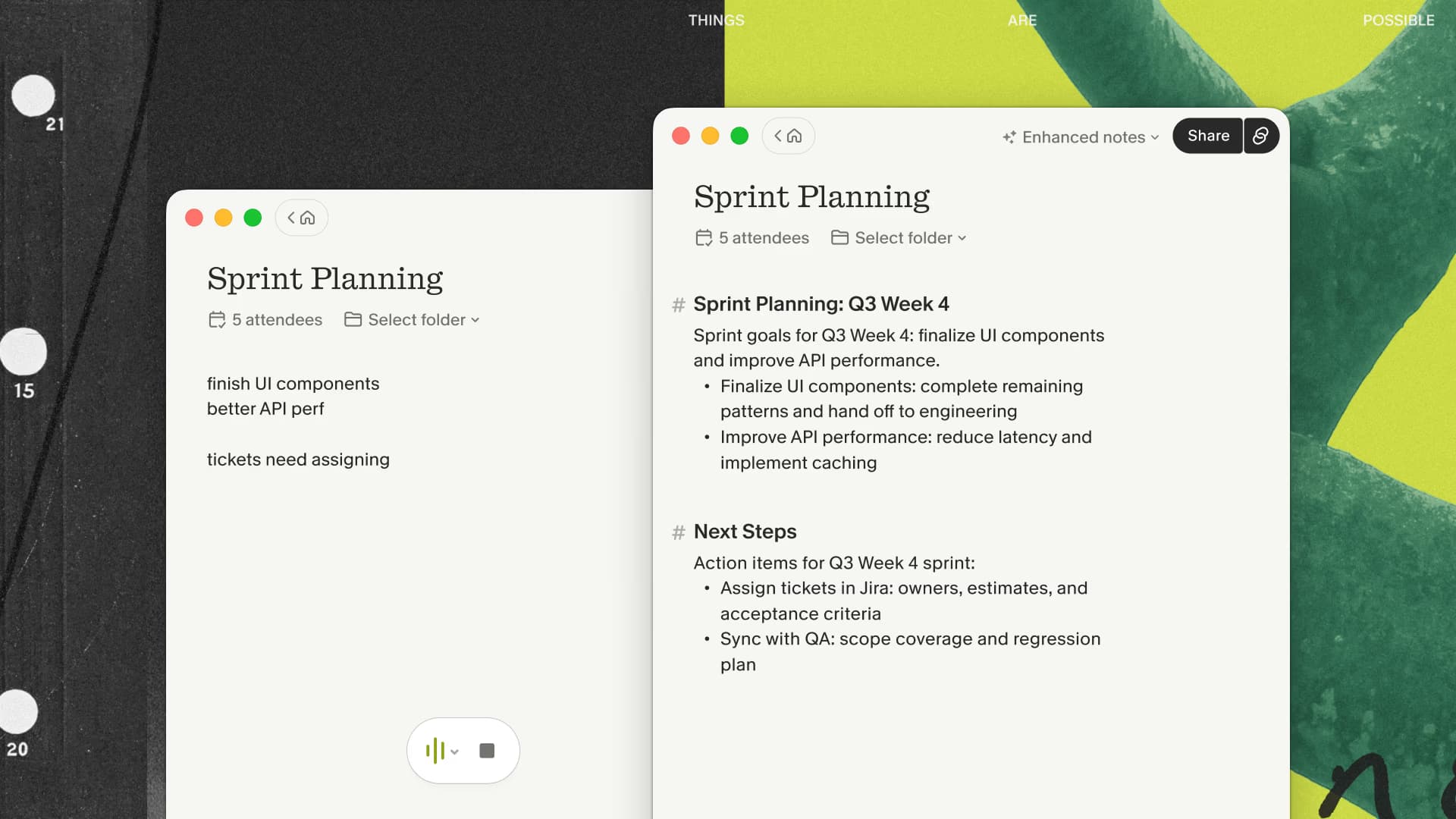
If that cross-platform consistency is the missing piece, run Granola beside one routine Teams or Meet call and compare the final notes with the suite-native result.
Accuracy claims need real testing
Avoid comparisons that assign a universal accuracy percentage to one product. Test the tools with your own microphones, accents, languages, terminology, room conditions, and overlapping speakers. Review both factual transcription and the generated note.
A useful evaluation set includes:
- a routine internal meeting;
- a technical discussion with names and acronyms;
- a customer call with two external speakers;
- a noisy or low-bandwidth call;
- a meeting where several people interrupt each other.
Score names, numbers, decisions, negation, action owners, and omissions. A polished summary can still be wrong.
Choose the built-in option when
- nearly all calls happen in Teams or Meet;
- the suite's administrator controls must govern the meeting record;
- participants need native access to recordings, transcripts, and recaps;
- adding another vendor creates more risk than value;
- the built-in output already meets the team's needs.
Choose Granola when
- your meetings span several platforms;
- you want personal notes before deciding what to share;
- your typed observations should influence the final draft;
- a consistent template library matters across clients and hosts;
- your security team accepts Granola's separate data flow.
When those conditions fit your week, test Granola across two different meeting platforms. A one-platform demo cannot prove the reason to add it.
My recommendation
Start with the system already approved by your organization. Add Granola when cross-platform inconsistency or manual note-taking is a recurring problem that the native tool does not solve. Run the same meetings through each option before standardizing.

Discussion
Giscus