
An in-person meeting has no link for a notetaker bot to join. The practical options are manual notes, a voice memo you process later, a dedicated recorder, or a mobile transcription app. For most one-table conversations, the phone already in your pocket is the simplest place to start.
The setup matters more than the logo. A quiet room with the phone near the middle of the group will outperform an expensive service fed distant, echoing audio.
The quickest reliable setup
For a permitted meeting with two to six people:
- Choose the quietest available room and close the door.
- Put the phone on a stable surface near the center of the speakers.
- Turn on Do Not Disturb and connect power for a long session.
- Explain that transcription is active and what the notes will be used for.
- Record a 20-second test, then confirm that a quiet speaker is intelligible.
- Start the real capture and leave the phone in place.
- Review names, numbers, decisions, and owners immediately afterward.
Do not hide the phone under papers, place it beside a laptop fan, or carry it around while people are speaking. The microphone needs a consistent path to every voice.
Choose the output before the app
A raw voice memo is enough when you only need a personal reference and are willing to listen again. A dedicated recorder is appropriate when microphone quality, long battery life, or a recoverable original audio file matters. Manual notes remain best when recording is inappropriate.
Use a transcription app when the desired output is searchable text, a concise recap, or assigned actions. I use Granola when I want the in-person conversation to end as an editable meeting note rather than an audio archive.
Granola's mobile app captures through the phone microphone and turns the conversation into a transcript and enhanced note. Granola says it does not retain meeting audio, so choose a recording-centered tool if replay is part of the requirement.
How to use Granola in the room
Open a scheduled or unscheduled note in the mobile app, start capture, and place the phone where it can hear the group. During the conversation, stay present. If the format allows it, type or jot only the cues that reflect your judgment: a decision, an unresolved risk, or a commitment that needs an owner.
After the meeting, review the transcript and enhanced note before sharing. Correct proper nouns and quantities, distinguish proposals from decisions, and remove material that does not belong in the final record.
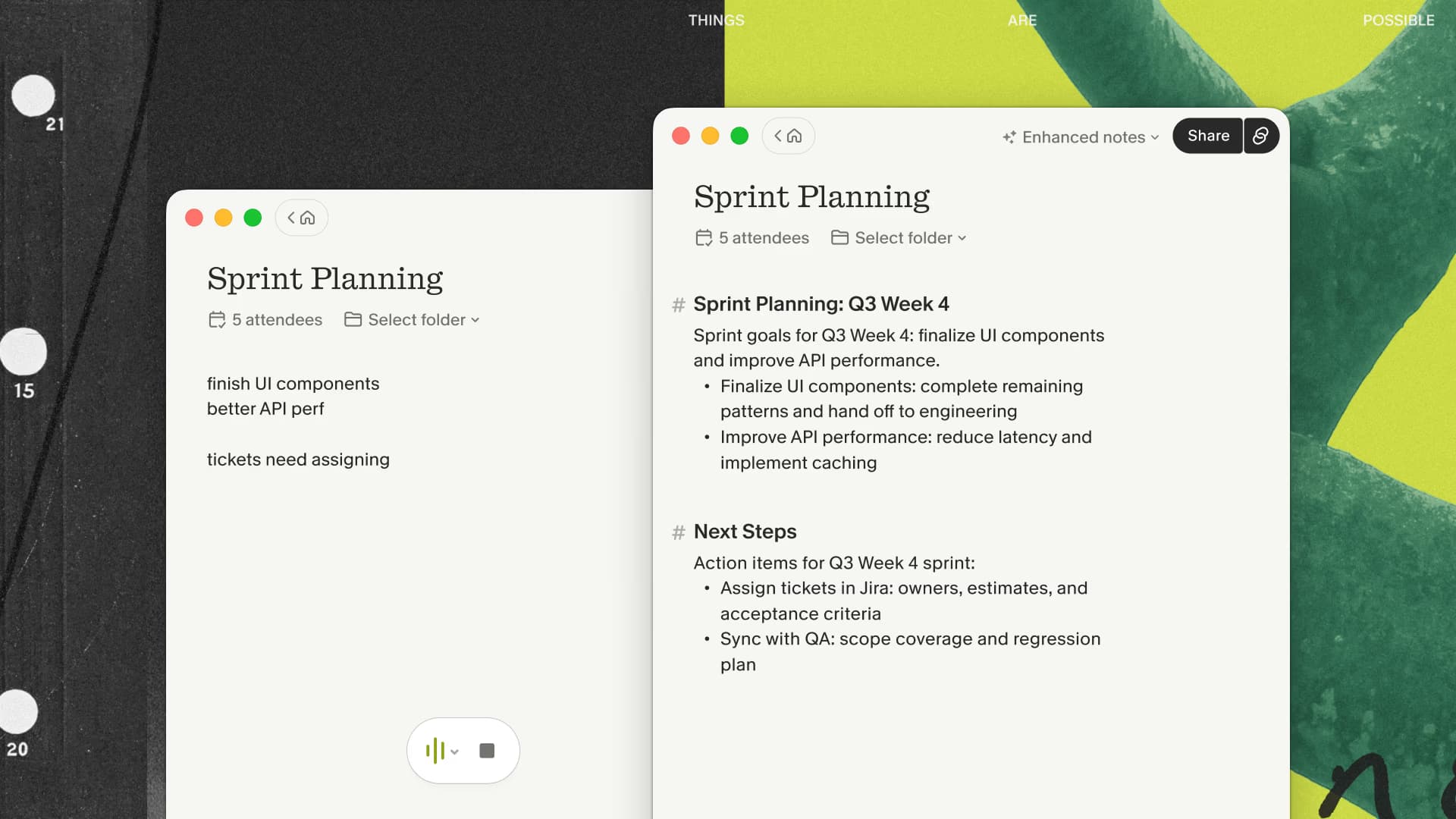
The desktop and mobile workflows can use the same account, which is useful when a week includes Zoom calls, conference rooms, and a client lunch. For a broader assessment of the note quality and failure modes, read my Granola AI review.
The mobile microphone is still the limiting input. Software cannot reconstruct a quiet comment that never reached the device.
If you want that editable note across both room and video meetings, try Granola's mobile capture with three months free in an ordinary room before relying on it for an important session.
Placement and room acoustics
At a rectangular table, place the phone near the center, screen up, with microphones unobstructed. For a long table, one phone at an end is a poor setup; use a better central recorder or split the group into a smaller arrangement. On a site visit, stay near the active speaker and pause when machinery or wind overwhelms the conversation.
Workshops introduce another problem: side conversations. A single microphone may hear all of them and understand none of them. Ask one person at a time to report out, repeat key decisions into the main discussion, and use a visible whiteboard for the actions that cannot be missed.
Restaurants are especially hard. Music, dishes, nearby tables, and soft speech collapse into the same audio channel. If the meeting is important, ask for a quieter table, keep the phone away from glasses and plates, and expect more transcript cleanup.
A human review checklist
Before sending the note, verify:
- Participant names and organizations
- Dates, quantities, prices, addresses, and part numbers
- Whether a statement was a decision, idea, or objection
- Each commitment and its owner
- The deadline, if one was actually stated
- Sensitive side comments that should not be distributed
- Any passage marked by overlapping or unclear speech
Generated prose often sounds more certain than the room was. Preserve phrases such as “we are considering,” “pending approval,” and “I need to check.” A shorter accurate recap builds more trust than a comprehensive note that quietly converts discussion into commitment.
When your room test produces a trustworthy note and nobody needs the original audio, continue the Granola trial through my three-month link. Choose a dedicated recorder when replay is part of the job.
When manual notes are better
Do not record merely because the app is available. A personnel conversation, medical discussion, legal consultation, confidential negotiation, or informal relationship check may belong in a few agreed written notes instead. Venue rules and employer policies can also prohibit capture even when local law might permit it.
For a tool-free method, appoint one note-taker and show the group a shared decision log. Record decisions, owners, due dates, and open questions. Read the commitments back before everyone leaves. That small ritual catches disagreements while the people and context are still in the room.
Consent without a legal lecture
Tell people that transcription is active, name the purpose, explain who will receive the note, and give them a genuine way to decline. The rules vary by location and context; company or professional duties may be stricter than recording law.
The meeting transcription consent guide covers the questions to resolve. The practical principle is simple: a quiet phone is still a recording device.
Test before an important meeting
Use an ordinary permitted conversation in the actual room. Include the quietest likely speaker, normal seating, and the phone case you plan to use. After five minutes, inspect the transcript for both ends of the table, names, and overlapping speech.
Then create the output you need—a client recap, research summary, site-visit list, or workshop decisions. Time the cleanup. If the room produces unusable audio or the meeting requires replay, change the microphone setup or choose a recording-centered product before the important session.

Discussion
Giscus