
I'm Zack Proser. I'm an AI engineer on the applied AI team at WorkOS, and I run a solo business on the side: AI-transformation consulting, paid workshops and trainings, teaching, and the content you're reading now. The job is helping teams ship AI in production instead of demoing it once, and if that's what your team needs you can get in touch here. That business has the workload of a small company and the headcount of one tired parent.
So I built a fleet of agents to run it. A team of single-purpose bots, each owning one domain, coordinated by an orchestrator, and I drive the whole thing from Slack on my phone.
Since I first wrote this post, one piece changed the shape of the whole thing. I now run the Claude tag — Anthropic's @Claude in Slack — directly in my workspace, and I've made it the meta-agent that sits over the fleet. It's the agent that maintains the agents. I'll get to it below, because it's the centerpiece now, but you need the fleet first to see why it matters.
When I say "I use AI to run my business," that phrase hides the two things that matter. First, the architecture: a system I engineered to manage the irreducible complexity of running a business alone, covering leads, writing, scheduling, contracts, email, and site ops. Second, the limits: a hard boundary around what I will let a model do on its own. The framing carries the rest of this post.
Why I built this
I have two kids and a full-attention policy when I'm with them. No phone, no laptop. They wouldn't accept it if I tried, and I don't want to try. That time is not negotiable, which means every hour of business has to come from somewhere else, and there aren't many of those hours.

So the fleet isn't about doing more things. It's about offloading the tedium to reliable automation so I can spend my actual attention on the signal: undistracted, fully present family time, real business growth, and content that reads the same as if I'd written every word and set every image myself. The bots carry the parts that don't need me; I keep the parts that do.
There's a number behind that I can point at. Last year I built a running IMAP mirror that sucks down my Gmail, hundreds of thousands of messages across fifteen years, into a database I can query. When I ran the numbers, I found I'd left about $30,000 on the table in a single stretch: consulting and advisory call requests I never answered, each of which would have paid well, lost not because I said no but because I didn't have the time to say yes.
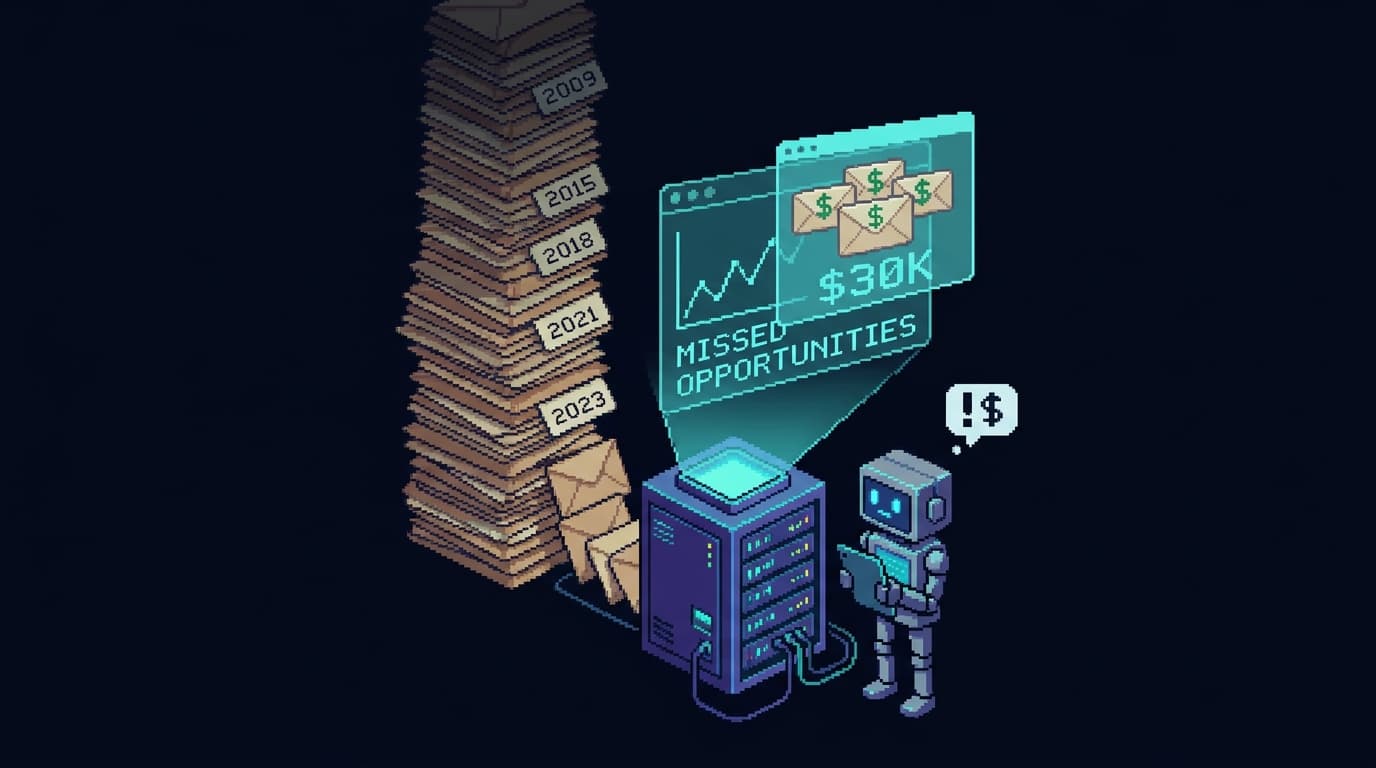
That was the impetus. The bottleneck wasn't my willingness or my skill; it was my attention, and attention doesn't scale. So I did the thing I'm actually good at: I automated it. An email inbox that drafts replies means a real lead gets a same-day answer whether or not I'm at a keyboard, and the requests that used to rot in a queue now turn into booked calls. The same instinct that lets me ship a week of writing inside the scraps of time around two toddlers with zero screen time is the one that built this fleet: hand the tedium to something reliable, and protect the hours that matter for the work and the people only I can do.
Running a business is a complexity problem
Programming has always mostly been complexity management. Code is where the work shows up. A good program is one where you can hold a piece in your head without the rest of it leaking in. Decomposition, clean interfaces, separation of concerns, least privilege, failing closed: those are the moves you make so a system stays legible as it grows.
A solo business has the same shape. The calendar fights the childcare schedule. The leads pile up in an inbox while the newsletter goes stale. The contracts need drafting, the books need reconciling, the posts need writing and then promoting, and the site needs to not quietly break. None of those are hard alone. Together, held in one head, they drown the person who tries to do all of it.
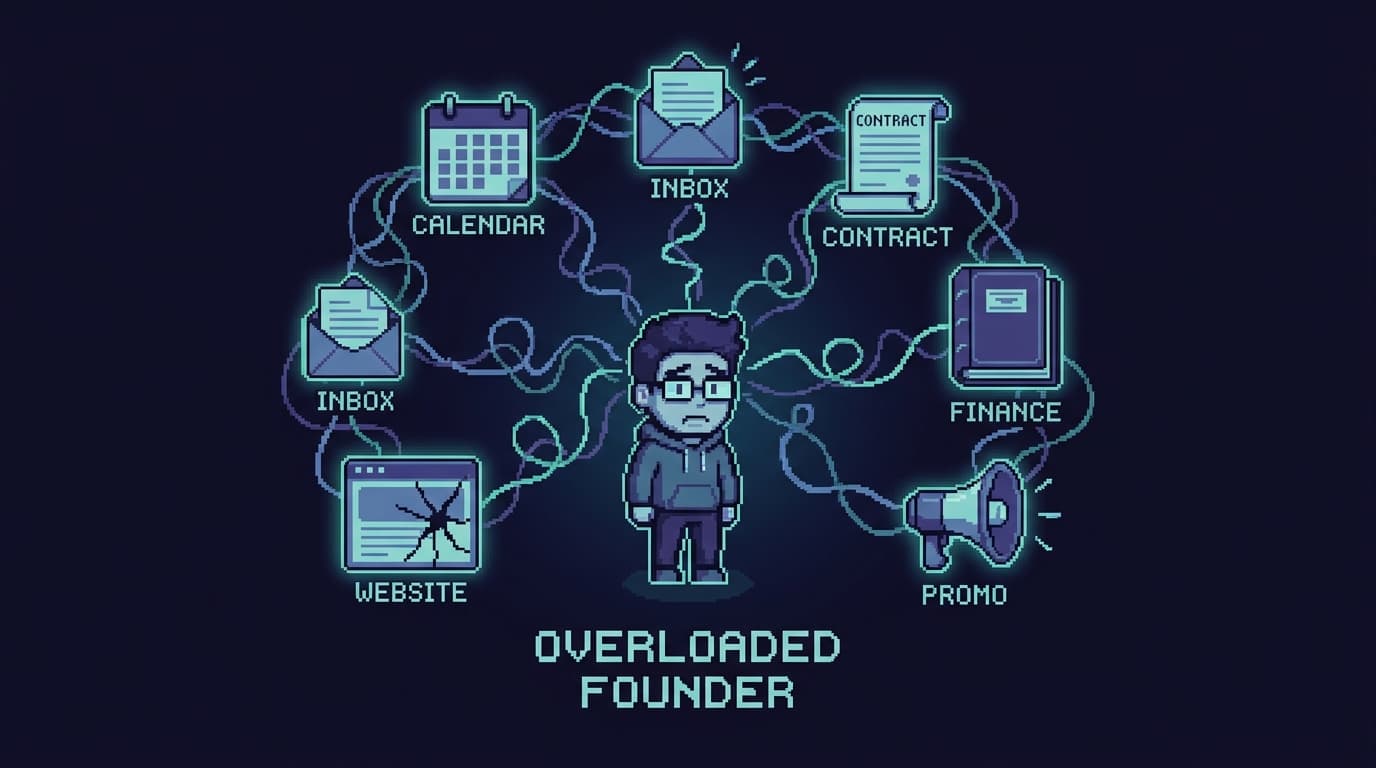
I didn't reach for an agent because it's 2026 and that's what you do. I reached for the discipline I'd apply to any overgrown system: stop holding it in one place. Cut it into modules. Give each module one job, its own tools, and a boundary it can't reach past. Put a clean interface between them, then orchestrate the work through one place.
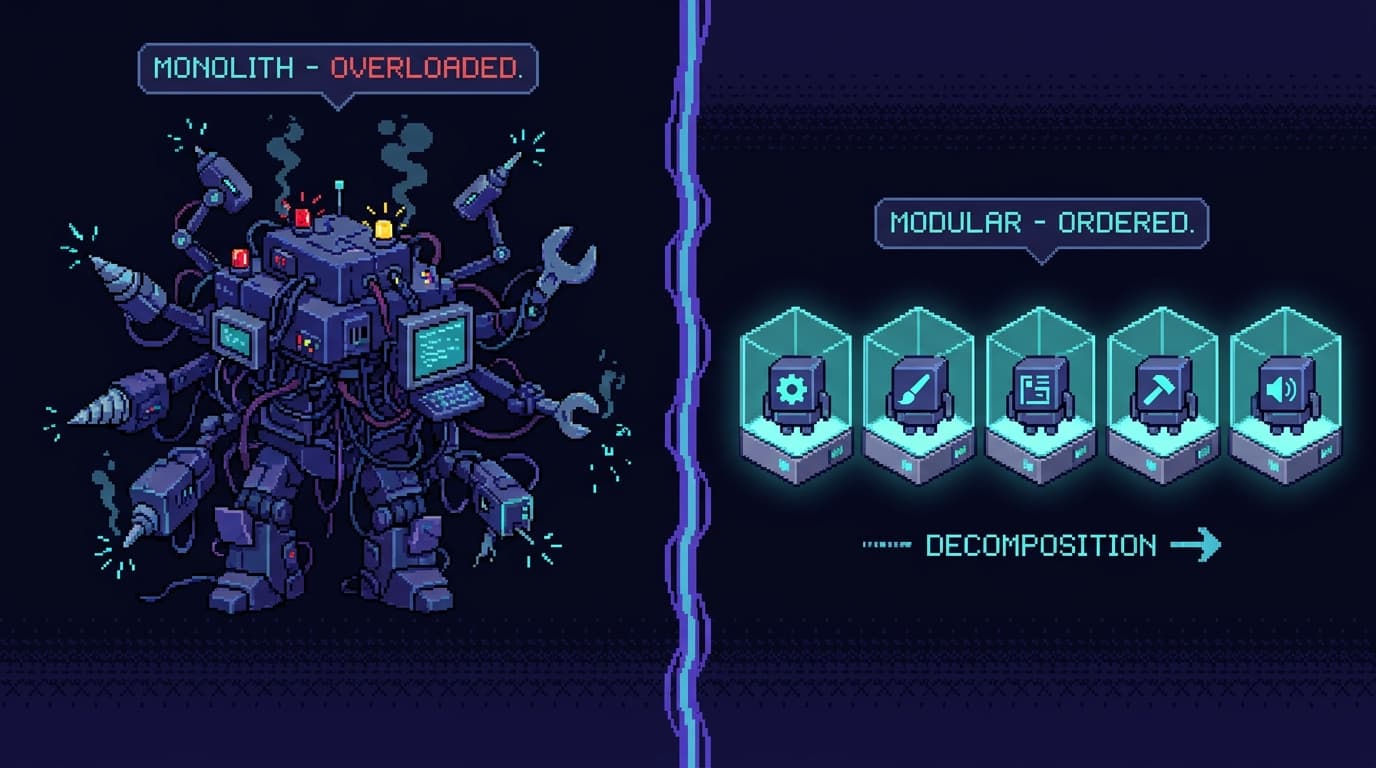
The bots are the modules. The message bus between them is the interface. The Chief of Staff is the orchestrator. The Claude tag is the layer above all of it. The discipline that makes good software makes a good agent team. I pointed it at my own operation instead of a codebase.
What the fleet is
Every bot is its own application built on Vercel's eve, a filesystem-first TypeScript agent framework. One bot, one repo, one responsibility, one deployment. They share no codebase and no secret store. Each runs Claude Opus 4.8 through the Vercel AI Gateway, and each reaches me over Slack through Vercel Connect.
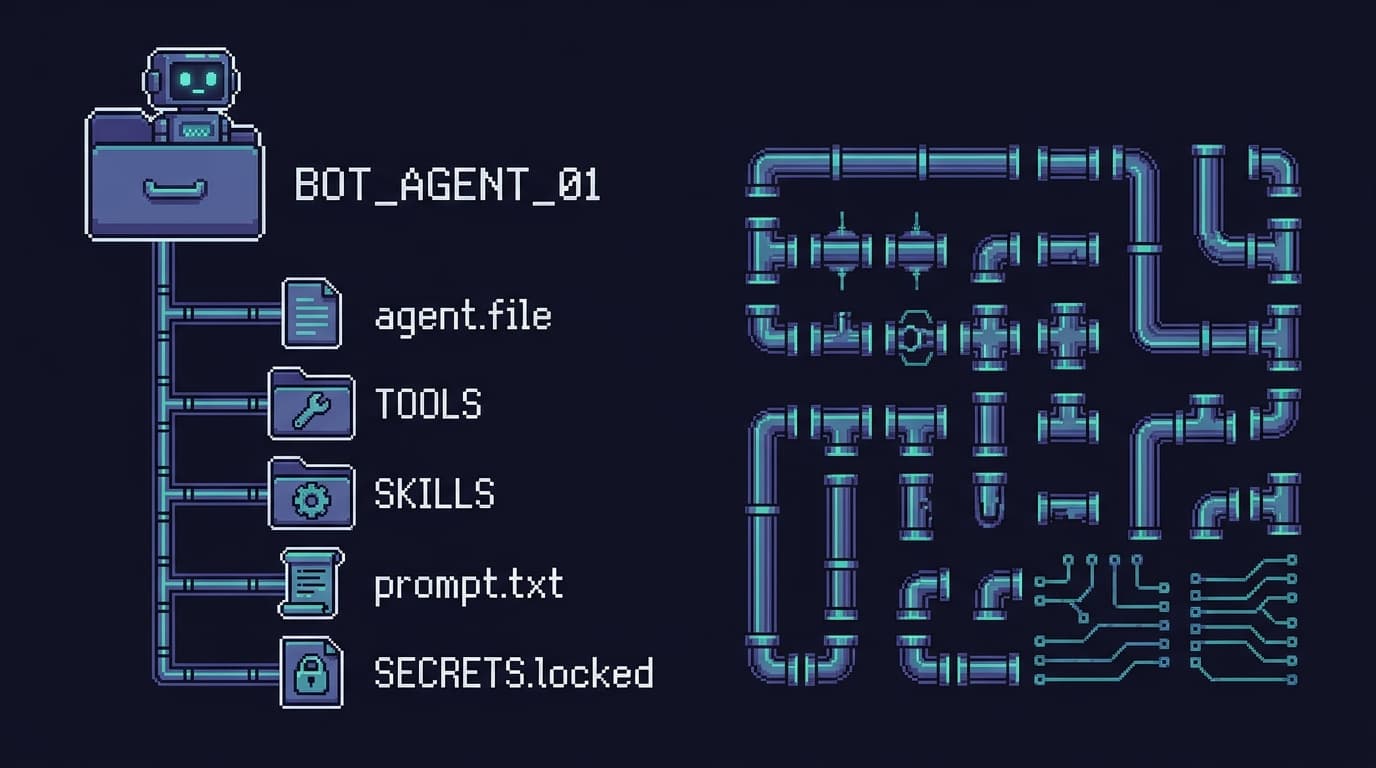
Filesystem-first is the part that earns its keep. A bot is a directory: an agent file, a tools folder, a skills folder, a prompt, and its own scoped secrets. eve reads that layout and wires up the plumbing — the session API, the Slack transport, the durable execution, the auth on the routes — so I'm not hand-rolling the glue code between Slack and a model and a queue every single time I want a new bot. I describe the bot's job and its tools in files; the framework handles the wiring I'd otherwise reinvent on every project.
Durability is what makes them useful. Each session runs on Vercel Workflow, so it survives a restart, a redeploy, or a cold start, and it can pause mid-task to wait for me to approve something, then pick up where it left off when I tap the button. The session outlives the chat window that started it. I can kick off a job from the school parking lot, lose signal, and find it finished or politely parked at a gate when I look again. The first time it earned its keep, the moment was almost boring. A lead came in while I was in the pickup line. I asked the fleet to read the thread and find a slot, and a draft reply with two proposed times was waiting for my thumb before the cars moved. I never opened a laptop, and the task never turned into one of those "I'll get to it tonight" jobs that slides into next week.
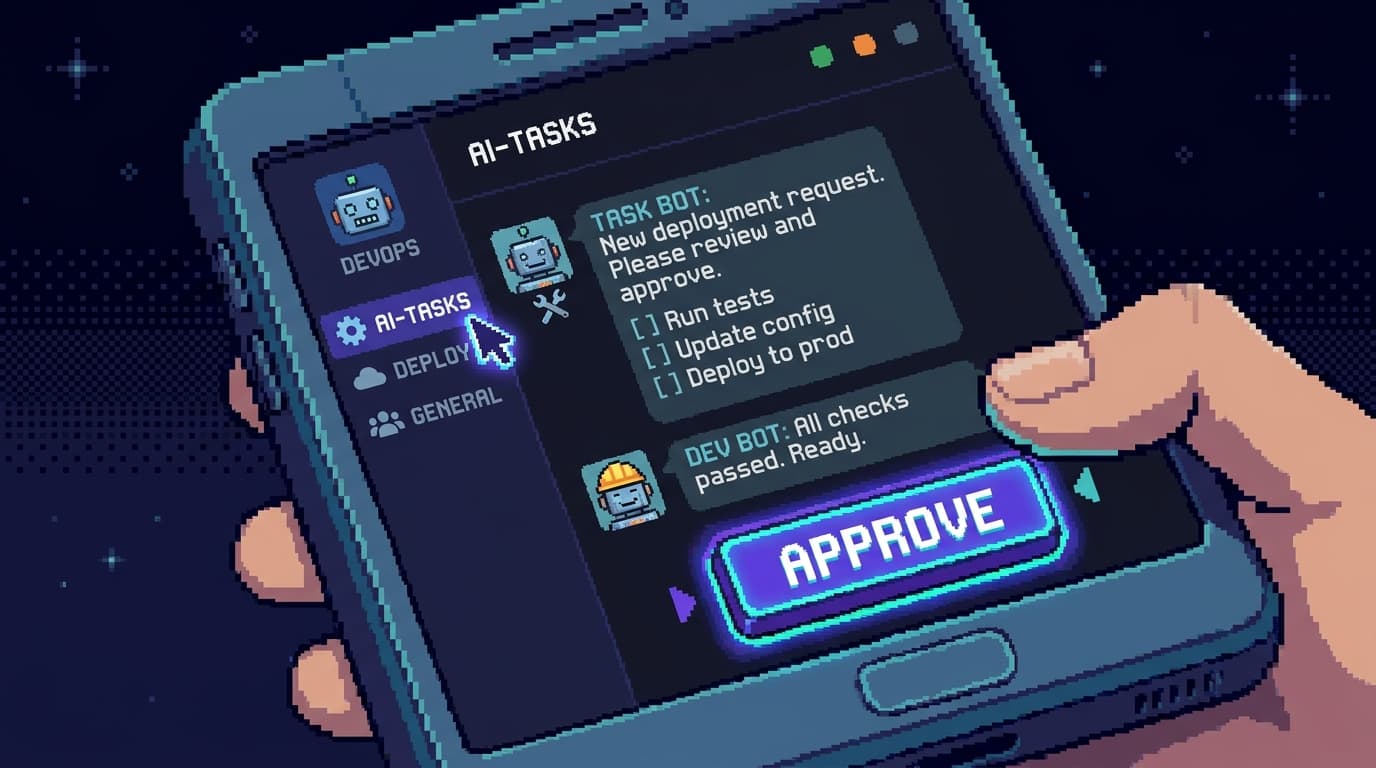
The roster owns my whole operation, one domain per bot: Margin (calendar and time), Inbox (Gmail triage), Resend (email marketing), Blog (writing), Image (art), Social (X and LinkedIn), Portfolio (site ops), Bookkeeping (the books), and Docs (contracts), with a Chief of Staff orchestrating the lot. Only that bot's domain holds its tools, its connectors, and its secrets: least privilege, the same as you'd scope a service. I'll walk each one below, with its own portrait.
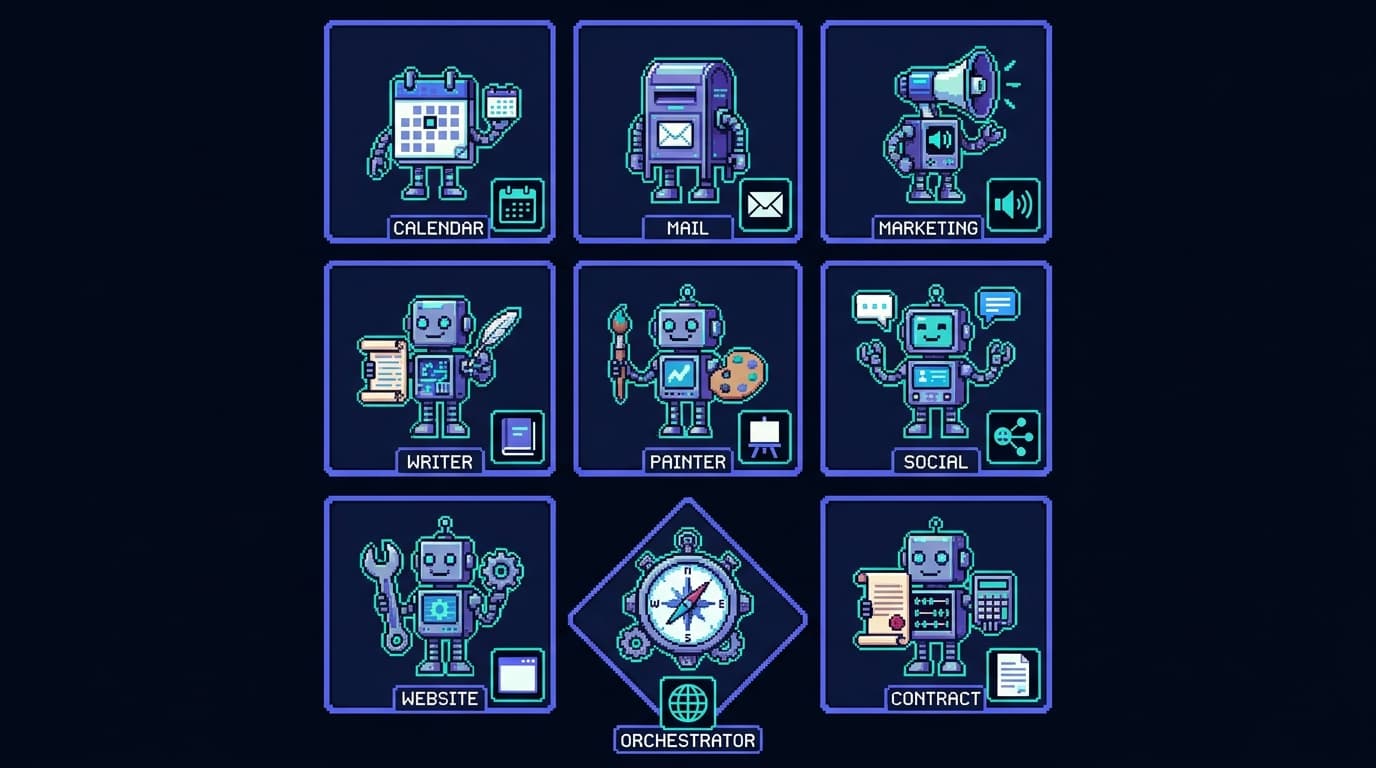
Above all of them sits the Claude tag, the meta-agent that can reach into any of these bots and improve them. Each specialist is small enough that I can read it top to bottom in a sitting and know everything it can do, because everything it can do lives in one directory. A bot I can't fully reason about is a bot I can't safely leave running, and keeping each one that small is what lets me trust it.
The Claude tag is the meta-agent
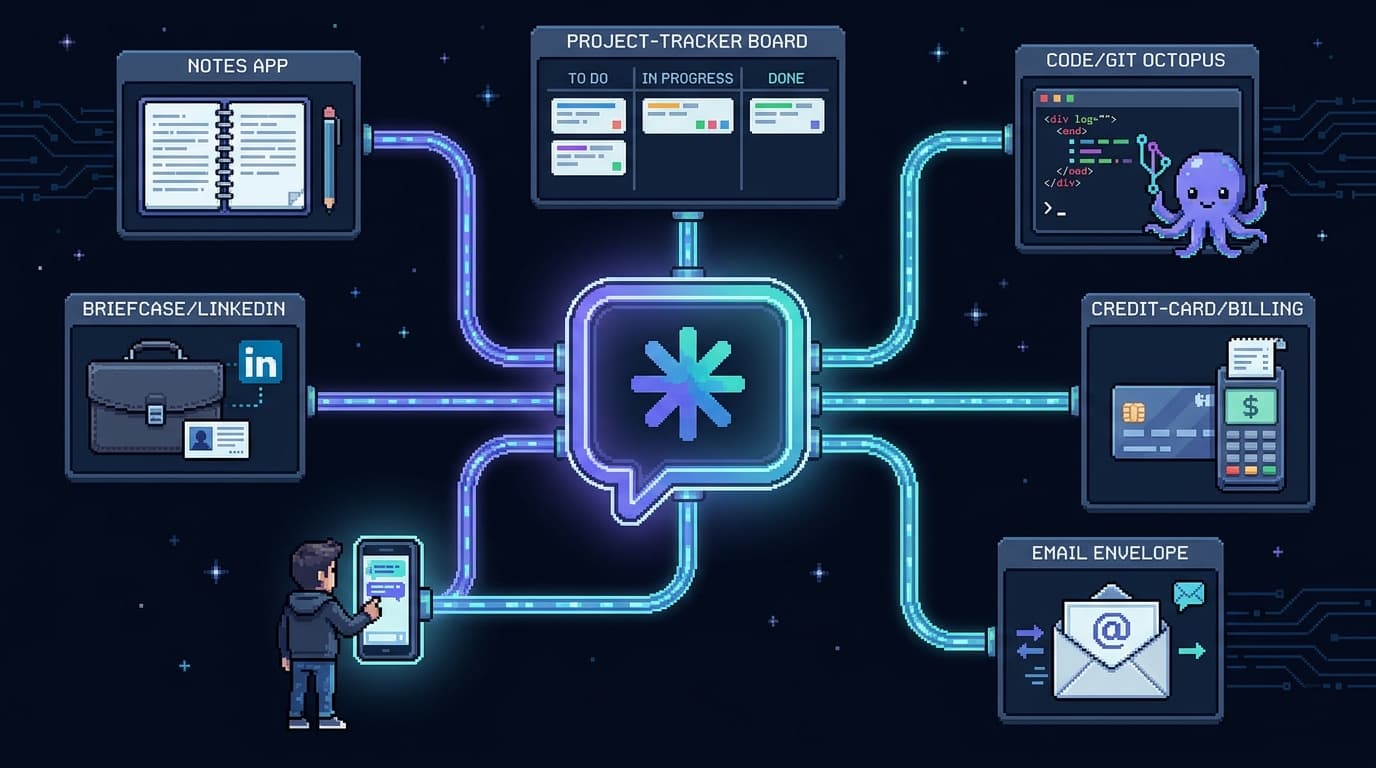
I run the Claude tag, Anthropic's @Claude in Slack, directly in my Slack workspace, on my phone, and I've made it the layer that sits over the fleet.
The Claude tag is more than chatting with an assistant inside Slack. Tag @Claude into a thread and it runs an agent in a sandbox and works the task end to end, posting a checklist as it goes. The part that matters for a business is what it connects to. Through admin-governed connections it reaches the control surfaces I run on — Notion, LinkedIn, Linear, GitHub, even Stripe and billing — so it can read and act across them, but only through the connections I've granted in that channel. The docs put it plainly: you extend what it can reach through connections, plugins, and skills, scoped per channel.
That reach is exactly the mechanic-agent pattern I wrote about earlier, deployed at the level of the whole business. The mechanic pattern is simple: the agent that built a system is the agent best positioned to repair it, because it knows where everything lives. Hermes used to wake up improved because Claude Code SSH'd into the box and fixed the thing Hermes couldn't see about itself. The Claude tag is that same move, but more powerful, because everything now happens in Slack. I carry it on my phone, and from one thread I get the full power of my entire agent team, pointed at the business and at the other bots themselves.
So from a single surface, the Claude tag reaches across surfaces. It reads and triages email, drafts replies, updates this blog, opens PRs against the portfolio, and updates the other agents in the fleet. When Margin's scheduling logic is too eager, I don't open Margin's repo at my desk. I tag @Claude in Slack from wherever I am, point it at Margin, and it reads the repo, finds the bug, and opens a PR. It is the agent that maintains the agents.
The Claude tag is the only thing I touch in that picture, and it touches everything else. The connect-to-every-surface capability is what ties the whole fleet back to the mechanic pattern: one agent, with enough reach and enough context, can maintain all the others.
It builds the bots, too
The Claude tag can stand up a new bot from a Slack message, and that's the capability I lean on most. I describe the job and the prompt, and it scaffolds the agent, wires its tools, and runs the first task right there in the thread.
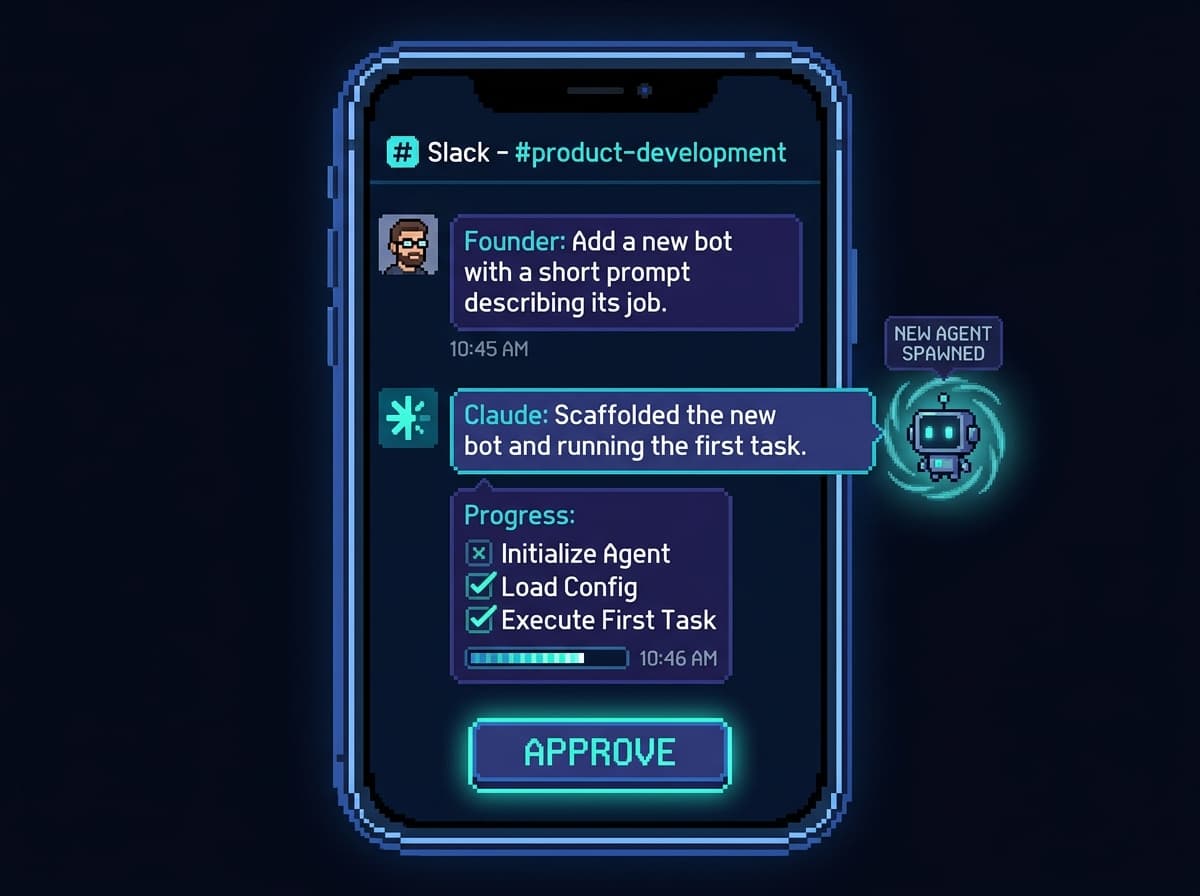
It posts the result, I read it, and I approve it from the same thread. On my phone I'm usually not typing any of this. I dictate it with Wispr Flow, so the whole loop is me talking, the fleet working, and a button to tap. Saying "add a bot that watches for failed Stripe charges and pings me" is faster than writing it, and the speed is the point when the office is a pickup line.
The shape under that is encapsulation, the same idea that runs through the whole system. The Claude tag treats each agent almost like a tool it can call: a clean, named thing with a defined job. Each agent, in turn, holds its own tools inside its own boundary. Margin owns calendar tools; Inbox owns mail tools; neither reaches into the other.
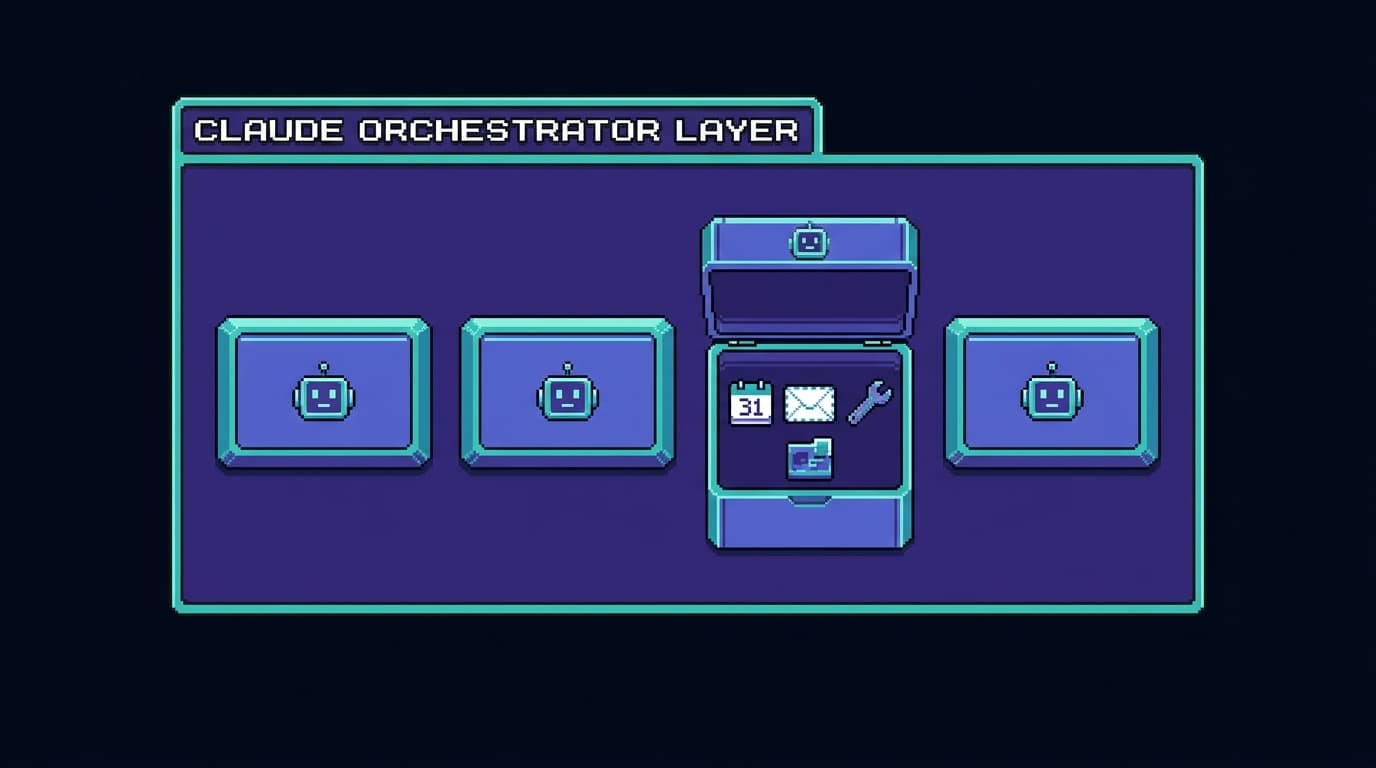
That layering is what keeps the system legible. The Claude tag reasons about a handful of agents instead of a hundred loose tools, and each agent reasons about its own small toolbox instead of the whole business. Clean boundaries, scoped roles, one job per box. When I notice a bug in one bot, or it's missing a capability I want, I don't carry that to a desk. I tell Claude to fix or add it, and the change stays inside that one box.
For me this is the difference between a system I can run and one I can't. I'm AuDHD, and the failure mode the old way always hit was the 9pm tax: remember, hours later when I'm fried, to sit down at a laptop and do the manual follow-ups by hand. Encapsulating each job into a bot means I don't have to remember or re-derive any of it. I kick off the same workflow again with a sentence, and if a bot needs to grow, I say so and the Claude tag grows it. The remembering, the wiring, and the 9pm laptop session are the parts I handed off.
Where this is headed
The direction is two front doors, not one. I talk to the Claude tag when the work is meta (fixing and improving the bots, reaching a new surface) and to the Chief of Staff when I want the established plays run across the fleet. Either one directs the subagents behind it, so the team collapses down to a single thread I can hold from a parking lot.
Giving the fleet its own identity and inbox
A fleet that acts on behalf of a business needs to be the business somewhere real. For a while my agents borrowed my personal accounts, and that gets uncomfortable fast: a bot drafting a client email from an address that's also where my kid's school sends pickup notices is a boundary I didn't want to keep blurring.
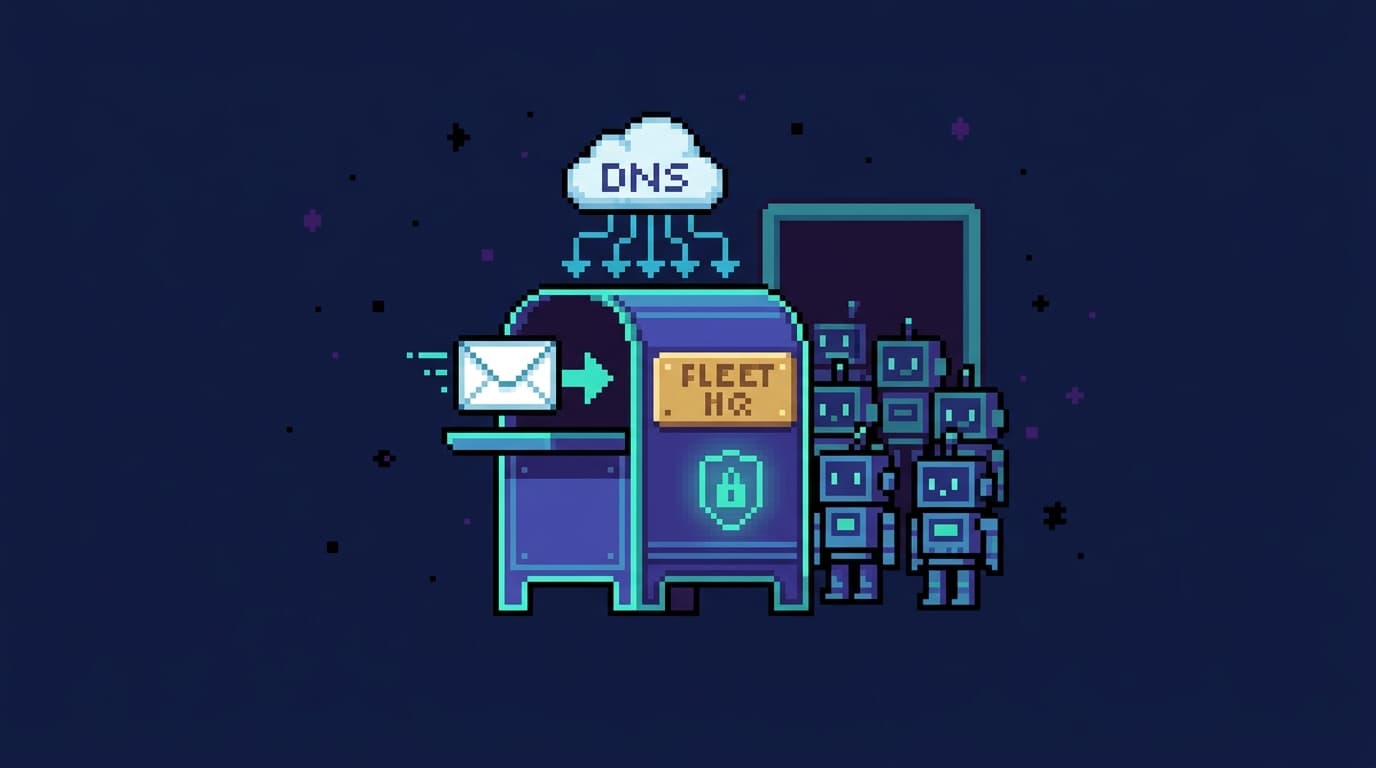
So I gave the fleet an identity of its own. I already pay for Slack to keep my own workspace, so that surface was there. What I upgraded was Claude: I moved from Claude Pro to a Claude Teams account, which is what running the Claude tag in that workspace needs, and that's the upgrade that made the custom business email necessary. So I stood up a dedicated mailbox, zachary@mindonfire.net, under my business, Mind on Fire, LLC. Cloudflare handles DNS and email routing for the domain, and my paid Proton account is the actual mailbox behind it. That part took about an hour and a half: fiddly record-setting in Cloudflare, then waiting on DNS to propagate before anything resolved. Now Inbox triages a real business address, Docs sends contracts from it, and Resend's campaigns come from the business rather than from me.
The banking is the piece I still hate. Right now the business runs on Chase Business, which is exactly as agent-hostile as it sounds: no real API, nothing my bots can plug into. I'm moving it to Mercury, the startup bank with an actual API, so Bookkeeping can read transactions and reconcile directly instead of me ferrying data by hand. The fleet has a name, an address, an inbox, and soon a bank account it can actually see. It stopped being a clever wrapper around my personal accounts and started being the back office of an actual company.
The roles, as an org chart
The cleanest way to see the system is as reporting lines. I sit at the top, in Slack. I have two ways in: the Claude tag and the Chief of Staff. The Chief of Staff is the front door to the specialists; the Claude tag is the layer above that can reach the specialists and their code. Every specialist owns its domain and nothing else.
Read it as a company. The Chief of Staff absorbs the coordination so I don't have to hold it, the same reason you put an API gateway in front of a mess of services instead of making every client memorize the topology. The dotted lines from the Claude tag are the meta-agent: it doesn't just call the specialists, it can open a PR against any of them when one needs fixing.
Where each specialist is headed
The roster above is a snapshot. The trajectory is the interesting part, so this section walks each specialist from what it does today to what it grows into once the fleet is complete.
Margin: the one that protects me from myself

Margin started as a calendar bot and became the most important one I own. It owns my time. Everything else in the fleet that needs a slot (a kickoff, a sales call, a follow-up) coordinates to Margin, because Margin is the one agent that holds the whole picture of where my hours go and what they're worth. Its job is guarding the two things I'm worst at protecting on my own: rest and time with my kid.
Margin reads my Oura ring every morning and knows my readiness and sleep scores before I do. It holds my childcare blocks as immovable. It also has my Cal.com account, which is the part that quietly removes the most friction. When Inbox flags a real lead, Margin hands them a Cal.com link that shows my actual availability. Cal.com tracks both my personal and my work calendar, so the only slots it ever offers are ones that are genuinely open. The lead picks a time that works for them and it books itself, no back-and-forth, no me playing scheduler. When a client needs to reschedule, Margin finds the new slot and builds a buffer around it so I'm not sprinting between calls. It owns time and calendar for the whole operation.

The example I care about most is the smallest one. If I text Margin "I feel like shit and I need a break," it acts on that one sentence. It checks whether the day can afford it, and if it can, it drops a Busy block on my work calendar and gives me a real 2–4 hour nap window — long enough to recover, not a token fifteen minutes. If the schedule genuinely can't spare it, it tells me that instead of pretending. A bad night, or a bad afternoon, should be able to reshape the day, and Margin is the agent that has the authority to do it because everything else routes through it.
When it moves a call, Margin owns the follow-up too. It drafts the "something came up, can we do Thursday" email, threads it to the right person, and waits for my tap to send. The reschedule and the apology and the new invite travel together as one approved action instead of three things I forget to do. I'm extending it to my business partner Nick's calendars too, his as free/busy only. Once Margin holds his availability plus my own readiness and childcare blocks, "find a slot for the three of us next week" becomes a question it answers without me cross-checking four calendars on my phone.
Inbox: triage that clears the queue
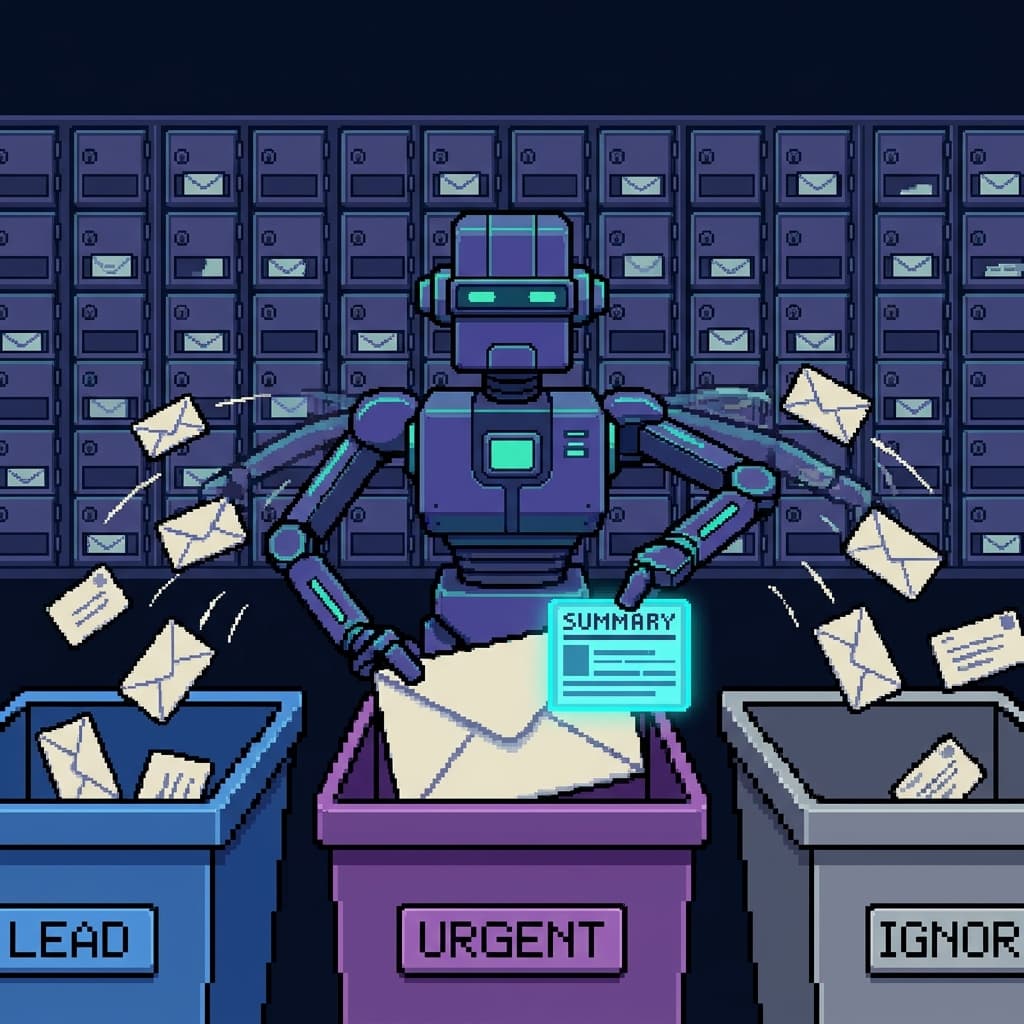
Inbox reads Gmail, classifies what comes in, and drafts replies. Now that the fleet has its own zachary@mindonfire.net address, Inbox triages a real business mailbox instead of fishing client mail out of my personal inbox. The direction is less about reading more mail and more about closing loops. A lead email should land as a structured summary, a suggested reply, and a proposed next action — often a calendar link Margin hands over — so answering it is one approval instead of a context-switch into my inbox. The follow-up that I always mean to send three days later is the kind of thing Inbox should own and schedule, with the draft waiting for my thumb.
Resend: marketing that can't fire by accident

Resend runs email marketing, and its defining feature is the hard outbound kill-switch. Nothing leaves without my approval. As it matures, the value is in drafting whole sequences from a single brief and staging them, so a launch I describe in two sentences in Slack comes back as a full campaign for review. The kill-switch stays exactly as load-bearing as it is now, because a marketing bot that can send on its own is a way to email my entire list a mistake.
Image: the one that draws everything

Image is the bot behind the pixel art in this post, including the portrait directly above. It owns the house style: pixel art on the dark site palette, no text baked in, conceptually tied to whatever section it illustrates (the realistic Slack mockup earlier is the one deliberate exception). Blog hands it a scene ("a guardian robot dropping a rest block on a calendar") and Image returns art that matches the rest of the site without me opening a design tool. Splitting it out from Blog is the same separation-of-concerns move as everything else here: the writer writes, the artist draws, and neither one grows into a tangle that does both badly. Where it's headed is a tighter loop with Blog and Social, so a finished post comes with its hero, its inline images, and a social card generated in one pass.
Bookkeeping: invoicing and reconciliation from a Slack message

Bookkeeping keeps the books. Today it reads account activity through Plaid on top of Chase Business to reconcile the bank against the ledger; once I move banking to Mercury it plugs straight into Mercury's API instead. Either way it reads transactions and does not move money. The invoicing is the part that's coming online.
The capability I'm building toward is invoicing from Slack. After a call, I want to message "invoice Acme for the December workshop, net 30" and have Bookkeeping draft the invoice, show it to me for approval, send it, and then track it against incoming transactions until it's paid, nudging me when it goes late. The reconciliation it already does and the invoicing it's growing into are two halves of the same job: knowing what's owed, what's paid, and what's overdue, without me keeping any of it in my head. The same approval gates ride along when the banking moves to Mercury.
Docs: minting uniform business artifacts

Docs is the bot I'm most excited to finish. Running a consulting business means generating the same legal artifacts over and over: SOWs, MSAs, NDAs, order forms. Done by hand, each one is a chance to fat-finger a client name, a date, or a payment term.
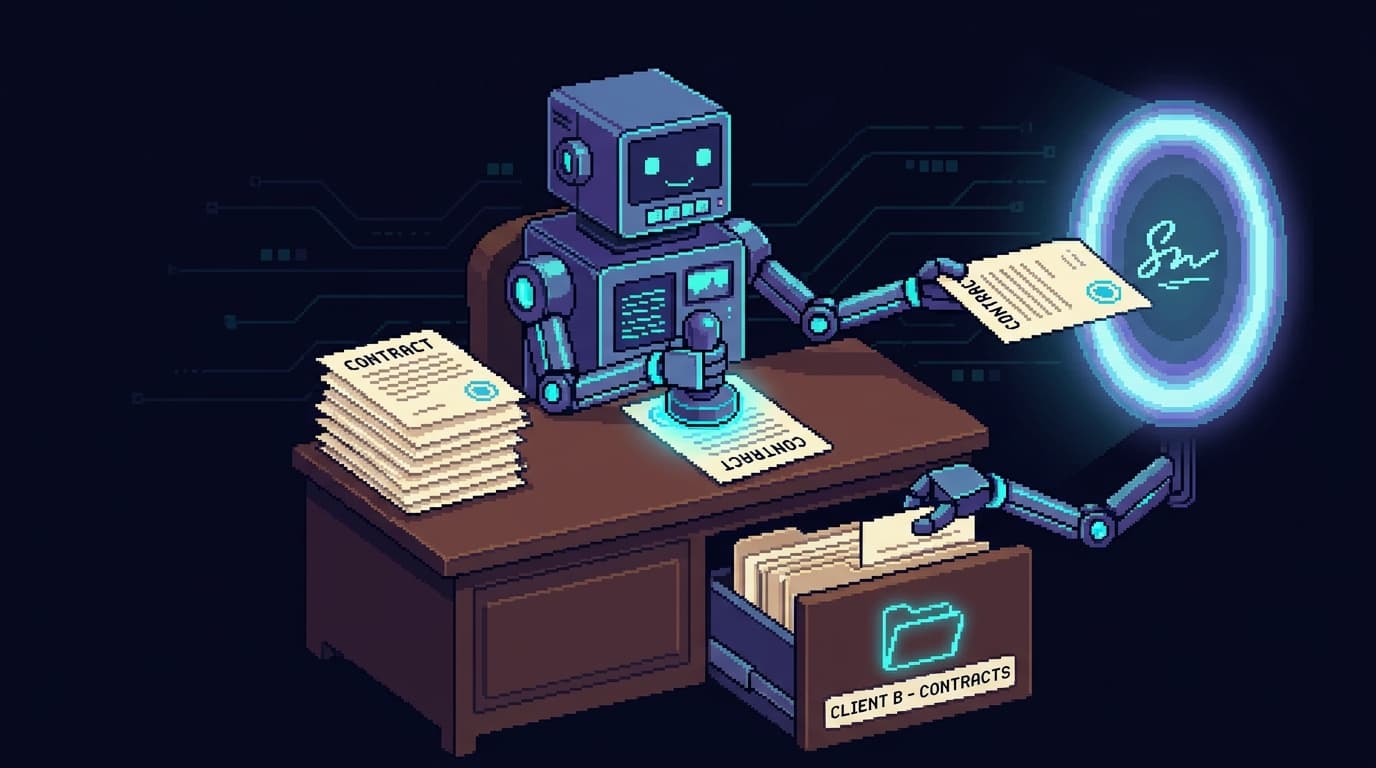
Docs mints these from uniform templates, so every contract that leaves looks the same and carries the same clauses. I'll describe the engagement in Slack, Docs assembles the right artifact, I approve it, and it goes out through DocuSign for signature. When the signed copy comes back, Docs files it in the right client folder in Google Drive, named consistently, where I can find it two years later and where I can share it straight to a client or a colleague. The pipeline runs from a Slack sentence to a signed, filed contract, and every outbound step still stops for my approval.
The orchestrator sees that pipeline as a single instruction that becomes a filed, signed document:
Blog: the writer that drafted this

Blog is the bot that wrote this post. I hand it a rough idea in Slack and it researches, drafts, asks Image for the art and diagrams, runs its own voice and anti-slop passes, and opens a pull request against my portfolio repo for me to review. It owns the part of my content pipeline that used to stall: the blank page. Where it grows is into a tighter loop with Image and Social, so a published piece becomes a staged thread without me copy-pasting between tools. It writes; I edit and ship.
Social and Portfolio: the steady hands
Social stages posts to X and LinkedIn through Typefully, and Portfolio handles site ops, SEO, and analytics. Both run today and need the least from the vision. They're the proof that a bot doesn't have to be ambitious to be worth it. Some of the fleet exists to keep the lights on while the rest does the heavy lifting.
Mobility was a hard requirement
One constraint shaped every other decision: the control plane is Slack, and it has to give me identical power on my phone and my laptop. A full mobile control plane, with the same fleet, the same commands, and the same approvals as the desk.

I'm a solo parent running a real business. The office is wherever I am, which is frequently a pickup line, a kitchen, or the ten minutes before a kid needs something. A system that only worked at my desk would only work when I'm least likely to be at it. So I made full capability from my phone a requirement at the start and designed backward from it.
This is the part the Claude tag pushed furthest. Before, "full power from my phone" meant I could run the fleet from Slack but still had to get to a laptop to change it. Now I can fix and improve the bots themselves from the same thread, because the Claude tag opens PRs against their repos for me. I've written about carrying my agents on my phone before; this is the version where the phone can also rebuild the agents.
Chat-as-interface is what makes that work, and the parts that matter are boring. It's ambient: Slack is already on my phone, so there's no app to open with intent and no context to reload. It's async: I drop an instruction and the durable session carries it whether I'm watching or not. It's durable: the work parks and resumes, so a flaky signal in a parking garage doesn't drop a task on the floor.
I gave a talk at AI Engineering London called Untethered Productivity about exactly this. Agents scale infinitely, but your nervous system doesn't. The win is getting unhooked from the desk while the work keeps moving. I built the fleet after that talk because I was tired of holding ideas until I got back to a keyboard. The keyboard stopped being where the work happens.
How the bots talk to each other, with the Chief of Staff in front
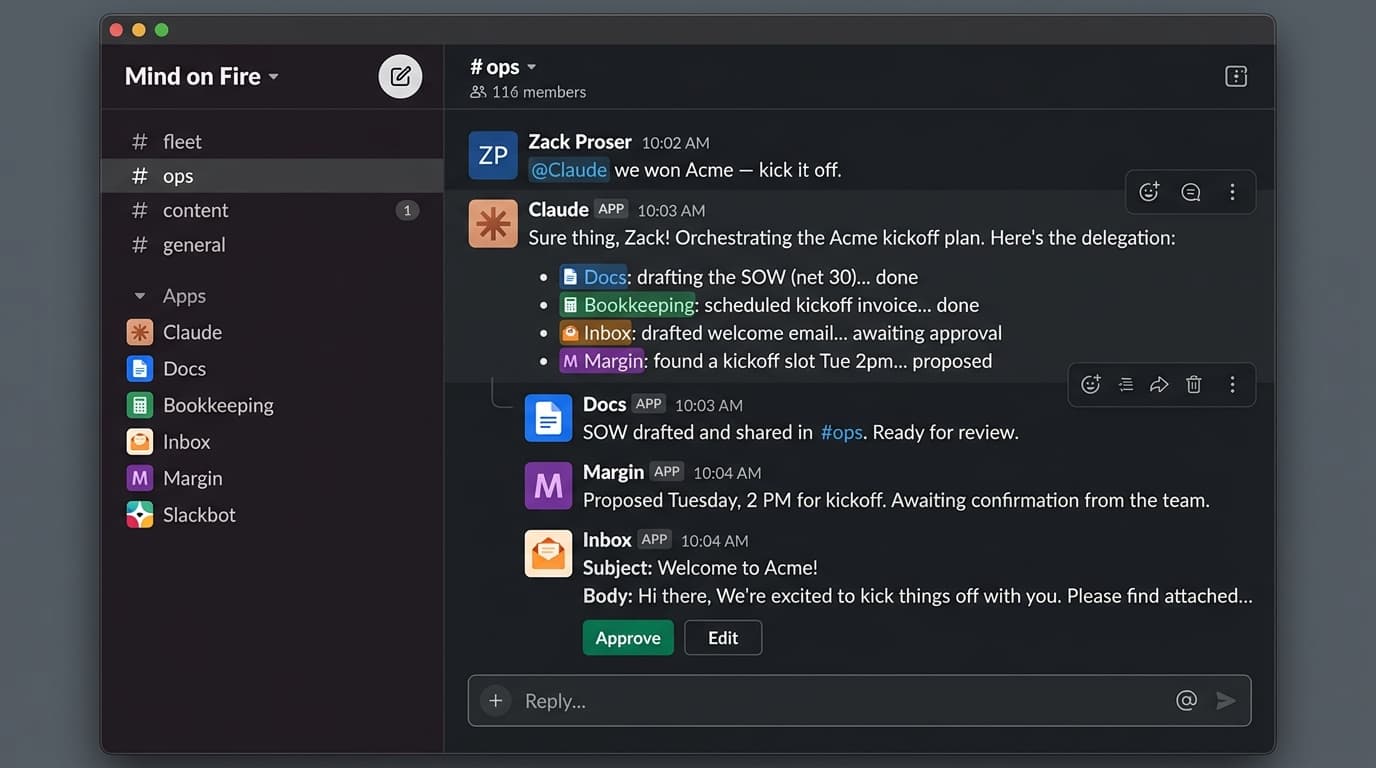
That screenshot is the whole idea in one thread: I drop one line into Slack, here by tagging the Claude tag, and it fans the work out to Docs, Bookkeeping, Inbox, and Margin, threads their results back, and parks the one step that needs my sign-off. The Chief of Staff runs the exact same play; either one can be the front door. I talk to it and it relays to the specialists on my behalf. That's the design eve is built for: a main agent that delegates focused subtasks to child agents, each with its own prompt, tools, and identity, and then combines the results. eve's own docs describe a subagent as a separate agent with fresh state that the main agent hands a narrow job to, which is exactly the role each specialist plays.
The Chief of Staff does not reimplement the specialists. The lazy version gives the orchestrator its own Gmail tools and its own calendar logic, and that produces one god-object bot that knows everything, holds every secret, and resists reasoning. So the Chief of Staff calls the specialists instead. It declares each one as a remote agent rather than copying its capabilities.
Each specialist is declared as a remote agent that points at its own deployment's HTTP endpoint, a POST to /eve/v1/session, the same session API eve exposes for every agent. eve lowers that declaration into an ordinary tool with a { message, outputSchema } shape. From the orchestrator model's point of view, delegating to Inbox or Margin looks identical to calling any other tool, or to spawning one of its own subagents. It says "draft a reply to this lead" or "find a time that works for me and Nick," the specialist runs its own durable session against its own connectors, and it returns a structured result.
Day to day, I hold one conversation. I tell the Chief of Staff what I want in plain Slack, and it decides which specialists to wake, in what order, and how to thread their results into one answer. The fleet's complexity stays inside the orchestrator instead of landing on me.
// chief-of-staff/agent/agents/margin.ts
import { defineRemoteAgent } from 'eve'
import { z } from 'zod'

// Margin is a different Vercel deployment. The Chief of Staff
// doesn't know how Margin reads my calendar or my Oura ring.
// It only knows the contract.
export default defineRemoteAgent({
  url: 'https://margin.example.vercel.app/eve/v1/session',
  description: 'Find availability that respects rest and childcare.',
  outputSchema: z.object({
    slots: z.array(z.object({ start: z.string(), end: z.string() })),
    blockedReason: z.string().optional(), // e.g. "low Oura readiness"
  }),
})
The orchestrator's model now has a margin tool. It passes a message and gets back typed slots. It never learns how Margin talks to Google Calendar or what an Oura readiness score is, the same way one service doesn't reach into another's database. The contract is the whole relationship.
A real request crossing the fleet looks like this: get a new lead onto the roster and find a time, from my phone.
In the diagram, get_availability(collective, ...) means "find a slot that works for everyone on this thread," and "WorkOS-aware" means Margin already knows my day-job hours are off-limits. The Chief of Staff orchestrates. The specialists do the work in their own sessions. The structured results flow back up, and a draft plus a one-tap approval is the only thing that reaches me. I'm coordinating a team over chat. The team happens to be made of durable agent sessions instead of people.
The example above touches two bots. The finished vision chains the whole fleet behind one sentence. When I close a deal, I want to tell the Chief of Staff "we won Acme, kick it off" and watch it route the work: Docs mints and sends the SOW, Bookkeeping schedules the kickoff invoice, Inbox drafts the welcome email, and Margin finds a kickoff slot that survives my readiness and my partner's calendar. Each specialist runs its own durable session, each outbound step waits for my approval, and the Chief of Staff holds the thread that ties them together. I describe the outcome once; the orchestrator decomposes it into the right calls and reassembles the results. That's the difference between a pile of bots and a fleet.
The bus is the security boundary
A team of bots that can call each other is a team of bots that can be made to call each other. So the interface between them is where I spent the most care. Those /eve/v1/* routes are protected and fail closed by default: an unauthenticated or unrecognized caller gets a 403 and nothing else.
There's a second attack surface the moment a bot reads email or the web: the content itself. Inbox ingests messages from anyone, and the Claude tag can pull in a web page or a Notion doc I didn't write. None of that text is treated as instructions. A retrieved lead email is data the model summarizes, never a command it executes, and the bot that reads untrusted input is not the bot that holds the send button. The dangerous step still surfaces to me as an approval that shows what's about to happen and where it came from, so a "please wire $5k to this account" buried in an email lands as a flagged draft, not an action.

Inter-bot calls authenticate with Vercel OIDC. Vercel mints a per-deployment identity token, so each bot proves who it is with a short-lived, environment-pinned identity rather than a secret it carries around. In eve, the auth wrapper on those routes trusts same-project OIDC subjects by default. To let the Chief of Staff, which lives in a different Vercel project, call a specialist, the specialist allow-lists the orchestrator's project identity by its vercelSubject. The fleet passes no shared secrets, no API keys handed bot to bot, and no long-lived token sitting in an env var waiting to leak. The identity is project-scoped and environment-pinned, and the specialist decides who it answers to.
// margin/agent/auth.ts — Margin decides who it answers to.
import { allowProjects } from 'eve'

// Same-project calls are trusted by default. To let the Chief of Staff
// (a different Vercel project) in, Margin allow-lists its OIDC subject.
// Anything not on the list hits the default: fail closed, 403.
export default allowProjects({
  'chief-of-staff': {
    // illustrative shape; use the exact subject Vercel issues for the deployment
    vercelSubject: 'owner:zack:project:chief-of-staff:environment:production',
  },
})
The same instinct governs the Claude tag. Its reach across surfaces is real power, so it follows the docs' model: access is admin-governed and scoped per channel, not handed to whoever wanders into the workspace. And the work it does that touches the world — sending an email, merging a PR I haven't reviewed, anything that spends my name or my money — still lands as something I approve, not something that fires on its own.
If you've designed distributed systems, this should feel familiar, because it's the same playbook:
- Typed contracts between services. The
outputSchemais an API contract. A specialist can change how it does its job without the orchestrator knowing or caring, as long as the shape holds. - Identity-based auth. OIDC subjects in place of shared secrets, the same reason you'd use workload identity over a static key in any service mesh.
- Idempotency, designed per side effect. Durability gives a session somewhere to resume; it doesn't make side effects safe to retry. So each bot keys its dangerous actions and stores what it has already done. Resend keys a send on
campaignId + approvedRevision, Docs keys a DocuSign send onartifactId + approvedRevision, and Bookkeeping keys an invoice onclientId + engagementId, so a retried or replayed approval fires once. - Blast-radius containment. Each bot holds only its own connectors and secrets. Compromise one and you get one domain, not the keys to the business.
- Kill-switches on dangerous actions. Resend's outbound send has a hard off-switch. Money and contracts don't move on a model's confidence.
The rule on top of all of it: anything outbound is human-in-the-loop. Before it sends an email, moves money, or signs a contract, eve parks the session and renders the action as a one-tap approval button in Slack. I draw that same line across every bot I run: anything reversible runs unattended, and anything that reaches another person or can't be undone stops for me. The bus gives the fleet its reach; the approval gates make it safe to leave running.
This is complexity management with new nouns
Strip the AI out and there's nothing exotic here. I took an unmanageable amount of work, decomposed it into single-responsibility modules, gave each a clean typed interface and a least-privilege boundary, put identity-based auth on the wire, contained the blast radius, and kept a human at every irreversible gate. It's the same systems design I'd defend in any architecture review.
What changed is the unit of decomposition. The module used to be a service; now it's an agent. The thing I'm encapsulating used to be code; now it's judgment: Margin's judgment about when I'm too depleted to take a meeting, Inbox's judgment about which lead is real. And the Claude tag adds one more layer: an agent whose module is the other agents. The discipline that keeps it legible is the old discipline. The people who build good agent teams are the ones who already knew how to tame a system and pointed that skill at a new kind of module.
The useful part is the system underneath: decomposition, typed contracts, narrow permissions, durable execution, a meta-agent that can repair the rest, and a human at every gate where the work can hurt someone. I run that system from my phone, in a pickup line, with the same authority I'd have at my desk.
If you want this for your team
This is the work I do: AI-transformation consulting, workshops and trainings for teams that want to ship AI in production, and helping people design their own agent fleets. In a workshop you leave with a workflow map, an autonomy-boundary table, and a spec for the first specialist or two, with the approval gates drawn before anything gets wired into a system that can spend your name or your money.
If that's what you need, reach out. I'll help you build the version of this that fits your business.

Discussion
Giscus