
Remote teams need a reliable async record: what was decided, who owns the next step, what remains open, and where the result lives after half the team goes offline.
Quick verdict
- Best for small distributed teams and mixed meeting types: Granola
- Best for live captions and a transcript-centric workspace: Otter
- Best for distributed sales and customer-success teams: Fireflies
- Best for managed revenue coaching and pipeline workflows: Avoma
I use Granola because it works across meeting platforms and in-person conversations without adding a bot participant. Its shared folders and Business integrations make it much more team-capable than older comparisons suggest.
Affiliate disclosure: I may earn a commission through the Granola links below. Granola has a free plan, and new users get their first three months free through my link.
What a remote team should evaluate
| Requirement | Why it matters remotely |
|---|---|
| Decisions separated from discussion | An async reader needs the outcome, not a 45-minute replay |
| Owners and due dates | Follow-up must survive time-zone handoffs |
| Searchable history | Repeated decisions are expensive when context is scattered |
| Sharing controls | Not every customer or personnel conversation belongs in a team-wide archive |
| Platform independence | Clients dictate whether the call is on Zoom, Meet, Teams, or something else |
| Integrations | Notes should reach Slack, Notion, CRM, tickets, or the system of record |
| Retention and consent | Distributed teams cross policies, contracts, and jurisdictions |
Remote-team comparison
| Tool | Remote-team strength | Sharing model | Best fit |
|---|---|---|---|
| Granola | Bot-free, cross-platform, in-person capable | Shared folders; Business integrations | Small teams, leaders, consultants, mixed internal/external meetings |
| Otter | Live captions and searchable transcript history | Team workspaces and shared conversations | Transcript-centric teams and accessibility workflows |
| Fireflies | CRM automation, tasks, and team analytics | Central meeting workspace plus integrations | Distributed sales and customer success |
| Avoma | Scheduling, notes, coaching, and revenue intelligence | Organization workflows and free viewers | Managed revenue organizations |
For a broader feature matrix, use the AI meeting notes requirements comparison.
Granola: best for mixed internal and external work
Granola captures at the device rather than joining the call as a named participant. That means a distributed team can use the same notes workflow across Zoom, Meet, Teams, Slack, phone calls, and in-person meetings.
The current product includes shared folders on its free Basic plan. Business adds unlimited history, advanced models, centralized user management, and integrations with tools such as Notion, Slack, HubSpot, Attio, Affinity, and Zapier.
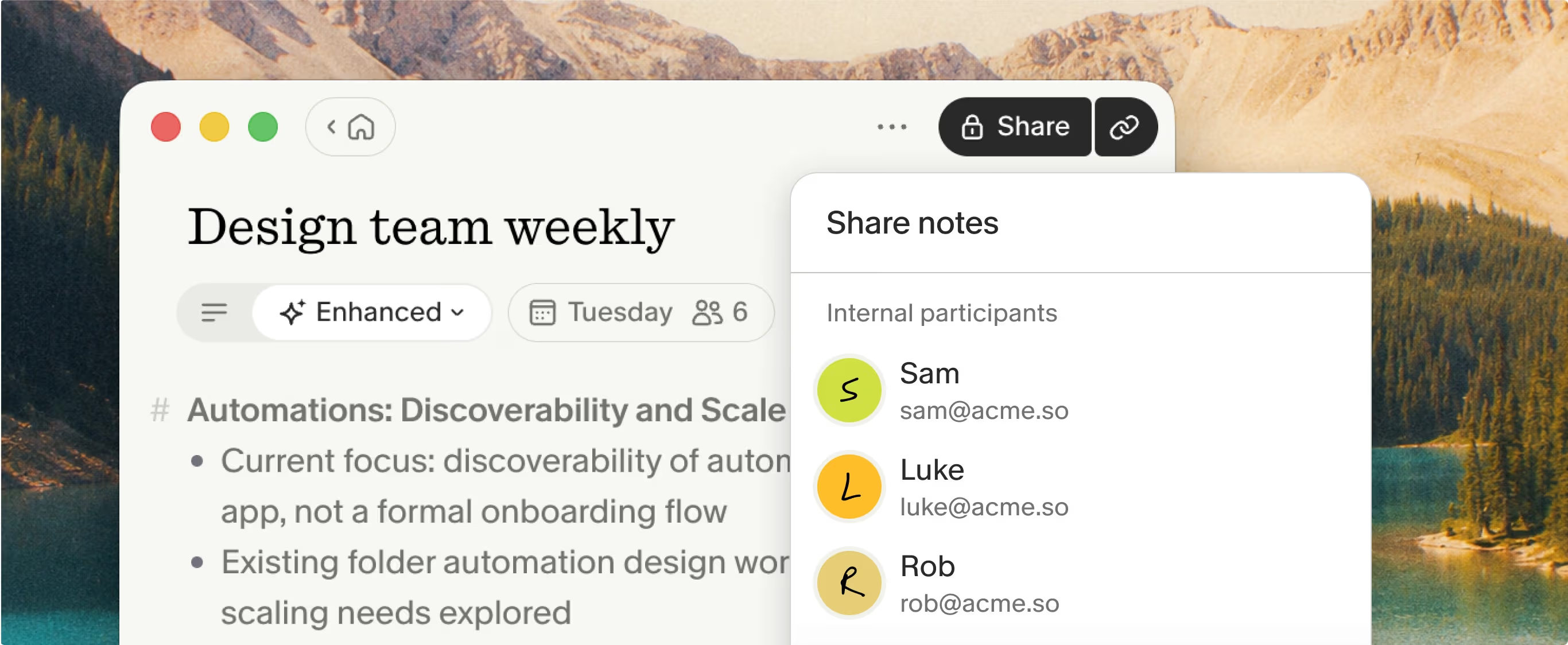
Granola notes stay private until the user chooses who can access them. Official product screenshot from Granola.
Choose it when:
- Individual contributors need a low-friction notes workflow
- The team has both internal and client-facing meetings
- In-person conversations must join the same knowledge system
- Notes and decisions matter more than retained video
Do not choose it solely because it has no bot. You still need the appropriate disclosure and consent, and another product may fit the downstream workflow better.
Otter: best when the live transcript is the workspace
Otter is the stronger answer when distributed participants need live captions, shared transcripts, comments, and searchable conversation history. This can be especially valuable for accessibility, multilingual work, or noisy remote environments.
Its meeting-bot workflow can be appropriate for recurring internal calls where the recording is expected. Use app recording or the organization’s approved capture configuration when a bot is not the right fit.
Fireflies: best for distributed revenue execution
Fireflies turns calls into CRM updates, tasks, follow-up drafts, and analytics. It also offers botless capture through extension, desktop, and mobile workflows, so remote teams are not limited to inviting a bot into every customer call.
Choose it when the measure of success is not “we have notes” but “the deal record and follow-up workflow updated correctly.”
Avoma: best for coaching and pipeline management
Avoma combines meeting capture with scheduling, CRM entry, call scoring, coaching, and optional revenue intelligence. Its recorder-seat model can be efficient when many people only need to view and collaborate on meetings rather than capture their own.
That platform is usually more than a product or engineering team needs, but it can be the right operating system for a distributed revenue organization.
Turn AI notes into an async record
Whatever tool you choose, require each important note to contain:
- Context: why the meeting happened and who participated
- Decisions: what became true as a result of the meeting
- Owners: one person for each next action
- Deadlines: when the action is expected
- Open questions: what needs input from people who were absent
- Links: tickets, documents, customer records, and prior decisions
A transcript without this structure is an archive. A structured note is an async handoff.
Consent and access across jurisdictions
Distributed teams can put participants, employers, customers, and recording infrastructure in different jurisdictions. Use the strictest relevant policy, involve counsel for regulated workflows, and make the capture clear to participants. Keep personnel, medical, legal, and customer-sensitive notes out of broad shared folders unless access is explicitly appropriate.
Final recommendation
For a small or mixed remote team, I would start with Granola and define the note template plus sharing destination before the first rollout. For live-caption-first teams, start with Otter. For revenue operations, compare Fireflies and Avoma against the CRM and coaching requirements.

Discussion
Giscus