
This is the requirements matrix, not another generic ranked list. If you want one overall recommendation, start with my 2026 AI meeting note taker buyer’s guide. Use this page when you already know the feature your workflow cannot compromise on.
The short answer by requirement
| Hard requirement | Start with | Why |
|---|---|---|
| No bot participant | Granola | Device-first capture across desktop and mobile |
| Live captions | Otter | Real-time transcription is part of the core workflow |
| CRM automation | Fireflies | Strong post-call automation and revenue integrations |
| Revenue coaching | Avoma | Conversation and revenue intelligence go beyond notes |
| Strong free individual plan | Fathom | Unlimited core recording and transcription on Free |
| In-person meetings | Granola | iOS and Android apps support face-to-face capture |
Affiliate disclosure: I earn money if you use my Granola link. I do not have affiliate relationships with the other tools listed here.
Feature comparison
Details were checked against official product pages on July 31, 2026. Features and plan boundaries change, so confirm anything contract-critical with the vendor.
| Capability | Granola | Otter | Fireflies | Fathom | Avoma |
|---|---|---|---|---|---|
| Capture without a meeting bot | Yes | App recording available | Yes, extension/desktop options | Mac rollout in progress | Yes, native option |
| Live captions | No | Yes | Yes | Meeting transcript workflow | Yes |
| In-person/mobile capture | iOS + Android | iOS + Android | iOS + Android | Desktop/video-meeting focused | iOS + Android |
| Shared notes or workspace | Yes | Yes | Yes | Yes | Yes |
| CRM integrations | Business tier | Paid plans | Core strength | Limited CRM sync | Core strength |
| Conversation coaching | No | Limited workflows | Business/Enterprise | Team plans | Dedicated add-on |
| Free starting point | Yes | Yes | Yes | Yes | Trial/viewer access |
| Audio/video recording archive | Transcript + notes; audio discarded | Yes | Yes | Yes | Yes |
Capture model: the first decision
Device-first capture
Granola accesses audio on your device rather than joining the conference as a participant. On desktop it transcribes in real time and discards the audio; its mobile apps support in-person meetings. I prefer this model for client-facing work because there is no extra bot to admit or manage.
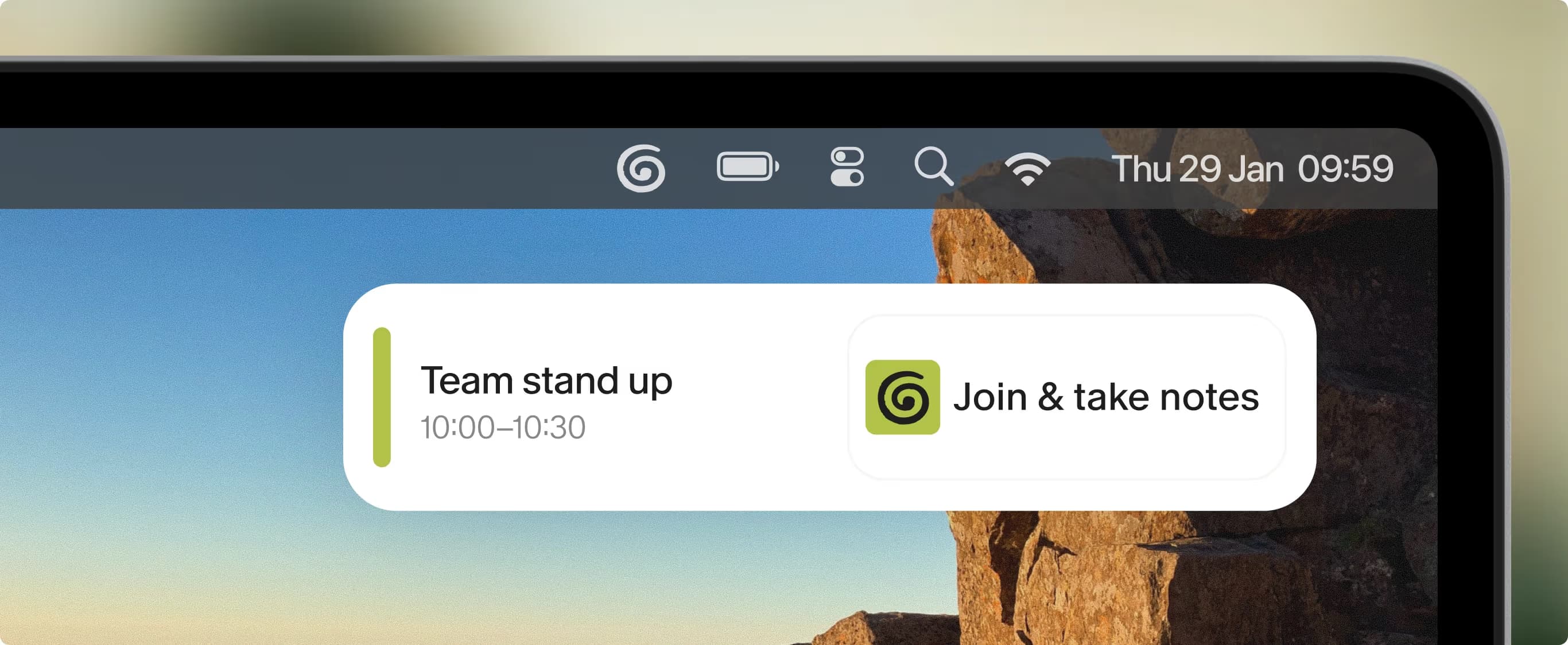
Calendar detection connects a scheduled meeting to Granola's device-first capture workflow. Official product screenshot from Granola.
Fireflies and Avoma now also offer botless capture paths. That matters: comparisons claiming every Granola competitor must join as a bot are out of date. Their differentiator is what happens next—CRM automation, recordings, analytics, and team management.
Bot-based capture
A bot can be useful. It makes the recording visible, can attend scheduled calls automatically, and gives teams a centralized recording artifact. Otter, Fireflies, Fathom, and Avoma all support workflows where a bot participates.
The tradeoff is meeting friction. Hosts can reject the participant, external attendees may object, and the bot may be inappropriate for a particular customer or policy environment.
Platform-native recording
Zoom, Google Meet, and Teams can also record or transcribe meetings inside the platform. Native controls may be preferable when an organization wants platform notices, centralized administration, and a single approved data processor.
Live captions versus notes after the meeting
Choose Otter when the transcript must appear during the call. That can be an accessibility feature, a way to follow a noisy meeting, or simply the team’s preferred operating mode.
Choose Granola when you want to stay in the conversation and review an editable document afterward. It is an AI notepad: your rough notes guide what the final enhanced notes emphasize.
Those are different jobs. A product can be excellent at one without being the best at the other.
CRM and revenue workflows
Fireflies and Avoma are the serious options when the deliverable is a CRM update and a follow-up workflow. Fireflies can push action items and fields into tools such as Salesforce and HubSpot. Avoma combines notes with scheduling, coaching, call scoring, and optional revenue intelligence.
Granola’s Business plan now includes integrations such as HubSpot, Attio, Notion, Slack, Affinity, and Zapier. That is enough for many small teams, but it is not the same product category as a full coaching or pipeline platform.
Data handling and consent
“No bot” is a user-interface and capture distinction, not a privacy guarantee. Evaluate:
- Whether audio or video is stored
- How long transcripts and notes remain available
- Who can access shared workspaces
- Whether model training can be disabled
- SSO, retention, audit, and data-residency requirements
- Your disclosure, consent, company-policy, and jurisdictional obligations
Granola says desktop audio is transcribed and discarded, leaving the transcript and notes. Other tools intentionally retain recordings because playback and coaching are part of their value. Neither model is universally better; it depends on the record your organization is allowed and expected to keep.
My choice
I use Granola because my primary job is capturing useful context while staying present on client and team calls. If I needed live captions, I would choose Otter. If I ran a revenue organization whose CRM and coaching data depended on every call, I would compare Fireflies and Avoma. If I wanted the most capable free bot-based option for personal video meetings, I would start with Fathom.

Discussion
Giscus