
The best meeting notes app depends on where the meeting happens. A tool built around a Zoom bot is a poor answer for an in-person workshop; a mobile recorder is a poor answer when you need live captions inside a desktop call.
Quick answer by device
- Mac or Windows, no bot: Granola
- iPhone or Android, including in-person meetings: Granola
- Live captions across desktop and mobile: Otter
- Mobile capture tied to CRM workflows: Fireflies
- Desktop video meetings with a generous free plan: Fathom
Granola has a free Basic plan, and new users get their first three months free through my affiliate link. I may earn a commission if you use it.
Platform comparison
Platform support was checked on July 31, 2026. Confirm current requirements before standardizing a team.
| App | Mac | Windows | iPhone | Android | In-person | Live captions |
|---|---|---|---|---|---|---|
| Granola | Yes | Yes | Yes | Yes | Yes | No |
| Otter | Yes | Yes | Yes | Yes | Yes, in-app | Yes |
| Fireflies | Yes | Yes | Yes | Yes | Yes, mobile | Yes |
| Fathom | Yes | Yes | No | No | No | Meeting transcript workflow |
| Avoma | Yes | Yes | Yes | Yes | Mobile capture | Yes |
The table is about app availability and capture workflow, not who has the longest feature list. For privacy, CRM, retention, and team controls, use the requirements comparison.
Best for Mac and Windows: Granola
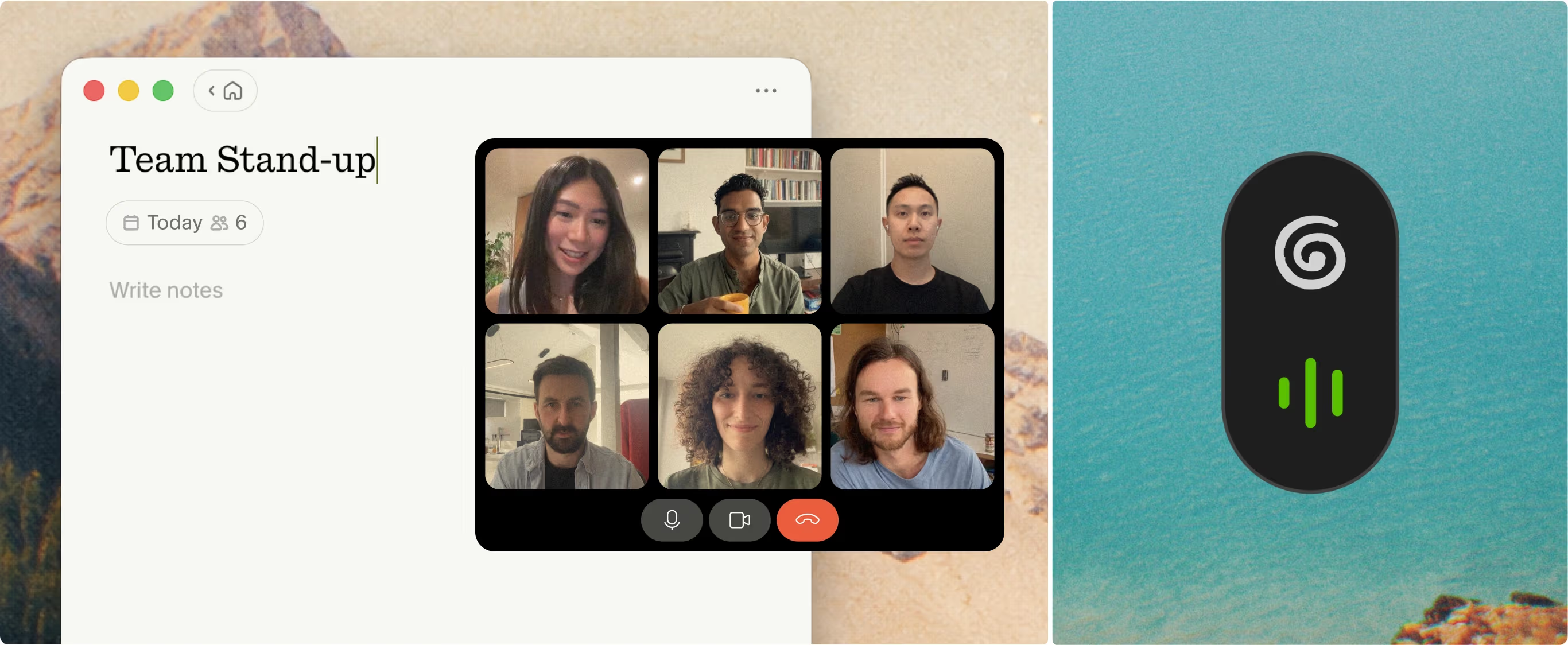
Granola's desktop app captures the conversation while the meeting stays in its original app. Official product screenshot from Granola.
Granola is my desktop default because it captures microphone and system audio without adding a bot participant. It works across Zoom, Meet, Teams, Slack huddles, and other apps because the capture happens at the device level.
The app is built around a human-in-the-loop workflow: jot down the things you care about, then let Granola enhance those notes from the transcript. On desktop, the audio is transcribed and discarded rather than kept as a recording archive.
Choose Granola on desktop when:
- You switch between meeting platforms
- You do not want to invite or admit a bot
- You prefer editable notes over stored video
- You want to query past meeting context later
Best for iPhone, Android, and in-person meetings: Granola
Granola’s mobile apps make this page meaningfully different from a generic meeting-tool roundup. You can create a note for an in-person meeting or phone call, capture through the phone, and review the enhanced notes afterward. Android support launched in July 2026, so older comparisons that call Granola Mac-only are stale.
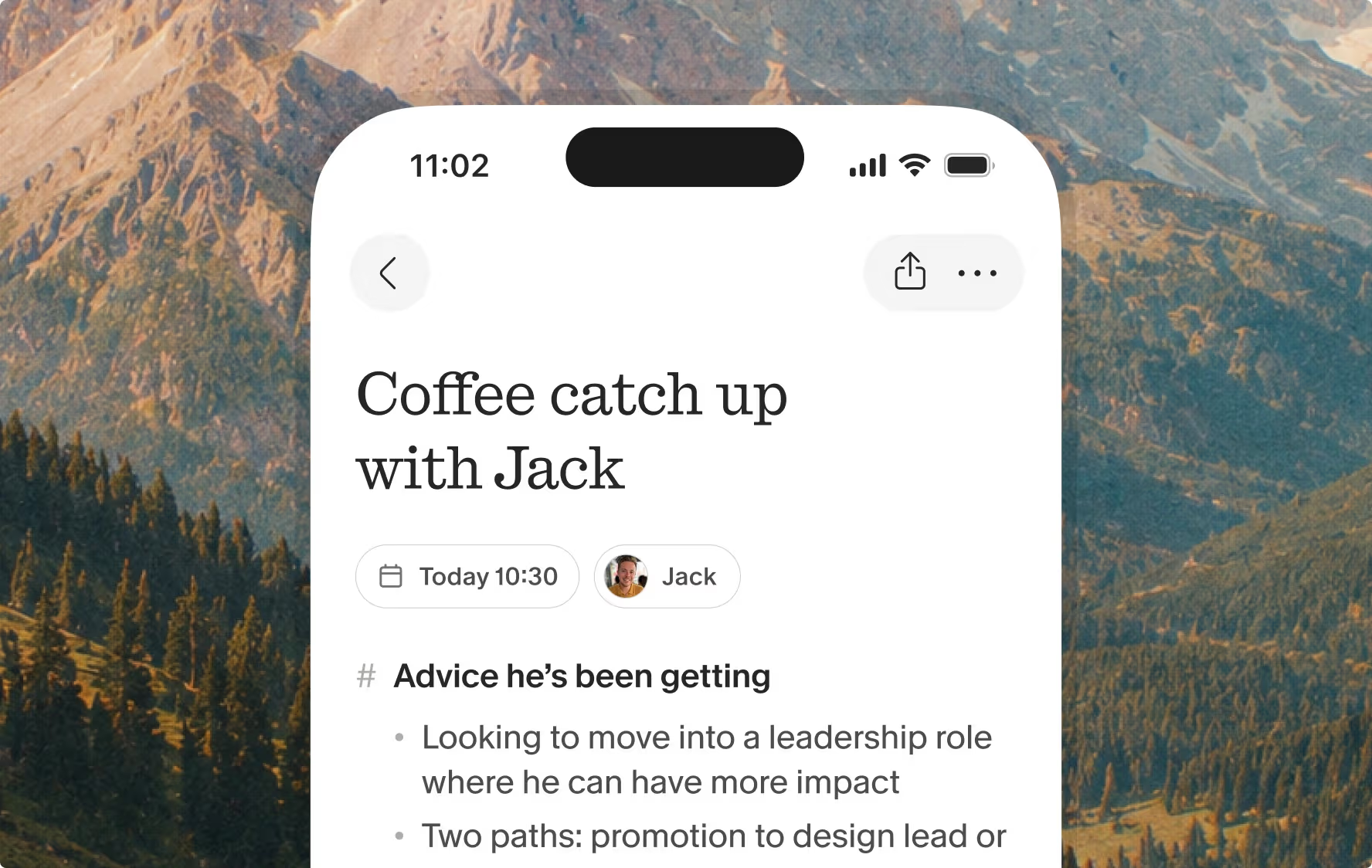
Granola's mobile workflow brings in-person conversations into the same notes system. Official product screenshot from Granola.
This is the strongest fit for workshops, conferences, coffee meetings, and site visits where there is no Zoom link for a bot to join.
Best for live captions: Otter
Otter’s apps provide live transcription, speaker identification, and a searchable conversation history. Use it when someone needs to read along during the meeting or the live transcript is itself the working surface.
Otter can join major video platforms as a notetaker, but it also supports in-app recording. Decide whether the meeting should produce a visible shared recording or a private draft note, then configure it accordingly.
Best for mobile-to-CRM workflows: Fireflies
Fireflies supports Android and iOS in addition to desktop, browser-extension, and meeting-bot capture. It is the better app choice when the captured conversation must trigger CRM updates, tasks, follow-up drafts, or team analytics.
The tradeoff is complexity. A solo consultant who only needs reliable notes may not benefit from the wider automation platform.
Best free desktop starting point: Fathom
Fathom remains attractive for individuals who conduct most meetings on a desktop video platform. Its free tier includes unlimited core recordings, storage, and transcription, while advanced summary features have limits. A new bot-free experience is rolling out on Mac, but mobile devices are not currently supported.
It is less compelling for ad-hoc mobile and in-person capture, which is why I would not make it the universal “best app.”
Disclosure and consent still apply
Device capture can remove the visible bot, but it does not remove your responsibilities. Tell participants when required, obtain the appropriate consent, follow company and client policy, and account for every relevant jurisdiction. A clean participant list is a workflow benefit—not a way around permission.
Final recommendation
If you need one app across desktop, phone, virtual calls, and in-person meetings, Granola is my pick. If live captions are the deciding requirement, choose Otter. If CRM automation is the deciding requirement, choose Fireflies.

Discussion
Giscus