
Microsoft Teams meetings often happen inside somebody else's tenant. Their licenses, lobby rules, transcription policy, and administrator settings decide which native or third-party tools can join. Device capture provides a separate path: run an approved app on your computer, capture microphone and system audio, and create your own reviewed note without installing anything in Teams.
This is useful for consultants, agencies, and salespeople who move between client tenants and need one consistent personal note workflow.
The direct setup
- Join Teams with the desktop or web client you normally use.
- Open the scheduled note in your device-capture app.
- Verify access to your microphone and system audio.
- Tell participants that transcription is active, then begin capture.
- Review the transcript and note before putting any result into a customer or company system.
I use Granola. It captures audio through its desktop app without requesting access to the Teams meeting or tenant. It sends the stream to cloud transcription providers and uses the transcript, calendar context, and typed cues to create an editable note.
Device capture versus Teams transcription and Copilot
Teams recording, transcription, and Copilot can be the correct choice when the organization has approved and configured them. They produce a meeting-owned artifact and use visible notices. Availability and post-meeting behavior depend on licenses, organizer choices, and policies.
An external notetaker bot joins as another meeting participant. It may wait in the lobby, be denied by the organizer, or be blocked by tenant policy. That makes the capture dependency obvious to everyone, but it also adds another identity to a client call.
Device capture does not integrate with the tenant. It cannot make Teams features available or create an organization-owned Teams recording. It creates a personal note outside the meeting platform.
| Requirement | Teams native workflow | External bot | Device capture with Granola |
|---|---|---|---|
| Tenant policy and licensing | Controls availability | Can block or restrict bot | No Teams app required |
| Extra participant | No | Yes | No |
| Teams notice | Shown for recording or transcription | Bot is visible | No Teams-generated notice |
| Organization-owned record | Depending on setup | Usually in vendor workspace | Granola note owned in its workspace |
| Replayable media in Granola | N/A | Product-dependent | No; Granola says audio is not retained |
For setup that also spans Zoom and Google Meet, use the bot-free meeting transcription guide alongside this Teams-specific workflow.
The Granola workflow for Teams
Open the matching Granola note before joining the call and confirm capture after Teams has selected its audio devices. During the discussion, type a few cues where your judgment matters: “security owns this,” “client has not agreed,” or “migration date is conditional.”
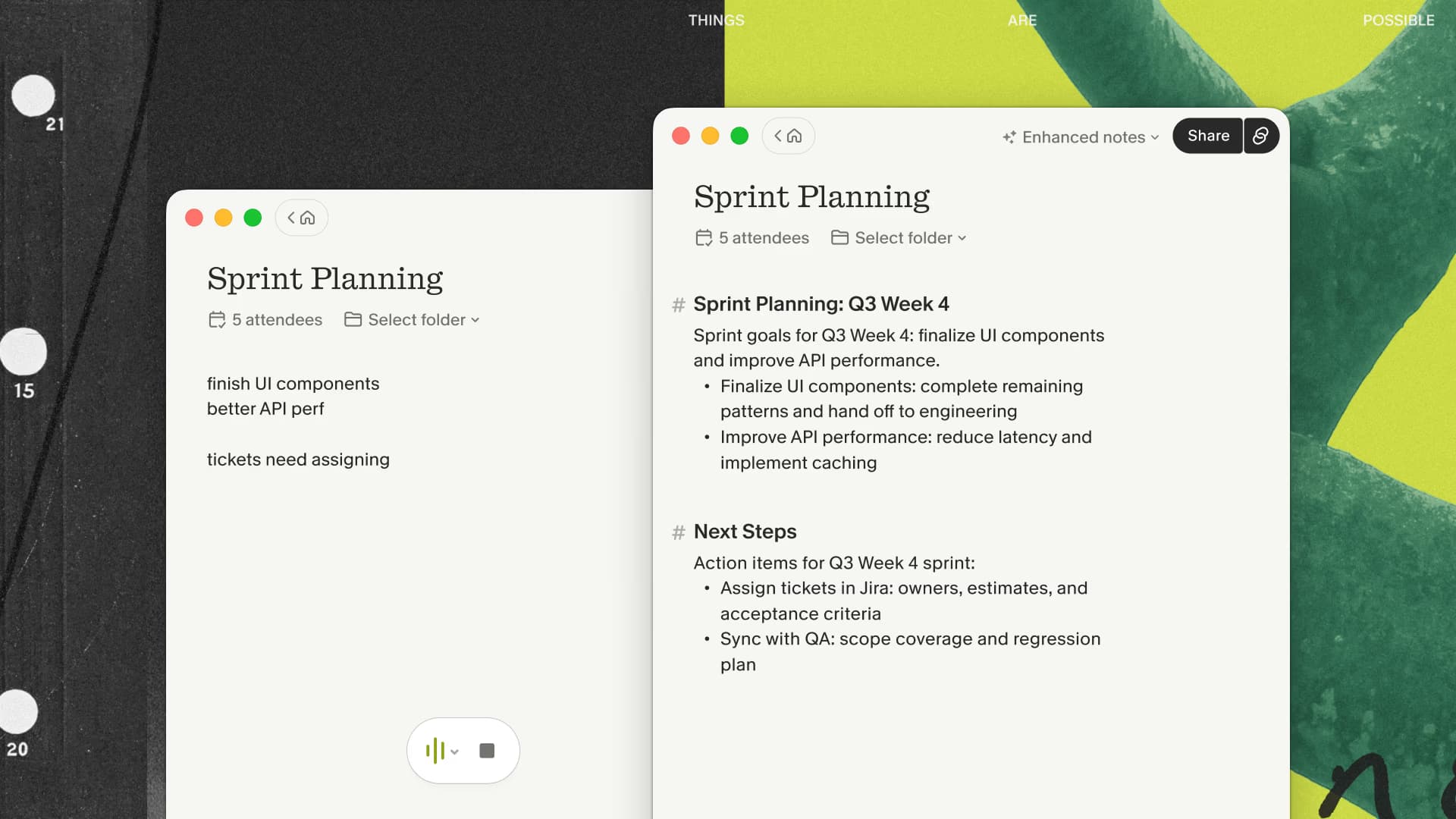
Afterward, enhance and edit the note. Correct names, dates, quantities, and product terms. Separate the client's words from your interpretation. Move genuine actions to the authorized task or CRM system rather than leaving them in a transcript.
This makes Granola a personal preparation and follow-up tool. If the whole organization needs the recording, transcript, or Copilot context inside Microsoft 365, use the approved Teams workflow instead.
If a personal reviewed note is the right side of that boundary, try Granola across a real Teams call with three months free before adopting it across more client tenants.
Cross-tenant calls need a data boundary
A consultant may speak with three clients in three tenants on the same day. Device capture makes the user experience consistent, but it also moves text into a separate vendor workspace. That boundary should be explicit.
Before adopting the workflow, decide which client meetings can be transcribed, where the notes may be shared, and when they should be deleted. Keep separate client folders or Spaces where appropriate. Do not paste confidential notes into an integration merely because the button is available.
For sales calls, verify what can enter the CRM. For legal or regulated work, use only an approved service and follow the engagement terms. Technical independence from Teams is not organizational approval.
Audio and start failures
Teams can change audio devices when a dock, headset, or conference-room system connects. The transcript may capture your microphone but miss the remote participants if system-audio access is unavailable. A calendar event can also be rescheduled or renamed, leaving the user in the wrong note.
Run a short test with the exact Teams client and hardware you expect to use. Confirm that both sides appear in the transcript. Watch for:
- A headset switching from the intended microphone
- Remote audio missing from device capture
- Echo from joining both a room system and laptop audio
- Capture beginning late after lobby admission
- Crosstalk flattening several speakers into “Them”
- A generated action assigned to the wrong organization
Granola does not keep meeting audio to resolve a disputed sentence. When playback or evidentiary retention matters, choose the organization's approved recording path.
For cross-tenant calls where you need a consistent private recap, run the Teams test through my three-month Granola link. Stay with Microsoft-native capture when the organization needs to own the record.
A tool-free alternative
When transcription is not approved, use a shared agenda with a visible decision log. Put decisions, client commitments, your commitments, dates, and open questions in separate sections. During the final minutes, read the actions back and confirm which company owns each one.
This is especially effective across organizations because it creates an agreed record rather than a private interpretation. Transcript-backed notes are useful when the surrounding detail improves the follow-up and the data boundary is acceptable.
Consent without relying on the Teams banner
Teams will not generate a recording or transcription banner for a separate device-capture app. Tell participants yourself. Follow the policies and laws that apply to every organization and location involved. The meeting transcription consent guide explains the questions to settle.
If a customer or organizer declines, stop capture. Continue with the shared decision log and send the agreed recap.
Run a cross-tenant test
Use a permitted meeting where you are a guest in another tenant. Join with the same client, browser or desktop app, headset, and lobby flow you normally encounter. Mention a few account names and dates, type two cues, and turn the result into your standard recap.
Check capture completeness, corrections, ownership of actions, and whether the note is safe to store in the chosen workspace. The workflow passes only if it respects the client boundary and saves meaningful cleanup.

Discussion
Giscus